8 Types of Business Transcription Every Company Should Know

Desk workspace with microphone, notebook, headphones, and abstract waveform panel for business transcription
Most businesses are already transcribing. They are just doing it badly, invisibly, and at a cost no one has added up yet.
In reality, every company generates corporate audio, and most companies document it badly, invisibly, and at a cost nobody has added up yet. Business transcription converts recorded corporate audio into editable, searchable, shareable text.
The moment a company records anything, it has a transcription need, whether it recognises that or not. A simple audio-to-text tool handles the mechanical conversion; what most people miss is how wide the category actually runs. See our voice transcription app for how this works in practice.

Desk with laptop converting audio waveform to text, surrounded by diverse recording sources
Business transcription is the process of converting any corporate recording into written text that can be edited, stored, searched, or acted on. That covers meetings, job interviews, customer focus groups, earnings calls, HR investigations, and market research sessions. According to Bubbles Meeting Statistics & Trends 2024 (2025), professionals attend an average of 11 to 15 meetings per week, each generating audio that needs documentation.
That volume makes transcription an operational routine. A stand-up meeting and a financial review call are both "meetings," but their transcription requirements are nothing alike. A stand-up needs a fast, clean summary; an earnings call needs verbatim accuracy, speaker attribution, and a format a compliance team can file. Generic auto-captions treat all of them the same, and that is where the failures start.
Most businesses are already transcribing; they just call it something else: a marketing manager re-listening to a client call three times because the auto-transcript was too messy to trust. This aligns with broader research showing that 35% of meetings are unproductive, costing the US up to $259 billion every year.
The work is real. The cost is real. It just has no line item.
$37 billion
Cost of poorly documented meetings yearly
Key takeaways
- Manual transcription costs four to six hours of work for every hour of recorded audio, a number most companies have never added up because the cost hides inside salaries, not invoices.
- Eight types of business transcription exist, and the formatting error that is harmless in a podcast transcript can make a deposition inadmissible in court, the type determines the stakes, not the tool.
- AI transcription has made human-rate pricing ($1+ per recorded minute) an expensive habit for most recordings, not a quality guarantee.
- Speed and accuracy are not a forced trade-off, published benchmark results across 30 languages show the gap between fast and accurate has closed for AI transcription.
- The real decision axis when choosing a transcription approach is stakes versus verifiability: high-liability recordings need an auditable output; everything else can move faster than most teams currently allow.
- Security is not a checkbox, uploading client calls or medical intake recordings to an unvetted cloud tool is a risk that stays invisible until a breach makes it visible.
- Cockatoo closes the loop by accepting any audio or video file and returning an editable transcript with automatic speaker recognition, word-level timestamps, and punctuation applied, accuracy backed by published tests on 30 languages, including real-world recordings with background noise and accents, not just a marketing claim.
The Hidden Cost of Getting Business Transcription Wrong
That is what manual transcription actually costs, as anyone who has timed the process will confirm, because the typist must stop, rewind, and replay constantly just to keep up.
At a professional transcriptionist's going rate of roughly $1.50 to $3.00 per audio minute, outsourcing that same hour costs $90 to $180 before you have touched a single edit. Per-minute pricing from AI services, typically $0.10 to $0.25 per minute, compounds fast at volume: at 50 to 80 hours a month, those rates become impossible to defend in a budget conversation, and the cost lands on a line item that is hard to justify when the underlying task should be nearly instant.

Stressed worker transcribing audio manually versus clean AI transcription result on laptop
The user has to manually split the audio into chunks, sequence them, and re-upload each piece.
Cockatoo's Pro plan is designed to absorb that friction directly: there is no hard file length or size cap, and audio is stripped in-browser before upload to handle large files reliably, so a three-hour client call goes in as a single file without splitting.
The reality is that common free captioning tools carry word error rates high enough that line-by-line correction can consume nearly as much time as typing the transcript from scratch, particularly when the audio includes accented speech, background noise, or industry vocabulary. For teams that need published captions or subtitles, Cockatoo handles video captioning and subtitle export directly, and finished transcripts export to PDF, DOCX, TXT, or SRT, formats a colleague can open and edit without any additional conversion step.
What most teams report is that the time multiple for manual transcription grows with poor audio quality and unfamiliar vocabulary, so a technical sales call takes far longer to type than a clear internal meeting of identical length.
Key takeaway: A single operations generalist can lose eight to ten hours a week, a full quarter of their working capacity, to transcription and correction tasks that produce no output on their own.
Removing the transcription bottleneck at the source, rather than patching it with cheaper-but-inaccurate free tools, is what keeps that hidden cost from regenerating itself in every system the transcript touches.
8 Types of Business Transcription and When Each One Applies
Those eight types differ in more than subject matter; they differ in what a formatting error actually costs. A legal team that applies edited transcription to a deposition transcript can produce a document that opposing counsel will challenge as inadmissible. A UX researcher who receives a cleaned-up transcript loses the hesitation cues and false starts that signal uncertainty in a participant's answer. The format mismatch causes the redo.
Pros and cons at a glance
| ✓ Pros | ✗ Cons |
|---|---|
| AI is faster than human transcription for every business type | AI degrades on domain-specific terminology like medical or legal vocab |
| AI is cheaper than human transcription without exception | Low accuracy forces heavy correction, erasing speed advantage |
| No setup and no credit card required for free tier | Difficult audio with accents or overlapping speakers can require more fix time than human service |
| Auditable accuracy tests against public research benchmarks | AI does not meet compliance standards for legal, medical, or HIPAA filings |
Most professionals treat business transcription as one task with one output: audio goes in, text comes out. The reality is that at least eight distinct types exist, each with its own accuracy threshold, output format, and downstream workflow. Because professionals attend 11 to 15 meetings per week across these categories, and most companies default to auto-captions or manual notes for all of them indiscriminately, they pay the wrong cost for every type at once, in wasted editing hours rather than in line-item software spend.
The eight types below are ordered by how often they appear in a typical small business, not by importance. Each one has a specific failure mode baked into the wrong format choice.
1. Meeting Transcription - Clean Verbatim Audio and Video to Text for Actionable Records
Meeting transcription is the most common type in any business. Clean verbatim is the baseline format here; the transcript feeds action-item extraction, search, and post-meeting querying. The failure mode is applying a true verbatim format (every filler word captured) to a fast-moving stand-up, producing a wall of "um" and "like" that nobody reads. Clean verbatim, with punctuation and speaker labels applied automatically, covers the majority of meeting use cases out of the box.
One of the most common struggles solo users face is spending more time cleaning up a transcript than the meeting itself lasted, because the recording app defaulted to whatever format was easiest to produce, not what the downstream workflow actually needed. Cockatoo's transcription engine defaults to clean verbatim with automatic speaker labels and word-level timestamps on its fastest mode, so the output is immediately usable for action-item extraction and search without a manual cleanup pass. For self-serve users who want to try it before committing, Cockatoo's Free tier requires no credit card and includes three transcripts per day at up to 30 minutes each, enough to run a full week's worth of stand-ups through it and see the format difference firsthand.
2. Interview Transcription - Verbatim Capture with Speaker Labels for Qualitative Research

Business Transcription - interview verbatim capture speaker
Interview transcription sits at the intersection of speed and fidelity. A one-on-one research call or client interview needs speaker-labeled clean verbatim so the analyst can read across both sides of the conversation without reconstructing who said what. The failure mode here is receiving an unlabeled block of text and spending 40 minutes re-attributing turns before analysis can begin. Word-level timestamps matter too: if a reviewer needs to pull a specific quote back to the recording, timestamps let them jump directly to the moment rather than scrubbing through audio.
Beginners to qualitative research workflows routinely underestimate how much time re-attribution costs; it looks like a five-minute fix until it isn't. Cockatoo's automatic speaker labels and word-level timestamps remove that friction on a self-serve basis, with no configuration required. Pro plan users get truly unlimited transcription on default modes, with no monthly hour cap, so a researcher running back-to-back interview sessions in a single day isn't stopped by a quota mid-project.
3. Focus Group Transcription - Multi-Speaker Edited Transcripts for Consumer Insights Teams

Business Transcription - focus group multi speaker
Focus group transcription is the hardest conversion challenge in this list. Overlapping speech, crosstalk, and four to eight simultaneous voices stress any transcription engine. Our market understanding of AI versus human accuracy for multi-speaker audio shows meaningful degradation when speakers talk over each other, and a misattributed quote can flip a product decision. If budget allows only one type to go to a human reviewer, this is it.
For teams running multiple focus groups in parallel, Cockatoo's Pro plan supports batch uploads of up to 20 files at once, and there is no hard file length or size cap; multi-hour sessions upload reliably because audio is stripped in-browser before transfer, reducing the failure rate on large files. Speaker-labeled exports give the human reviewer a structured starting point rather than an undifferentiated block, cutting the re-attribution work that otherwise dominates focus group post-processing.
4. Financial and Earnings Call Transcription - High-Stakes Verbatim Records for Investor Relations
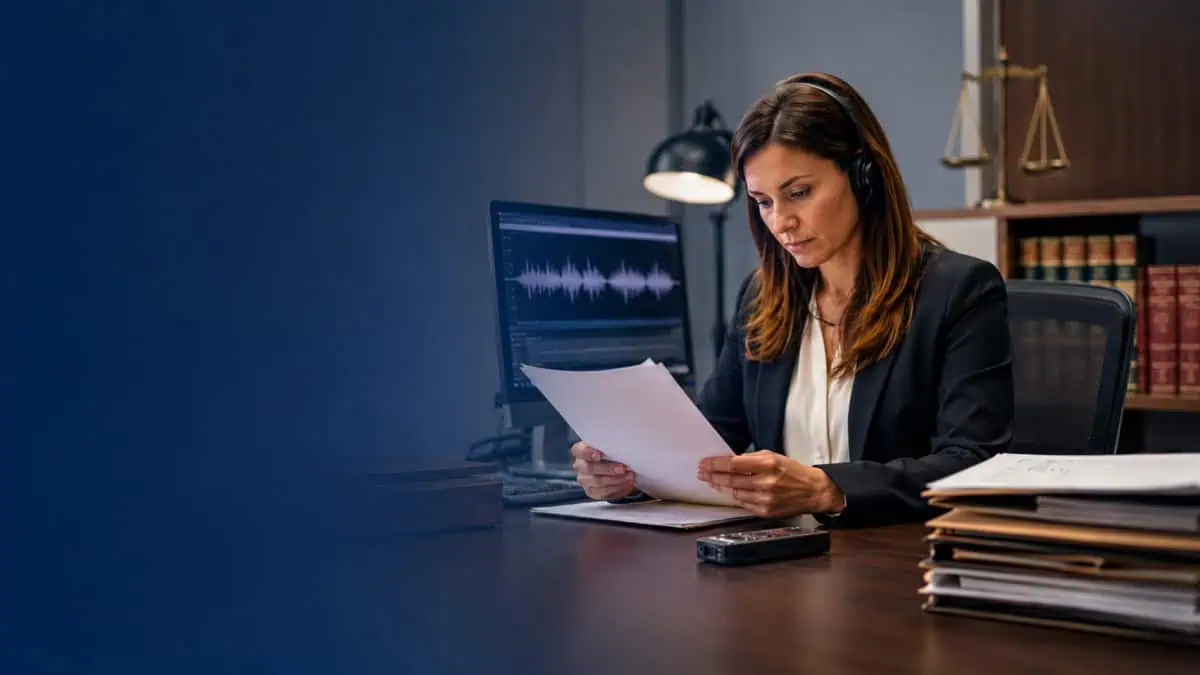
Business Transcription - financial earnings call high
Earnings calls and investor relations recordings carry regulatory weight. A misheard revenue figure or a misquoted forward-looking statement is a compliance event. The format requirement is clean verbatim with high accuracy on financial terminology, ticker symbols, and executive names. The failure mode is a generic transcription engine that has never been tested on financial vocabulary, producing a transcript that requires more time to correct than it saved. Speaker identification across multiple executives on a single call is a secondary but real requirement.
Cockatoo publishes accuracy benchmarks tested against the same public datasets researchers use to compare transcription engines, so finance teams can verify performance on the vocabulary that matters before committing, rather than discovering a terminology gap after a transcript has already circulated to investors. The highest-accuracy mode is available on the Pro plan and carries a weekly usage limit shown in Settings; the standard unlimited modes remain available when that limit is reached, so there is always a fallback for lower-stakes recordings in the same billing cycle.
5. Legal and Verbatim Transcription - Word-for-Word Phonetic-Grade Accuracy for Admissible Records
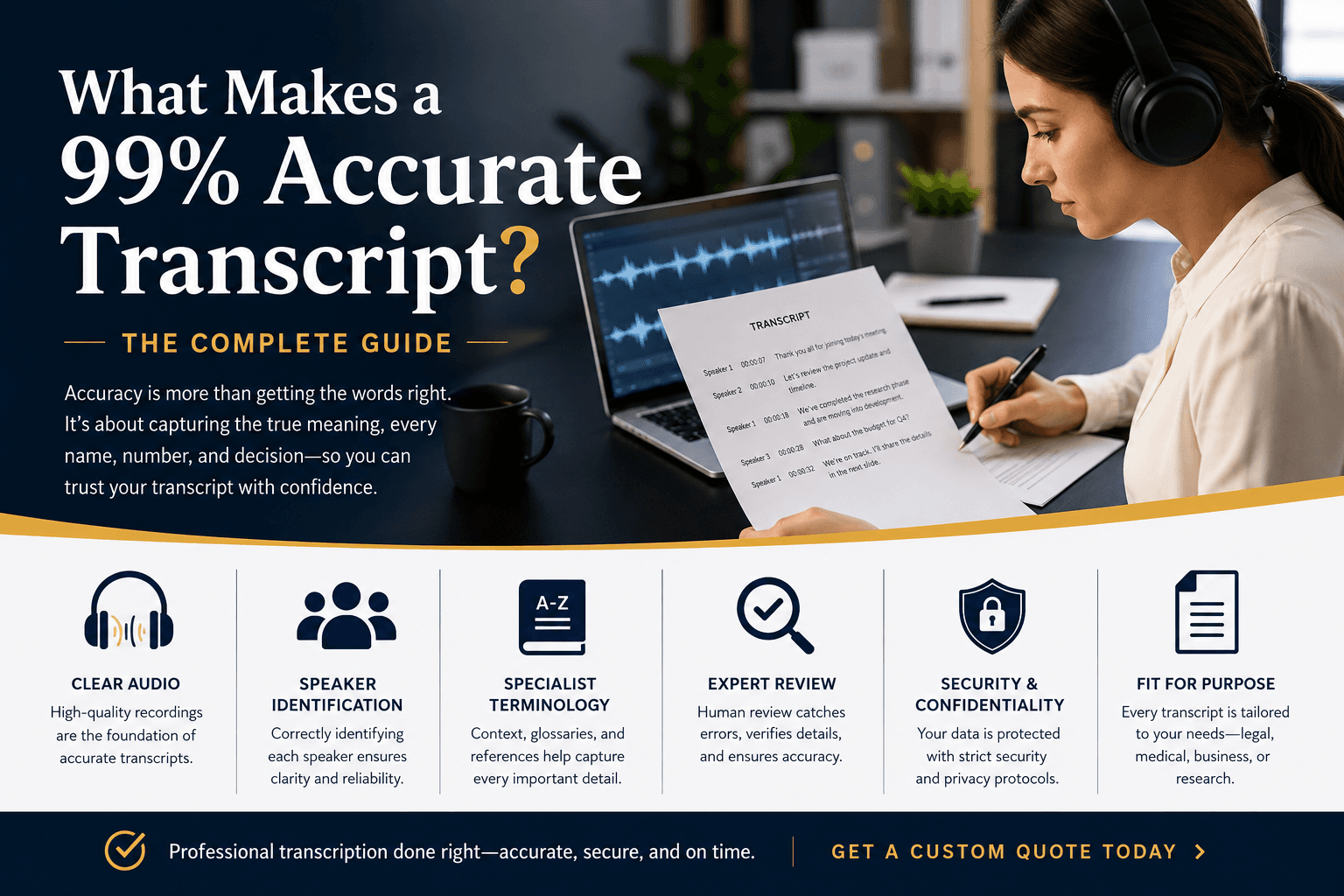
Business Transcription - legal verbatim word word
Legal transcription is the one type where true verbatim is non-negotiable. Every filler word, false start, and verbal tic must appear exactly as spoken. Applying edited or clean verbatim to a deposition transcript can make it inadmissible, because opposing counsel can argue the record was altered. This is the type most likely to require a certified human transcriptionist, not because AI accuracy is insufficient for the audio quality, but because admissibility standards in many jurisdictions require a human certifying the record. AI tools with word-level timestamps and speaker-labeled export can reduce a human reviewer's workload significantly, but they should not be the sole output for court-bound documents.
Cockatoo's speaker-labeled, word-level timestamp exports in PDF, DOCX, TXT, and SRT formats give a certified reviewer a structured document to work from rather than an undifferentiated audio file, compressing the review window without removing the human sign-off that admissibility requires.
6. Podcast and Video Transcription - Edited Audio-to-Text Conversion for SEO and Accessibility
Podcast and video transcription serves two masters: search engines and accessibility compliance. Accessibility advocates link accurate captions to WCAG 2.1 compliance and broader audience reach, while edited transcripts published as show notes or blog posts generate indexed content from audio that search engines cannot otherwise read. The format requirement is edited transcription because a clean, readable transcript performs better in both contexts than a filler-word-heavy one. The output format matters as much as the accuracy: an SRT file for caption publishing and a DOCX for show notes are different deliverables from the same source audio.
A struggle that surfaces repeatedly among independent podcasters and video creators is producing two separate deliverables, captions and a readable transcript, from the same recording, often in two different tools. Cockatoo handles both in one pass: its video captioning and subtitle export produces SRT files for caption publishing, while DOCX export produces the show notes version, all from the same uploaded file. Link import means a creator can drop a video URL directly rather than downloading and re-uploading the source file, which removes a step that consistently breaks the workflow for people managing production alone. The Free tier covers up to three files per day at no cost and no credit card, which is enough for a weekly publishing schedule.
7. Medical and Clinical Transcription - Structured Verbatim Documentation for Patient Records

Business Transcription - medical clinical structured verbatim
Medical transcription carries the highest accuracy stakes of any type on this list. A misheard drug name or an incorrect dosage is a patient safety event, not a transcription error. Across the industry, accuracy failures in medical transcription are consistently framed as clinical risk rather than quality risk. The format is structured verbatim, meaning the output follows a clinical documentation template (SOAP notes, discharge summaries) rather than a plain transcript. This type almost always requires a human review step, and any tool used in a clinical workflow should be evaluated against applicable data-handling requirements before deployment.
For clinicians or practice administrators evaluating AI-assisted transcription, Cockatoo stores files in 2 GB of encrypted cloud storage on the Free tier and 2 TB on Pro, with files kept until the user deletes them, no auto-purge that would remove a source file before a reviewer has signed off. Word-level timestamps give the reviewing clinician a direct path back to the audio moment if any term needs to be verified against the original recording.
8. Market Research Transcription - Clean Verbatim Audio-to-Text for Coded Data Analysis
Business Transcription - market research clean verbatim
Market research transcription looks similar to interview transcription but has a different downstream requirement: the transcript feeds a coding framework, not a narrative report. Researchers tag themes, count phrase frequencies, and build sentiment maps from the text. That means the format must preserve natural speech patterns, including hesitations and self-corrections, without the full phonetic detail of true verbatim.
The three format options map to distinct outcomes:
- Edited transcription strips too much, removing the exact phrasing that coding categories depend on.
- True verbatim adds phonetic noise that slows coding without adding analytical value.
- Clean verbatim with speaker labels is the right middle ground, preserving natural speech patterns while keeping the output readable.
The failure mode is receiving an edited transcript where a researcher has paraphrased an answer, destroying the exact wording that would have matched a coding category.
Market researchers working alone, without a dedicated transcription budget or a vendor relationship, consistently lose hours to format correction that should never have been necessary. Cockatoo's self-serve Free tier lets a solo researcher run three files per day through the engine at no cost to test whether the clean verbatim output preserves the exact phrasing their coding framework depends on before upgrading. The Canvas AI notes editor, included on every plan including Free, lets the researcher begin tagging and annotating directly inside the platform without exporting first, compressing the gap between transcript delivery and analysis start.
Most solo users at small businesses default to whatever format their recording app produces, then spend an hour cleaning it up because the format was wrong for the job. Cockatoo defaults to clean verbatim with automatic speaker labels and word-level timestamps, which covers meetings, interviews, and market research out of the box without any format configuration. For the two types that benefit most from human review, legal and medical, speaker-labeled export and word-level timestamps give a reviewer a structured starting point rather than an undifferentiated block of text, cutting review time without cutting corners on accuracy.
For users who need transcription in multiple languages, language support varies by transcription mode; Cockatoo's benchmarks page (updated October 27, 2026) shows per-language coverage so you can verify accuracy for your specific language before uploading. That page measures Cockatoo V4-Pro across 36 languages on FLEURS, the standard public benchmark researchers use to compare transcription engines on a consistent, reproducible dataset, and on an internal real-world benchmark of human-labeled recordings with accents and background noise, compared against Whisper, Deepgram, and AssemblyAI. Published results show the lowest error rate in 25 of 36 languages on both tests (ties included), with 12 languages under 5% word error rate on FLEURS.
The page explains methodology, shows per-language results including the weakest, and states a deliberate 36-language focus rather than an inflated 90+ count. Document translation, covering PDF, DOCX, PPTX, XLSX, and TXT, is available across plans, with the Free tier handling one page per document and Pro removing that cap, so multilingual teams can keep source documents and translated versions in one workflow rather than routing them through a separate tool.
Published accuracy benchmarks tested against the same public datasets researchers use to compare transcription engines mean you can verify performance before you commit, rather than discovering the format mismatch after the fact.
Knowing which of the eight types applies to your recording is the first decision. It immediately raises a second: should that type be handled by an AI tool, a human transcriptionist, or a hybrid of both? The answer depends on accuracy thresholds, turnaround windows, and cost ceilings that vary sharply by type, and the next section maps exactly that tradeoff.
How AI and Human Transcription Compare Across Accuracy, Cost and Speed
Paying a human transcriptionist $1 or more per minute feels like a quality decision, but for most workflows it is just an expensive habit that the speed of modern AI transcription has quietly made unnecessary.
The real question is which of your transcription types sits above the accuracy threshold where human review still earns its cost.

AI transcription completes in minutes at low cost versus slow expensive human transcription
Speed and Cost Where AI Wins Without Debate
The gap on both dimensions is no longer marginal. A file that takes a human service several hours to return comes back from an AI tool in minutes; a recording that would cost $60 or more at human per-minute rates costs a fraction of that through AI. GoTranscript's human transcription runs at roughly $1 or more per minute, which adds up fast on a 4,500-minute backlog, exceeding $400 before the first transcript is reviewed.
For general meeting notes, podcast episodes, internal interviews, and video captions, paying per minute for a human is simply burning budget that the accuracy difference no longer justifies.
Cockatoo removes the friction at the front door entirely, letting you upload and receive results without the wait that makes large backlogs impractical.
Accuracy and Compliance Where Human Transcription Still Earns Its Price Tag
Some work carries a higher bar, and that is where the calculation shifts. Legal depositions, medical dictation, and HIPAA-compliant transcription for clinical records are the clearest cases where that standard still favors a trained human reviewer. GoTranscript delivers 95% or better accuracy on human-reviewed transcripts and carries HIPAA-compliant status for legal and medical work, making it the stronger choice when vocabulary density and regulatory requirements both apply.
That is the honest line: AI transcription wins broadly on speed and cost; the cases where it still needs human backup are the ones where vocabulary density and compliance requirements intersect.
| Dimension | AI Transcription | Human Transcription |
|---|---|---|
| Speed | Minutes per file | Hours per file |
| Cost | Fraction of human rates; e.g. AI per-minute rates vs. $1+ per minute for human | $1 or more per minute; 4,500-minute backlog exceeds $400 |
| General accuracy | High for clean, general-business audio | 95%+ on human-reviewed transcripts |
| Domain-specific terminology | Can degrade with medical, legal, or niche technical vocabulary | Trained reviewers handle specialized vocabulary reliably |
| Compliance (HIPAA, legal) | Not certified by default; check vendor policy | GoTranscript carries HIPAA-compliant status for legal and medical work |
| Best fit | Meetings, interviews, podcasts, internal calls, video captions | Legal depositions, medical dictation, compliance recordings, court-filed transcripts |
The Auditable Accuracy Standard That Changes the AI Side of the Comparison
Cockatoo's published accuracy tests run against the same public test set researchers use to compare transcription engines across 30 languages, including real-world recordings with background noise and accents, giving buyers something an advertised percentage cannot: a result they can check before uploading a single file. Language coverage varies by transcription mode, and per-language accuracy figures are detailed on Cockatoo's benchmarks page, so the evaluation can be specific to the languages in your recordings, not a blended global average that obscures the cases that matter to you.
The Best AI Transcription Tools for Business Meetings and Beyond
The best AI transcription tools for business are not interchangeable. They differ on the features that actually determine whether the output is usable: speaker separation, language coverage, how they handle high-volume months, and whether the underlying infrastructure is built to scale or quietly borrowed.
1. Cockatoo - Best Unlimited Business Transcription via In-House Inference Engine
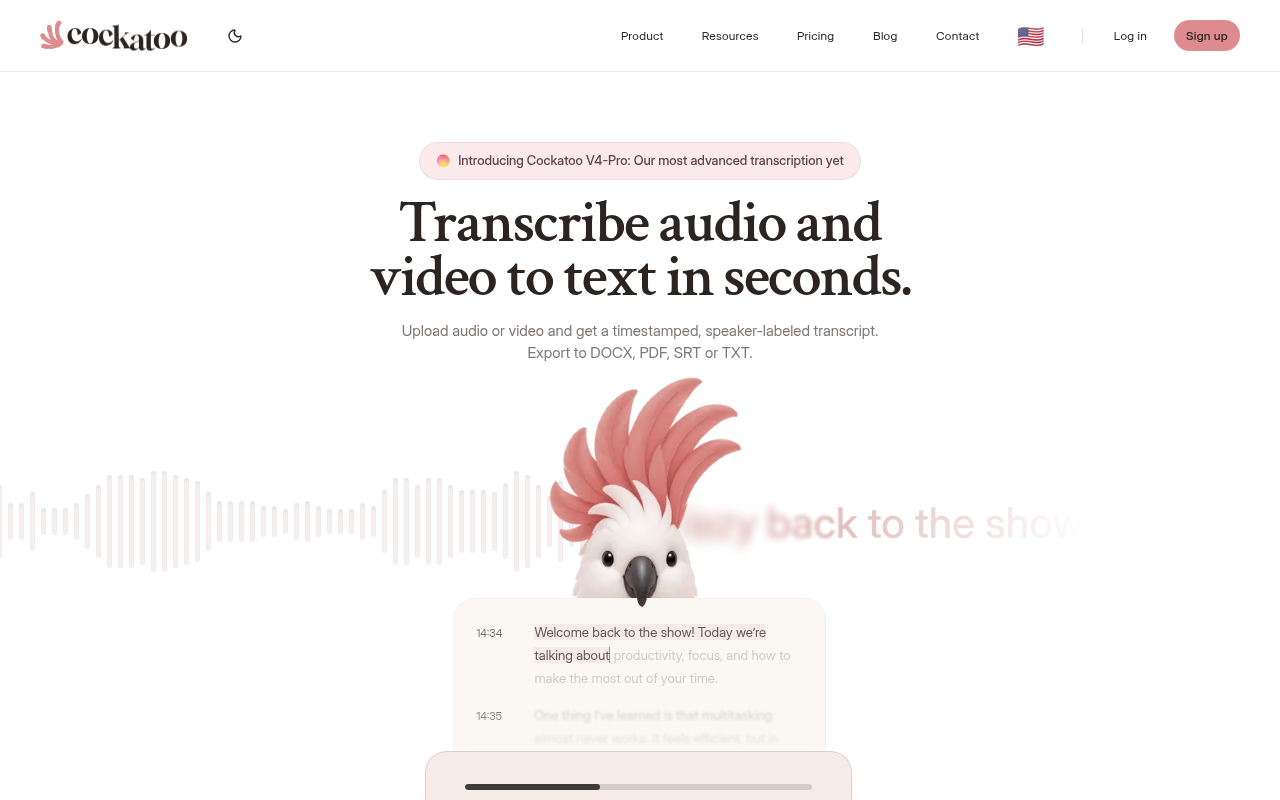
Business Transcription - cockatoo best unlimited via
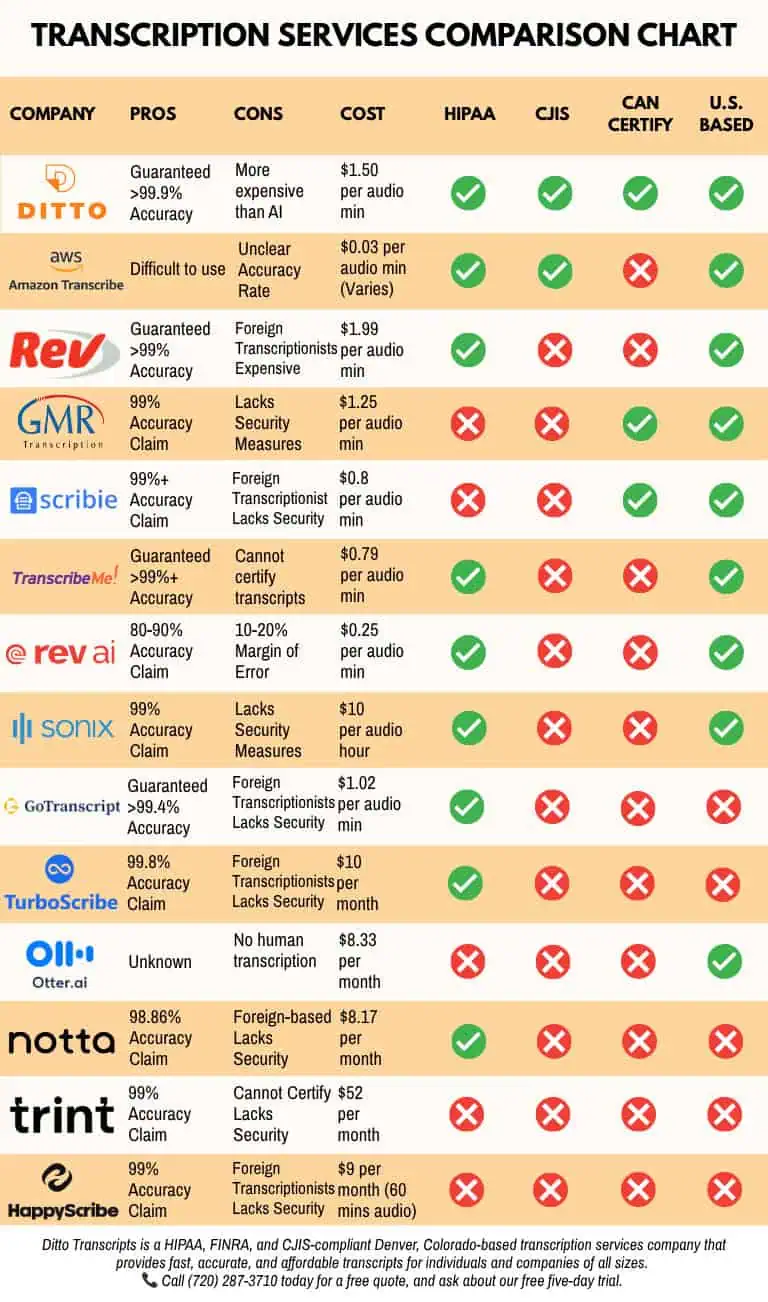
Most solo users assume all "unlimited" plans work the same way. They do not. Competitors' unlimited tiers are typically capped at 720 hours per month because they route each call to a third-party engine.
Cockatoo runs its own in-house transcription engine, which removes that per-call cost entirely. 99 per month where founders and power users have confirmed transcription well beyond those caps, with individual users processing 100+ hours in a single month without throttling, alongside published accuracy benchmarks across 30 languages that are auditable rather than just advertised. Most beneficial when you have unpredictable monthly volume and cannot afford to hit a processing cap mid-project, specifically when your workflow involves uploading pre-recorded audio files (rather than live meeting bots) across meetings, interviews, or research calls in bulk.
2. Otter.ai - Best for Live Meeting Transcription with Collaborative Notes
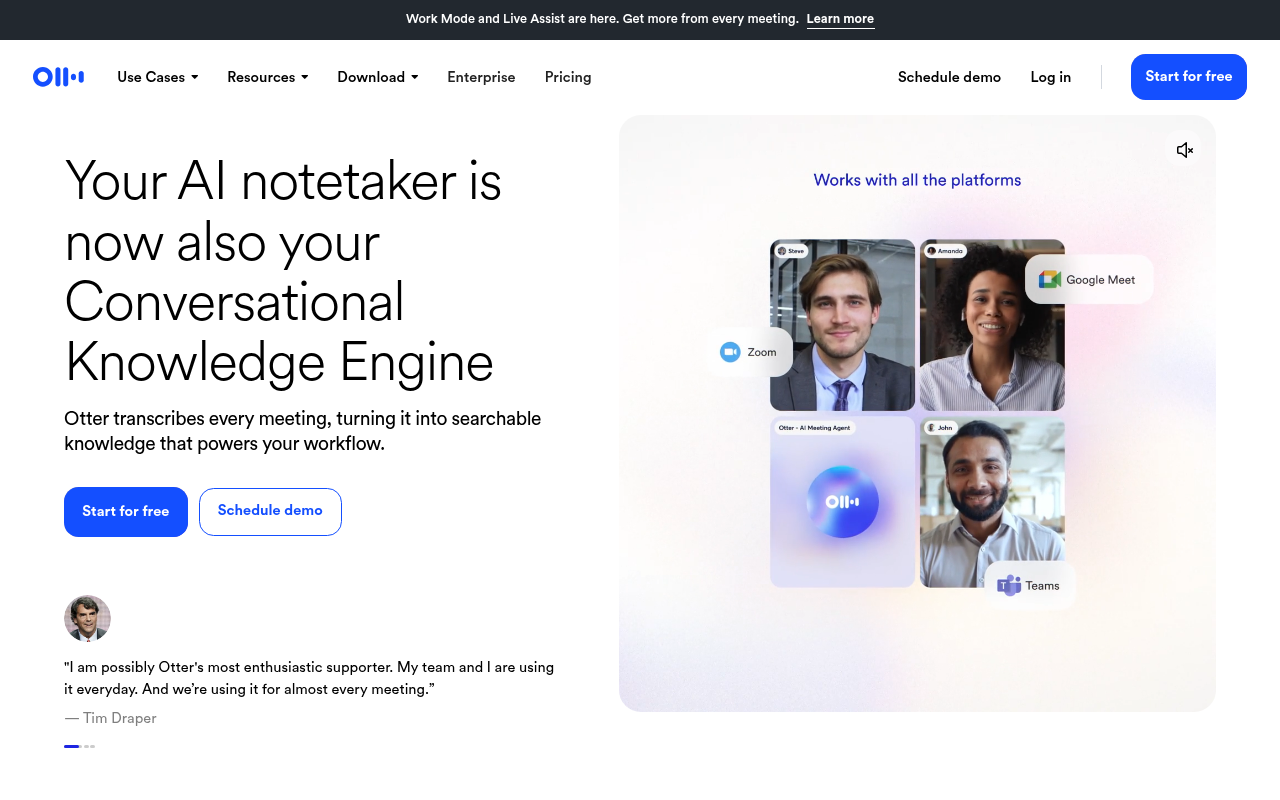
Business Transcription - otter ai best live
Otter.ai is the strongest pick when your primary need is a bot that joins a live call and produces a shared, searchable note in real time. Its collaborative features are genuinely useful for teams reviewing the same transcript together. The real limitation surfaces with accented speakers or overlapping voices: accuracy drops noticeably in those conditions, and the free plan's monthly minute cap makes it impractical for anyone processing more than a handful of meetings. Most beneficial for English-language team meetings with clear audio and predictable volume.
3. Descript - Best for Edit-by-Text Podcast and Video Workflows
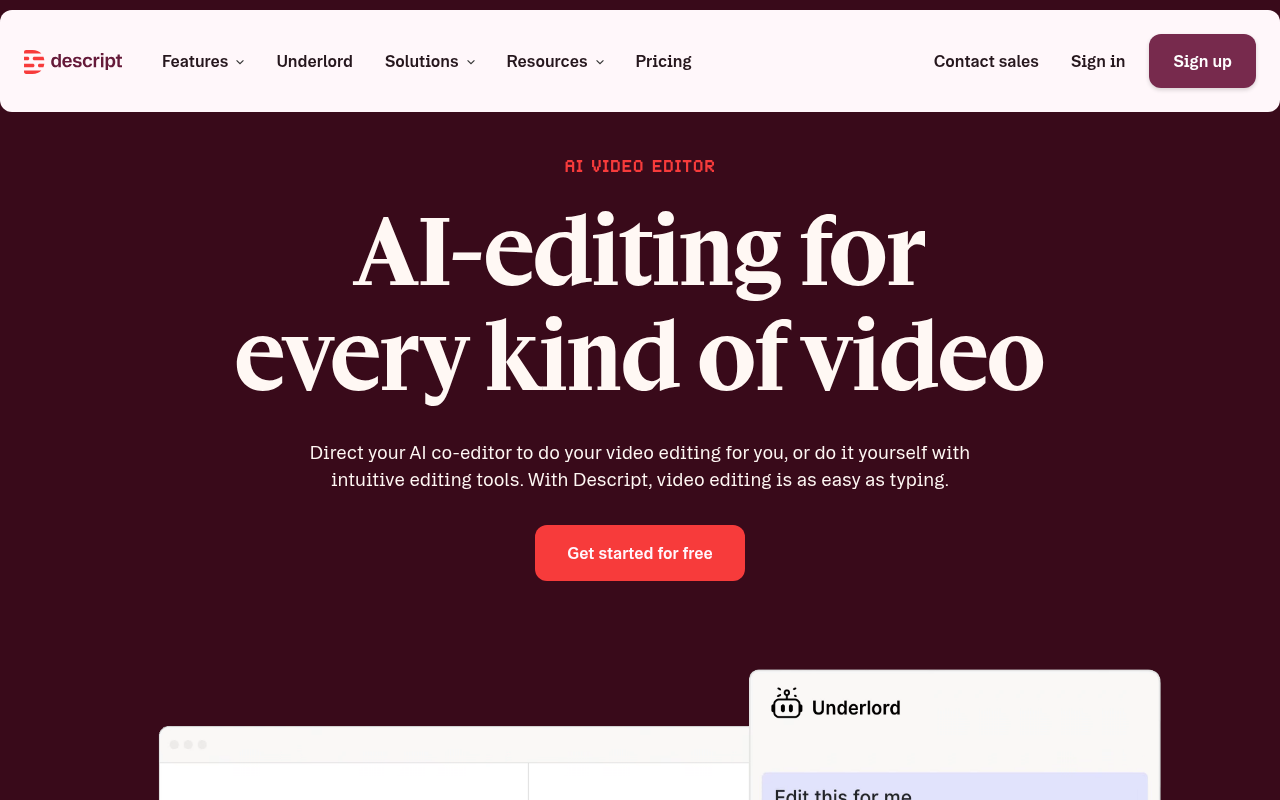
Business Transcription - descript best edit by
Descript earns its place for podcast producers and video editors who need to cut content by editing a transcript rather than a waveform. The edit-by-text workflow is fast for that specific job. Descript's own published case studies and user reviews on G2 consistently highlight the 'edit audio by deleting words in a transcript' feature as the primary time-saving mechanism for podcast producers. For anyone who just needs a plain transcript to share or file, Descript is overkill: the interface is built around a production workflow, and the pricing reflects that. Most beneficial when the transcript is a means to an edit, not the end product itself.
4. Rev - Best Automated and Human-Hybrid Transcription for Enterprise Workflows
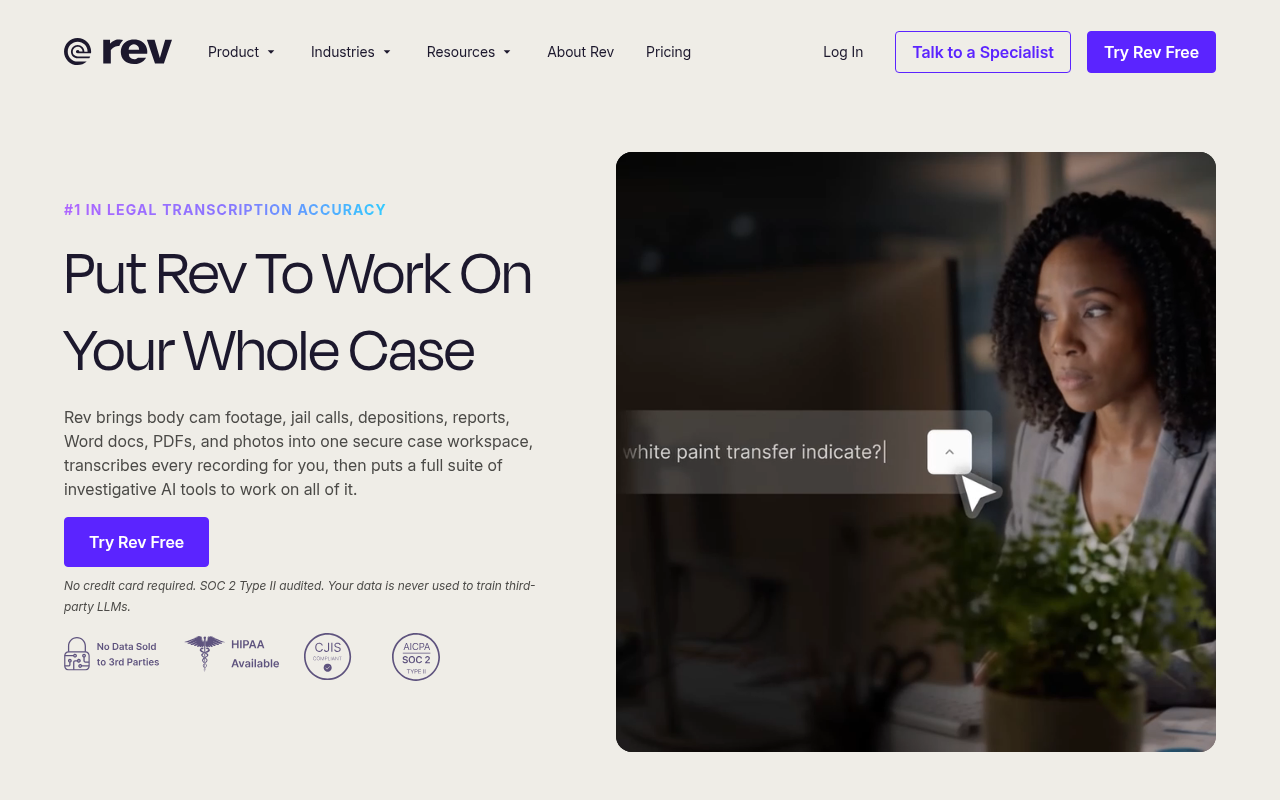
Business Transcription - rev best automated human
Rev offers both automated and human transcription options, making it the practical choice when a transcript needs to hold up under scrutiny. Human-reviewed transcripts from Rev deliver under 12-hour turnaround. Rev's published rate card lists human transcription at $1.50 per minute, compared to AI-only competitors that typically charge $0.02-$0.10 per minute, making it significantly more expensive than pure-AI alternatives, which is the honest trade-off: you pay for the human review layer, and for legal or compliance-sensitive audio, that premium is often worth it. Most beneficial for verbatim legal transcripts or earnings call records where accuracy is non-negotiable.
5. Sonix - Best AI Transcription Platform for Multilingual Business Teams
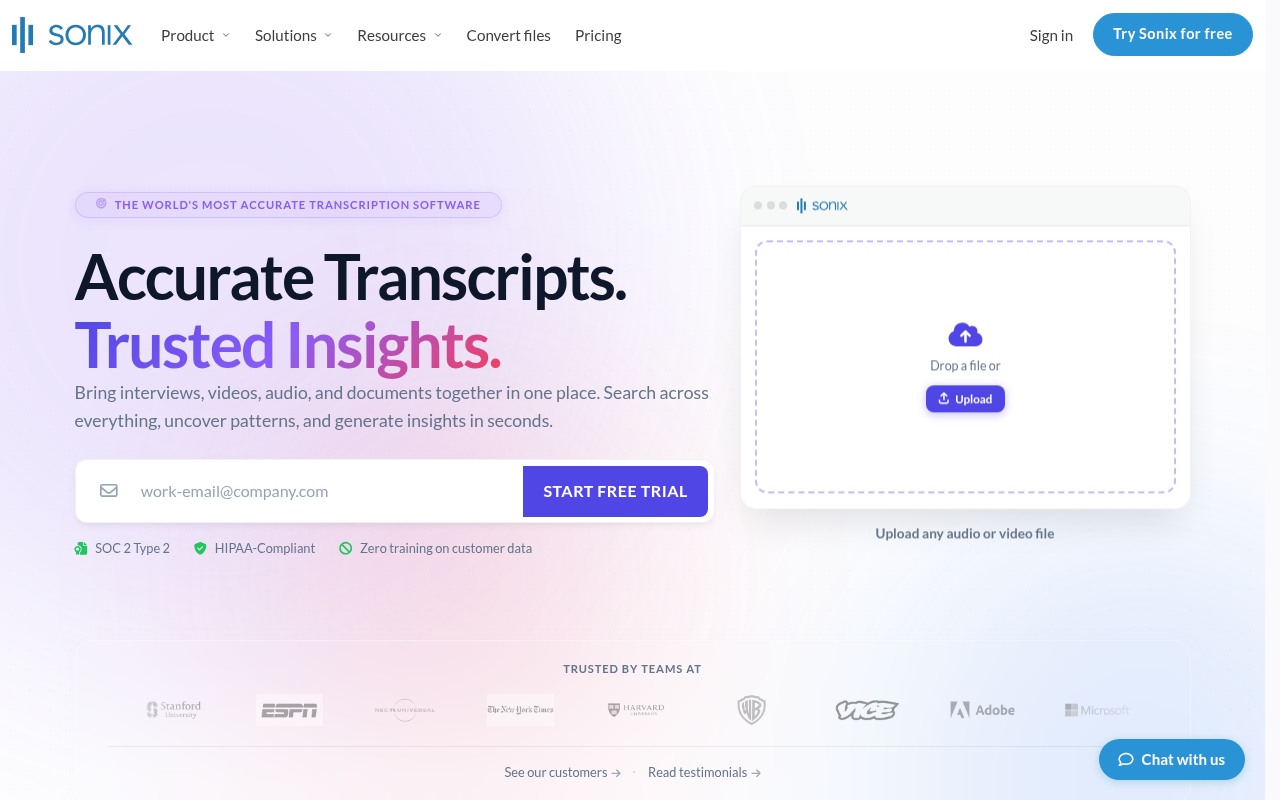
Business Transcription - sonix best ai platform
Sonix supports a wide range of languages and positions itself toward teams that work across them regularly. The per-hour pricing model works well at low volume but becomes expensive quickly for anyone processing more than a few hours per month. For a multilingual team with consistent, high-volume needs, the cost math shifts against Sonix relative to flat-rate competitors. Most beneficial for international teams with moderate, predictable transcription volume and a genuine need for multi-language output in a single platform.
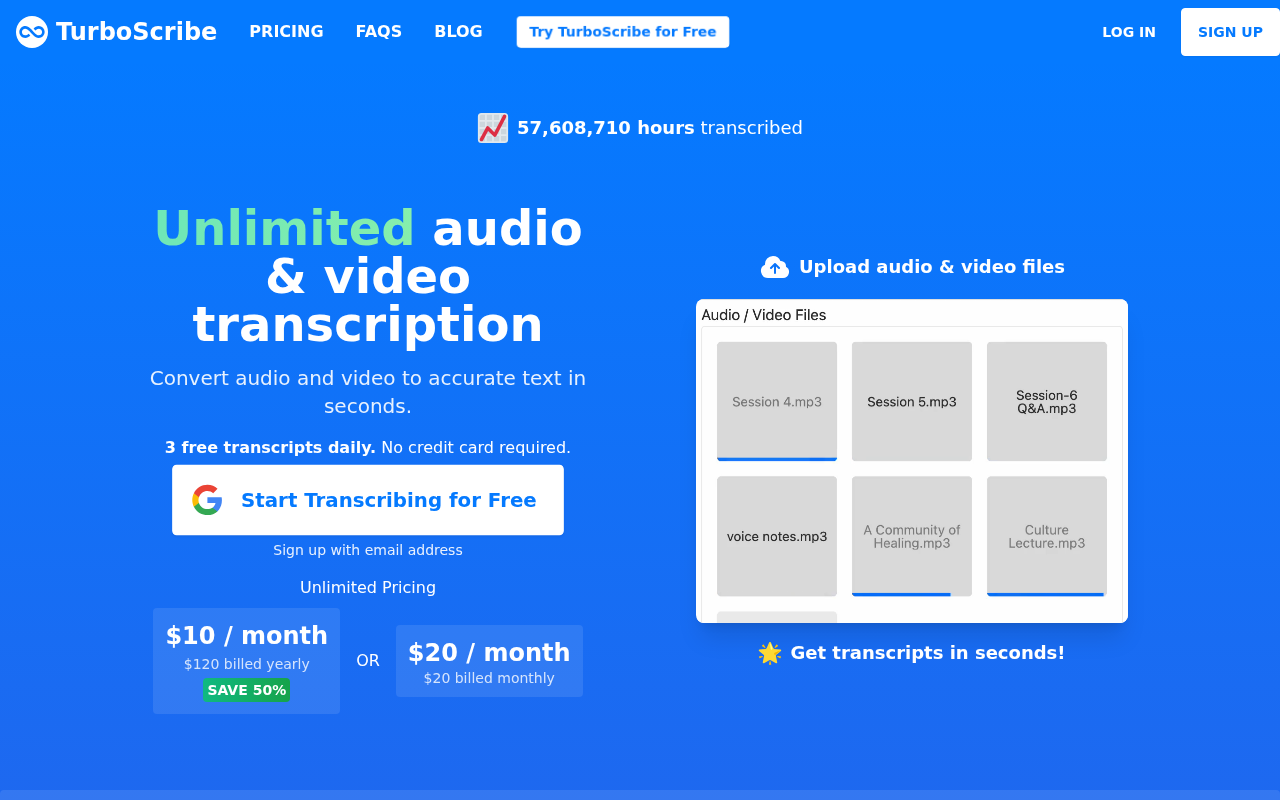
6. TurboScribe - Best High-Volume AI Transcription for Budget-Conscious Businesses
Business Transcription - turboscribe best high volume
TurboScribe competes on volume at a low flat price. Its published plans offer unlimited minutes at under $20/month, which makes it attractive for budget-conscious users who need to process a large number of files without a per-minute charge. The trade-off is that accuracy benchmarks are not published in an auditable format, so buyers are accepting a marketing claim rather than a verifiable result. Most beneficial for high-volume, lower-stakes transcription where speed and cost matter more than documented accuracy on difficult audio.
7. AI-Powered Transcription Software - What the Category Now Delivers as a Baseline
Most AI transcription tools now return a transcript in under five minutes, support SRT and DOCX export, and offer some form of speaker labeling. Those are table-stakes, not differentiators. The real question is what breaks under real business conditions: accented speakers, overlapping voices, or a month when you have fifty files to process instead of five.
8. The Best Business Transcription Tools Ranked - How to Choose for Your Use Case
The most useful pre-purchase step is not comparing advertised accuracy percentages. No two vendors define "99% accurate" the same way, and clean-audio benchmarks routinely overstate real-world performance on industry jargon, accented speakers, or crosstalk. Run a sample of your own audio through any shortlisted tool before committing. A tool whose accuracy holds on your specific recordings is worth more than one with a higher number on a marketing page. Auditable benchmark data, tested on the same public datasets researchers use, is the only accuracy claim worth trusting.
Matching the right tool to your workflow is only half the evaluation. Once you have shortlisted on features and price, the next question is whether the tool can be trusted with the audio you are uploading. The following section covers exactly which security and compliance signals any individual user can verify before a single file leaves their device.
Related Reading
- How To Transcribe Youtube Video
- Best Transcription Software For Qualitative Research
- Meeting Transcription And Summary Ai Tools
- Best Lecture Transcription App
- Best Transcription App For Iphone
- Best Closed Captioning Software
- Qualitative Research Transcription
- Market Research Transcription
- Podcast Transcription Software
- Automatic Video Transcription Software
- Best Medical Transcription Software
- Zoom Ai Transcription
- Best Transcription Software For Interviews
What Security and Compliance Features to Look for in a Business Transcription Tool
Industry research found that 97% of organisations have experienced cloud-native security incidents, with data protection ranking as a primary concern in cloud adoption.
Security compliance checklist icons for business transcription tools: shield, padlock, and certification badge
The Non-Negotiable Checklist for Legal and Medical Audio Before You Upload
The financial stakes are real: HHS Office for Civil Rights structures HIPAA violation penalties with wilful neglect violations reaching $50,000 per violation, up to $1.9 million annually per violation category.
- Encryption in transit (TLS) is confirmed
- Encryption at rest (AES-256 is the current industry baseline) is confirmed
- A published breach notification policy exists
- Relevant compliance certification is in place
One honest trade-off: SOC 2 Type II or HIPAA attestation are meaningful signals, but not instant.
How a Solo User Can Verify Compliance Credentials Without an IT Department
Cockatoo's encrypted cloud storage (Cockatoo Drive) and publicly stated data-handling policy give an individual user the same auditable baseline that larger buyers demand, without a procurement team.
- Training-data opt-out clause is present and clear
- File retention period is specified
- Breach notification policy is documented
A global survey found that external hackers ranked as the top cloud data security threat cited by respondents worldwide, but for a solo operator, the tool's own defaults are the more immediate risk.
What Integration Capabilities Actually Matter for Business Transcription Workflows
Chasing integrations is how solo operators end up paying for features built for a twenty-person IT team. Before you evaluate any transcription tool, ask which integrations you will actually use on a Tuesday morning when a client needs that transcript by noon.

Solo operator's essential transcription outputs: clean file exports and speaker-labeled waveform
Calendar and CRM Integrations Serve Teams, Not Individual Workers
Calendar syncs and CRM connectors exist to serve one specific workflow: a meeting bot auto-joins a scheduled call, records it, and pushes the output somewhere central. Those integrations only add value when a meeting bot is present to trigger them. For the solo operations manager who records a client call on Zoom, downloads the file, and needs a Word-ready document to paste into a report, none of that infrastructure fires. If you manage a team of twenty with shared meeting archives and a CRM pipeline, those connectors earn their keep. For a one-person shop, they are surface area you pay for and never touch.
The Two Output Capabilities That Actually Reduce Time-on-Task for Solo Operators
Solo buyers end up paying for feature surface area they will never use when they evaluate tools on integration count rather than on these two specific capabilities.
Key takeaway: For upload-based workflows, clean export formats and word-level timestamps with renameable speaker labels are the only two output capabilities that eliminate downstream work, regardless of which platform the original meeting was held on.
Clean export formats are the integration that matters for upload-based workflows. A DOCX file drops straight into Word or Google Docs without reformatting, a friction point that consistently costs solo operators time when they rely on manual copy-paste from browser-based tools. An SRT file goes directly to YouTube or LinkedIn captions without a separate captioning step, which is what most teams report as a genuinely high-value output for small-business video workflows. Renameable speaker labels and word-level timestamps let an editor find and fix a single passage without re-listening to the whole recording, reducing downstream editing work in any CMS by making each line addressable by speaker and second.
Cockatoo sidesteps the integration-count trap: the workflow is upload-and-get-transcript, output arrives as a clean DOCX, PDF, or SRT with speaker labels ready to rename, on the first upload, with no setup required.
Next steps
If your week is quietly disappearing into bad auto-captions and manual cleanup across meetings, client calls, and research recordings, the path forward starts with matching each of your eight transcription types to its correct format before you pick any tool. Start with our voice transcription app.
The correction-burden insight from the AI-versus-human section means that a low-accuracy pass on jargon-heavy audio can cost more total working time than a slower human service would have. The auditable-benchmark insight means that an advertised accuracy percentage tells you nothing useful about your specific audio. Together, they point to one concrete action: test a real sample of your own recordings against a tool whose accuracy results you can actually verify, rather than trusting a number on a marketing page.
Start with Cockatoo on its free tier, no credit card needed, up to three files a day. Upload a recording that represents your hardest audio type, check whether the clean-verbatim output with speaker labels holds up, and use that result to decide whether the Pro plan's unlimited volume and highest-accuracy mode earn their cost for your workflow.
Frequently Asked Questions
What actually affects how accurate a business transcription comes out?
Accuracy degrades with poor audio quality, accented speech, background noise, overlapping speakers, and industry-specific vocabulary, the post notes that a technical sales call takes far longer to correct than a clear internal meeting of identical length. Generic auto-captions treat all of these the same, which is where failures start. Word error rates on common free captioning tools can be high enough that line-by-line correction consumes nearly as much time as typing the transcript from scratch.
Can a transcription tool handle calls or recordings with multiple speakers?
Yes, but multi-speaker audio is the hardest conversion challenge in business transcription, overlapping speech and crosstalk cause meaningful accuracy degradation in AI engines, and a misattributed quote can flip a product decision. The right output format for multi-speaker recordings like focus groups is edited transcription with speaker labels, not clean verbatim, because the goal is coded, attributable data rather than a raw phonetic record.
Does business transcription work for both audio and video files?
Yes, business transcription converts any corporate recording, whether audio or video, into editable text. The post specifically notes that meeting transcription applies to both audio and video, and that video captioning and subtitle export (SRT format) is also supported alongside document formats like PDF, DOCX, and TXT.
Can I use AI transcription for legal work or court documents?
AI transcription can reduce a human reviewer's workload significantly, but the post is clear that it should not be the sole output for court-bound documents. Legal transcription requires true verbatim accuracy, every filler word, false start, and verbal tic, and many jurisdictions require a certified human transcriptionist to certify the record for admissibility. The post also notes that AI does not meet compliance standards for legal filings.
How much does it really cost a small business to skip proper transcription?
The hidden costs add up fast: manual transcription runs four to six hours of work for every hour of recorded audio, and outsourcing to a professional transcriptionist costs $90 to $180 per recorded hour. The post estimates that a single operations generalist can lose eight to ten hours a week, a full quarter of their working capacity, to transcription and correction tasks, against an industry-wide figure of $37 billion per year in lost U.S. productivity from poorly documented meetings.