For researchers, students and teaching staff

Academic Transcription Service: Turn Research Audio Into Text in Seconds

Record lectures live in the browser or on the iOS app, or upload research interviews and seminars, and get a timestamped transcript you can quote. Full-length transcripts are free in V4-Flash, and students, academics and non-profits can ask for a discount on paid plans.

  • Free full-length transcripts
  • 36 languages
  • Word-level timestamps
  • DOCX, PDF, SRT and more
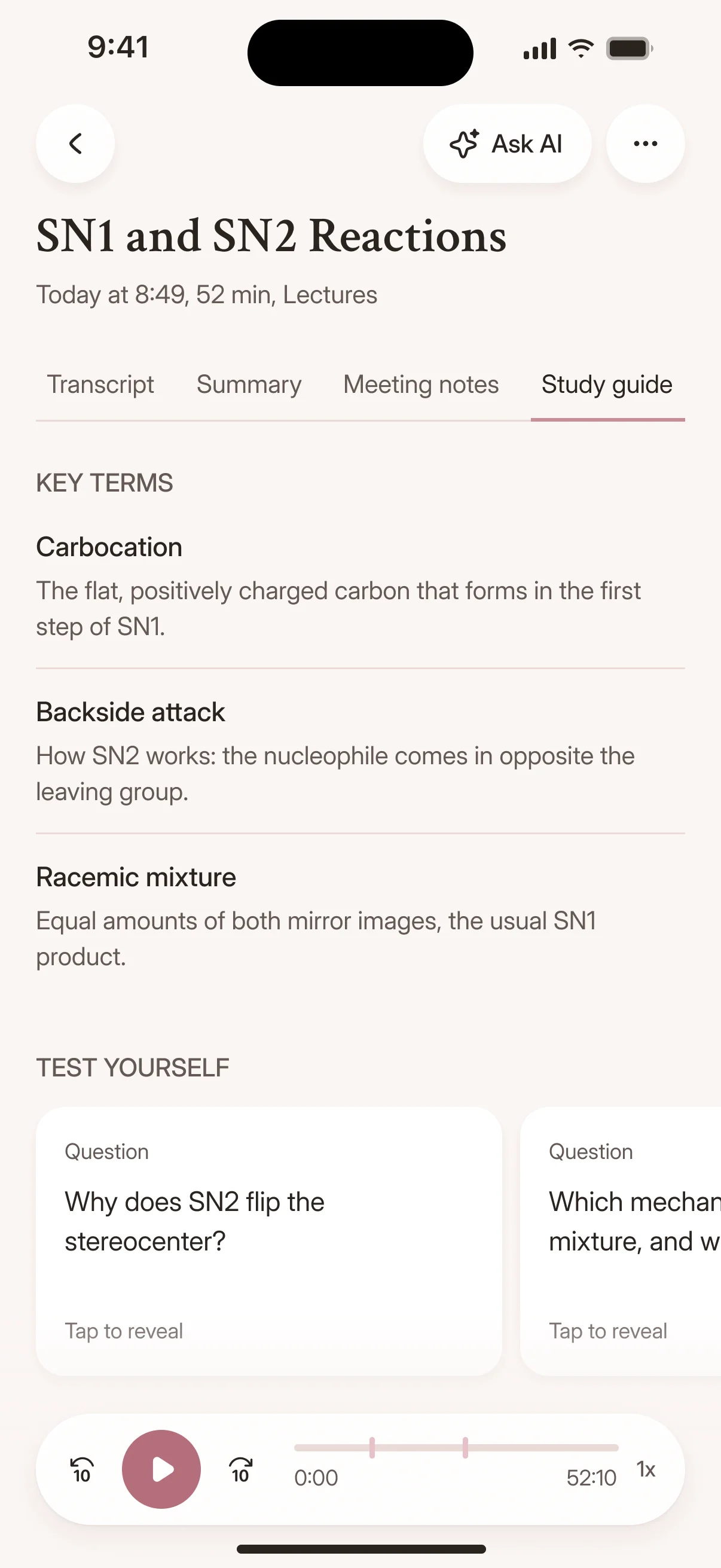
A study guide generated in the Cockatoo iPhone app
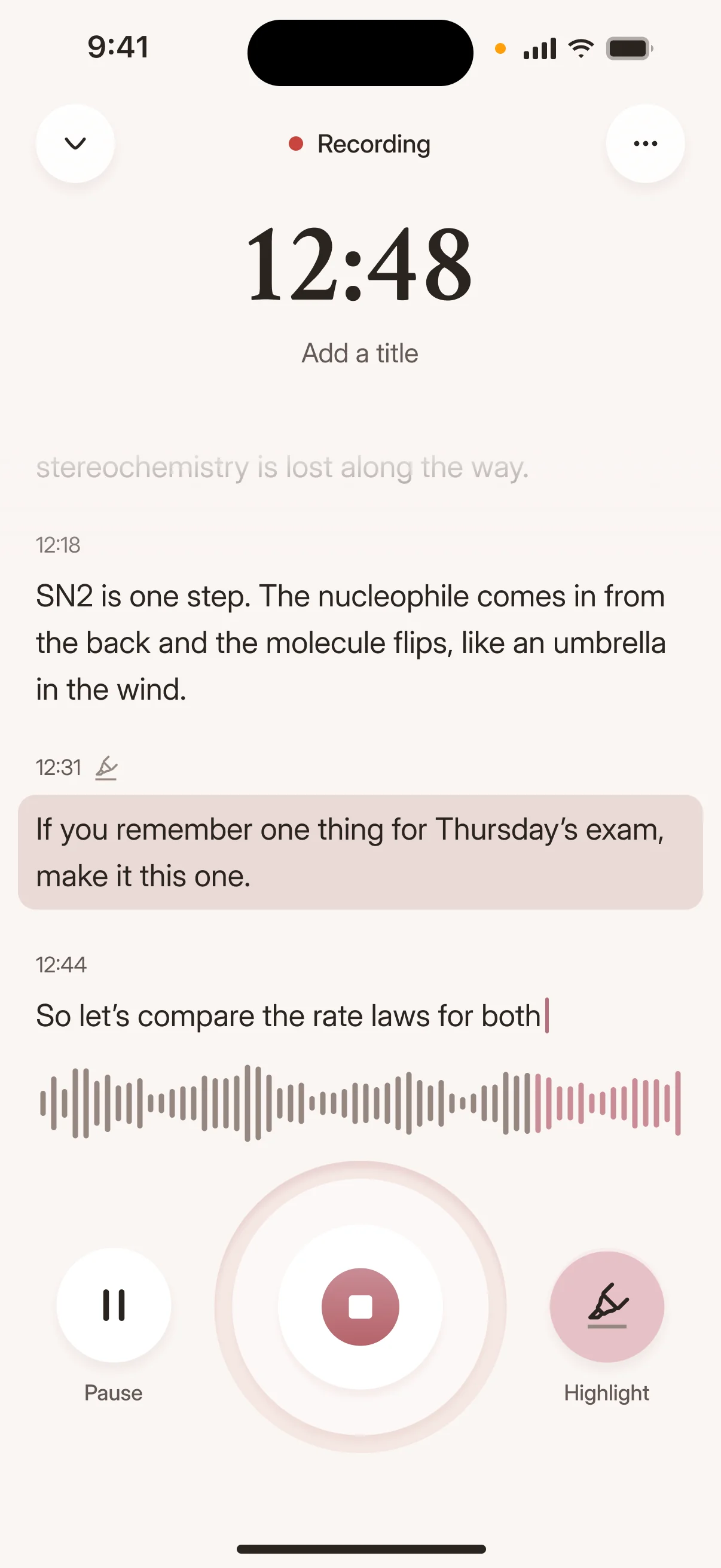
Recording audio with the Cockatoo iPhone app
Drag and drop
MP3MP4M4AMOVAACWAVOGGOPUSMPEGWMV
OR
Use cases

How Scholars Use Transcription In Academic Research

Interview Recordings Into Quotable Transcripts, Lectures Into Notes

Turn interview audio into searchable, citable text for your thesis or paper.

Transcribe recorded lectures or conference presentations so you can focus on the ideas instead of typing while you listen.

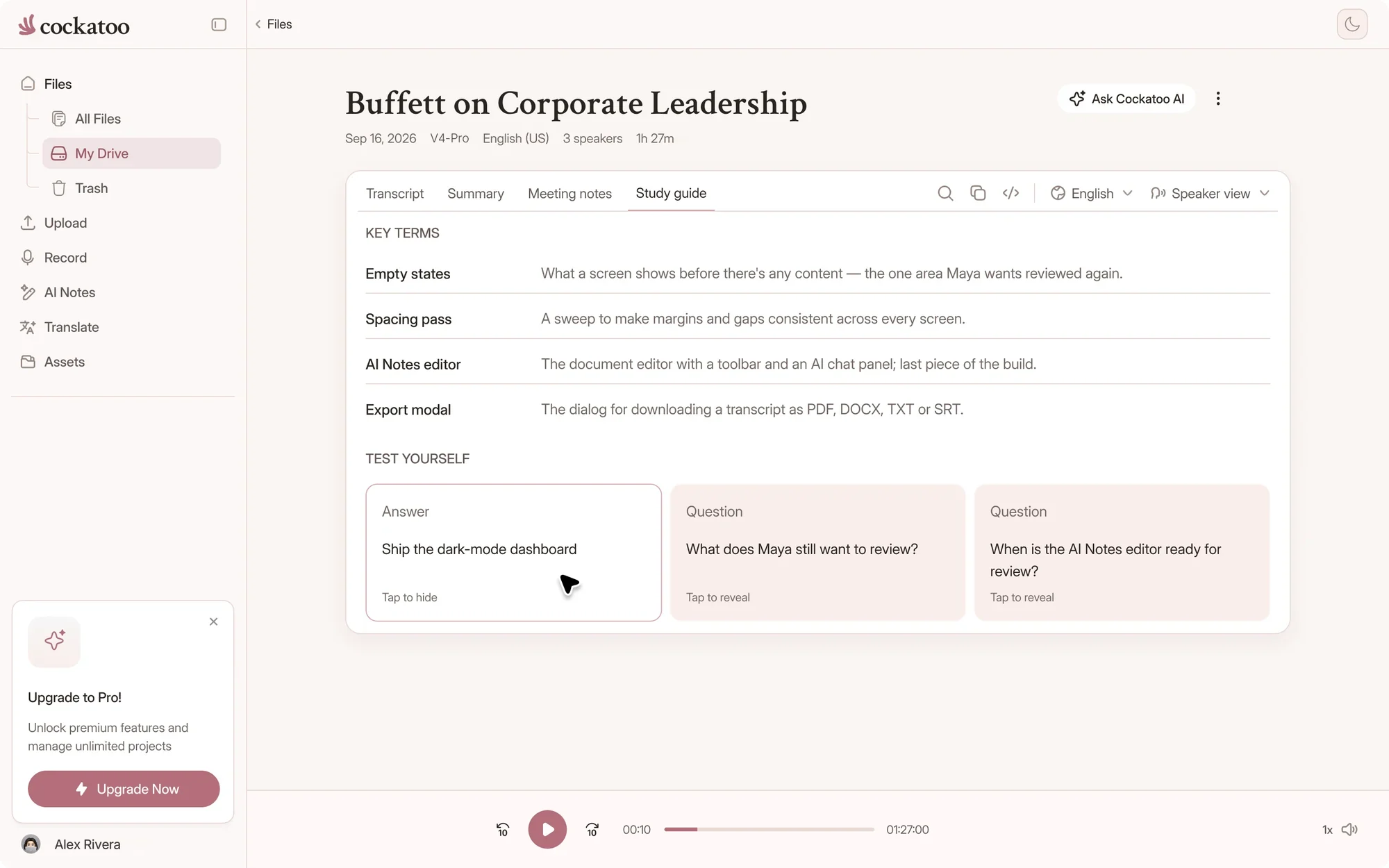
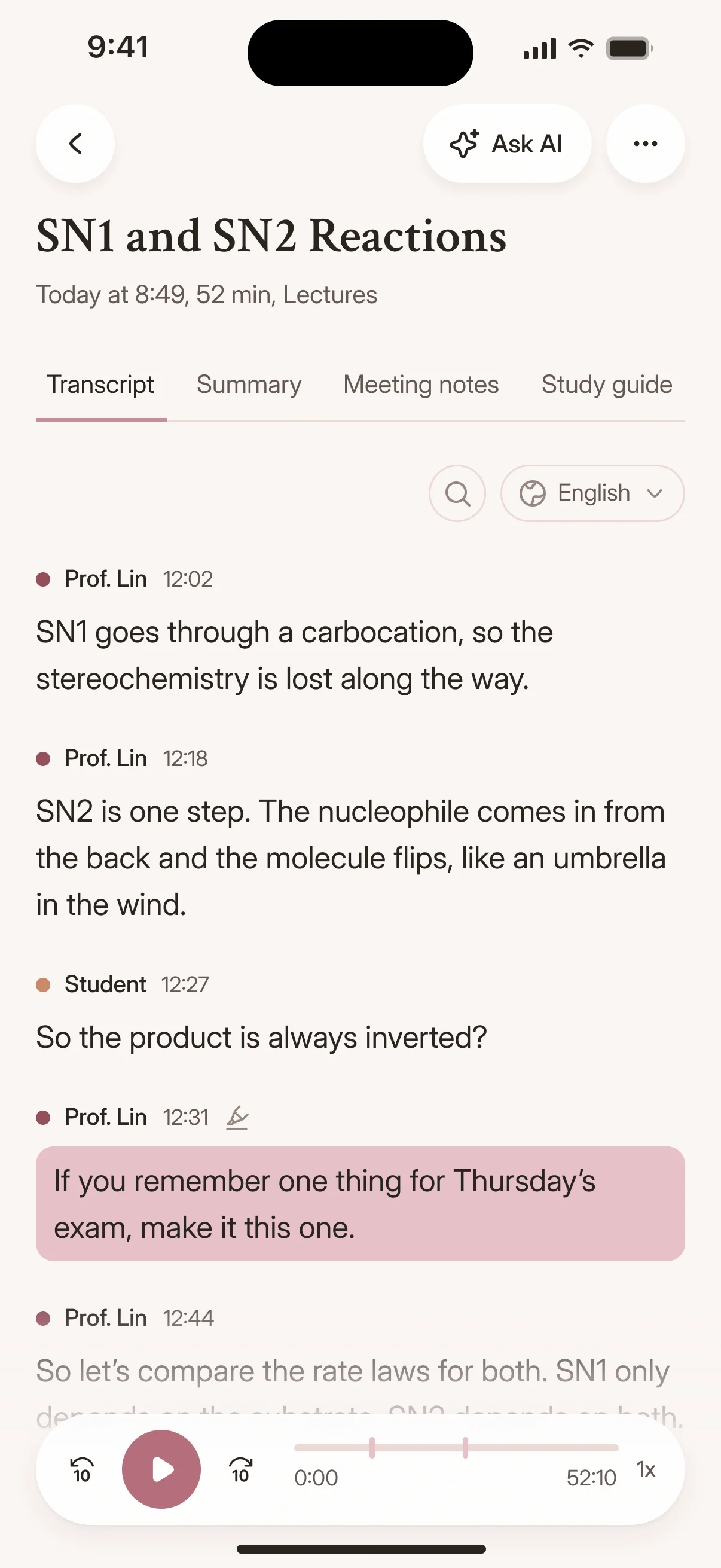
Cockatoo turning a lecture transcript into a study guide

In-Browser Editor For Correcting Transcripts; One-Click AI Summaries

Edit your transcript in the browser with playback controls synced to the text.

Generate a summary, extract key points or reformat sections with Canvas, which works alongside the built-in browser editor for correcting the transcript, without leaving the page.

interview-03.m4a Saved
00:12
Interviewer

So how did Bourdieu shape the way you read the fieldwork?

00:19
Participant

His idea of habitus gave me a vocabulary for what I was seeing in the classroom.

How it works

From Upload To Export In Three Steps

120xreal-time speed in V4-Flash, at most
36transcription languages, detected for you
7export formats, free on every plan

Self-Serve From First Minute: Upload, Transcript In Seconds, Export

No setup, no training, no approval process.

Upload your file, wait seconds, and download your transcript in the format you need.

Speaker Recognition, Punctuation, Capitalisation Applied Automatically

Cockatoo identifies speakers, adds punctuation and capitalizes proper nouns without manual tagging.

The transcript is ready to read and quote the moment it finishes.

A transcript with timestamps in the Cockatoo iPhone app

Upload From YouTube, Dropbox, Drive; Auto-Detect Language; RTL Display

Paste a YouTube link, import from Dropbox or Google Drive, or upload a file.

Upload Audio Or Video, Get Editable Transcript With Timestamps

Upload your recording and get a timestamped, editable transcript back in seconds.

Export to Word, PDF, SRT or plain text for citation, analysis or archiving.

Privacy

How Cockatoo Handles Research Data And Privacy

Where Your Files Are Processed and Stored

Your files are stored and processed in the US and the EU (Finland).

Data is kept while your account is active (many users treat Cockatoo as a transcript archive) and removed when you delete a file or close your account.

Support engineers can access your files only with your explicit permission.

United States European Union (Finland)

Where your files are stored and processed

Fully Human Support

Every support request is answered by a person, not a bot.

Support is available Monday to Friday during US business hours, and the typical response time is half a business day.

Cockatoo supportA person reads every message
  • Monday to Friday
  • US business hours
  • Typical reply in half a business day
Contact support
Compare

How Cockatoo Compares To Human Services And AI Competitors

Cockatoo compared with human transcription services and live meeting note-takers
FeatureCockatooHuman transcription servicesLive meeting note-takers
Ways inLive recording in the web app and iOS app, file uploads, and YouTube, Google Drive, Dropbox or iCloud linksRecordings you send to a typistLive calls, through a bot that joins the meeting
TurnaroundTranscripts in secondsUsually hours or days, depending on the serviceNotes during the call; uploaded files vary
Cost modelUnlimited full-length transcripts free in V4-Flash, with paid plans for V4-ProUsually charged per audio minuteOften a monthly minute allowance
Languages36 transcription languages, detected for youDepends on the typists availableOften a short list
Accuracy evidencePer-language error rates and method published on the benchmarks pageVaries by typist and serviceRarely published per language

A general comparison of service types, not of any one provider. Check a provider's own site for its current plans and prices.

Fast Turnaround

Record live in the browser or on the iOS app, or upload a file, and get your transcript back in seconds instead of waiting days for a typist.

Lectures Into Study Guides

Students record lectures on the Cockatoo iOS app and turn them into study guides.

Every transcript opens with summary, meeting notes and study guide tabs in Canvas.

No Monthly Hour Cap on V4-Flash

No monthly hour caps, no overage fees, no surprise limits.

What Our Users Appreciate: Accuracy On Accents, Raw Speed, Ease Of Use

Our users appreciate Cockatoo's accuracy on non-native accents and regional dialects, the speed of transcription, and how simple the tool is to use from the first upload.

“The app has simplified my dissertation work by trascribing the interviews I am working with currently.”
Guillermo B.TaiwanRead review
“This transcriber is incredibly accurate, and not bothered by all the different accents i present it with. Highly recommended.”
Ian A.AustraliaRead review
“It saves me a lot of time for transcribing interviews I'm realizing over the phone”
André B.CanadaRead review
FAQ

Common Questions About Academic Transcription

Practical answers about modes, discounts and research data.

Visit the help center

Cockatoo offers V4-Flash, the fastest mode, for quick turnaround and V4-Pro, the most accurate mode, for complex audio.

Canvas adds one-click AI summaries alongside the built-in browser editor for correcting the transcript.

Start your first research transcript

Get your full transcript free, with no daily limit. Ask about the academic discount when you're ready for V4-Pro.

Start Transcribing Free