Interview Recordings Become Quotable Transcripts
Upload your interview audio or video and get a text transcript ready for fact-checking and quoting. Podcast episodes turn into searchable notes you can reference, clip, or repurpose.
For reporters, editors and podcasters
Record the interview live on your iPhone, with Cockatoo running in the Dynamic Island, or upload the call, and get a quotable transcript in seconds. Full-length transcripts are free in V4-Flash, with no daily limit and no credit card. When every word has to be right, V4-Pro brings industry-leading accuracy and speaker labels.
You need speed so you can file on deadline. You need accuracy so you can quote with confidence. Upload your interview recording and get a transcript you can fact-check and quote from in seconds.
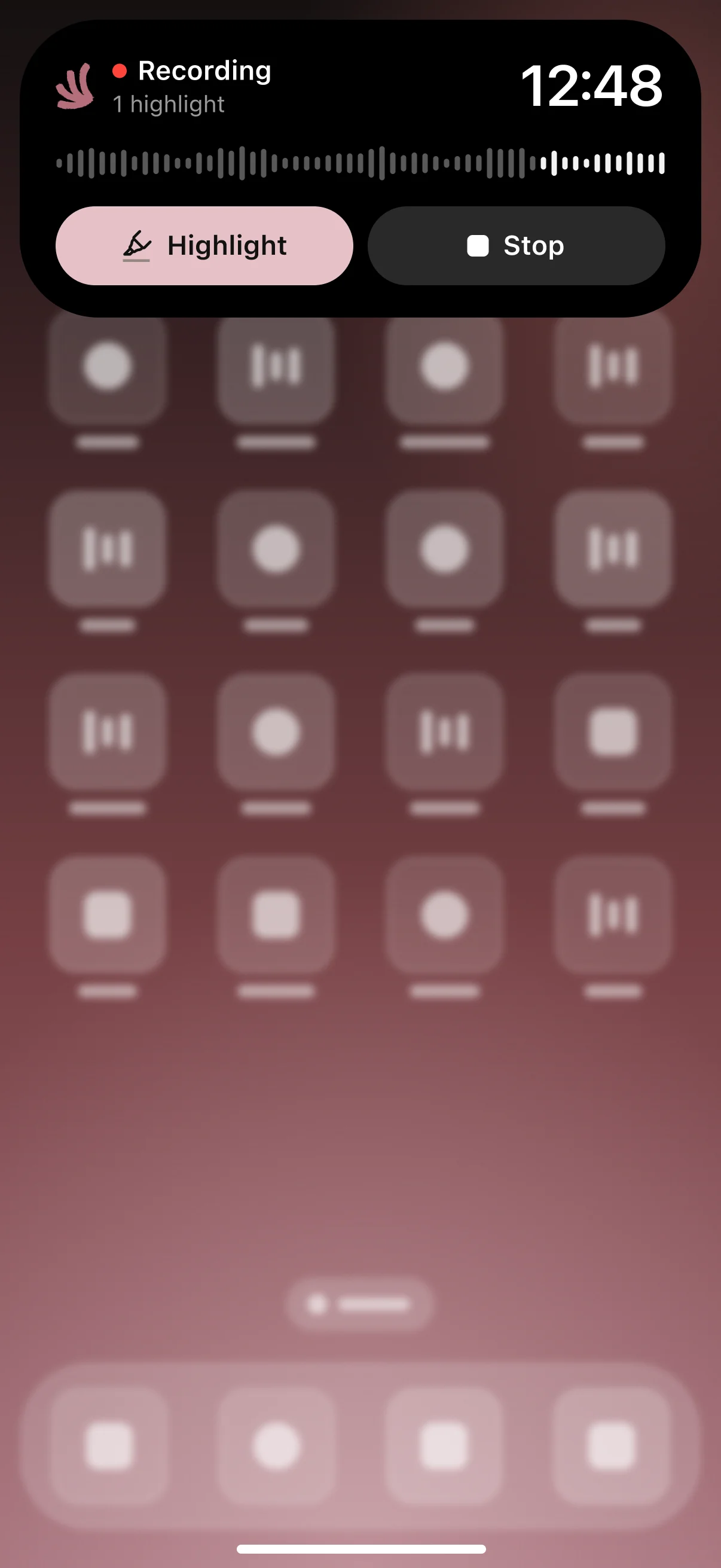
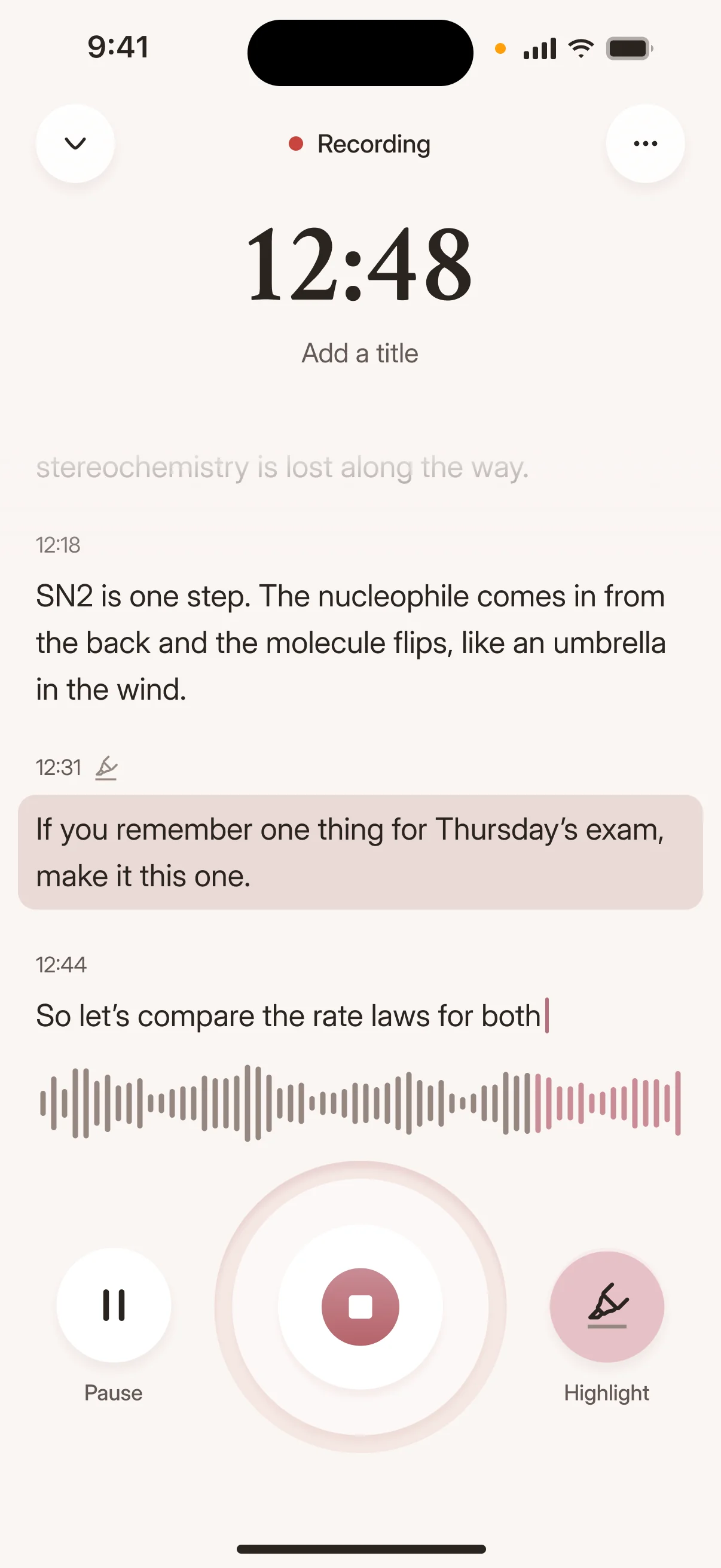
Upload your interview audio or video and get a text transcript ready for fact-checking and quoting. Podcast episodes turn into searchable notes you can reference, clip, or repurpose.
A one-hour recording becomes a finished transcript in about 30 seconds on the fastest mode.
The fastest mode runs at around 120x real-time for quick turnaround. The highest-accuracy mode runs at around 20x real-time and delivers better accuracy on difficult audio, with a usage allowance shown in your account settings.
Cockatoo publishes accuracy tests for 36 languages. Every test uses the same public benchmark researchers rely on to compare transcription engines, plus real-world audio with background noise and accents, so you can see exactly how the engine performs before you commit.
Accuracy varies by language and recording quality, so check yours on the benchmarks page.
Accuracy varies by language and recording quality. Updated October 27, 2026. Full results and method
Our users appreciate three things: the engine handles accents and background noise better than expected, transcripts arrive faster than competing tools, and the interface works without a learning curve.
“It saves me a lot of time for transcribing interviews I'm realizing over the phone”
Methodology and audio examples are included for each language.
Paste a YouTube link, paste a Dropbox or Google Drive link, or upload files directly. Cockatoo accepts all common audio and video formats and detects the spoken language automatically.
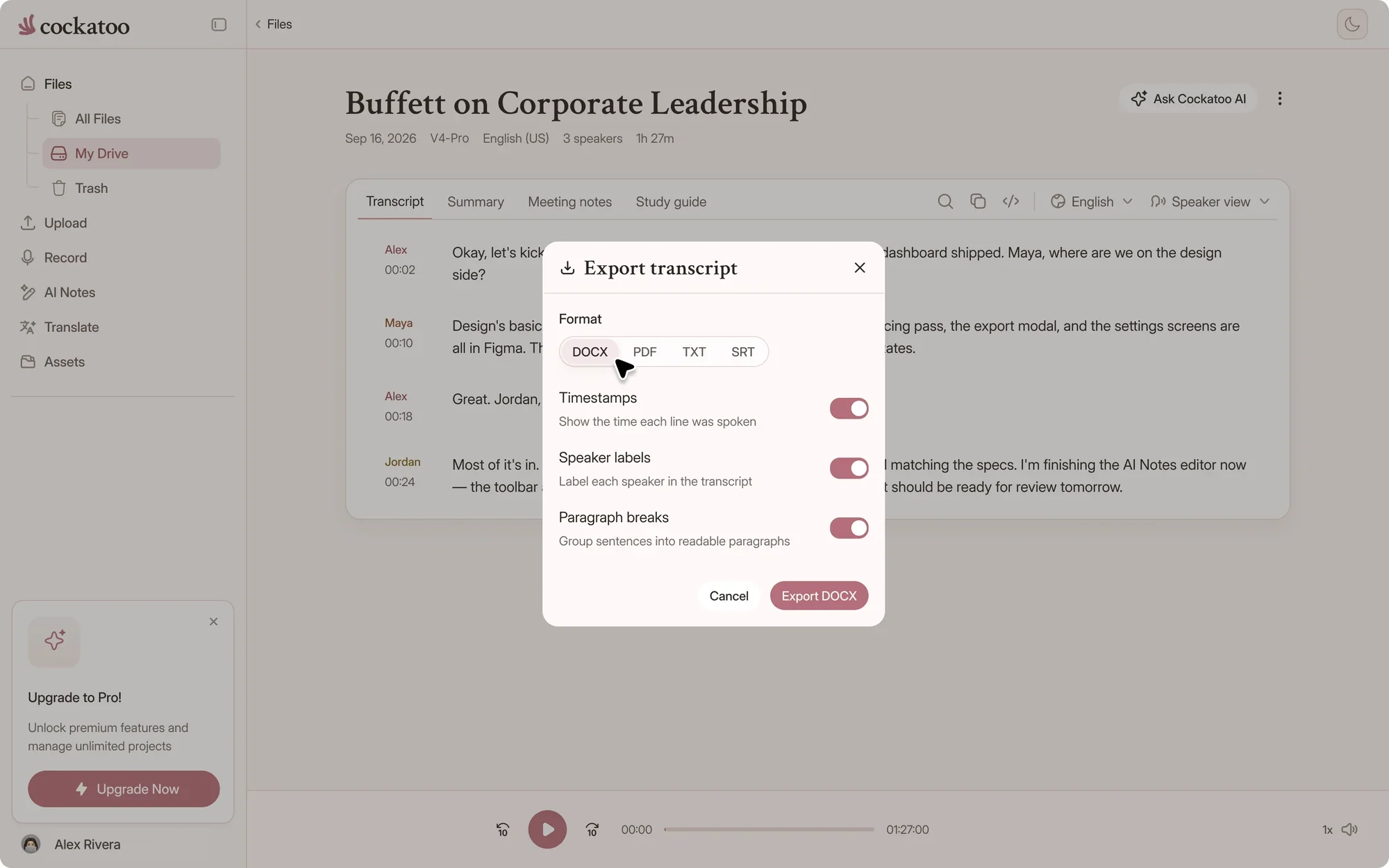
Upload a video file and Cockatoo extracts the audio for transcription without extra steps. Export your transcript as a Word document, PDF, plain text, or SRT subtitle file for video editing.
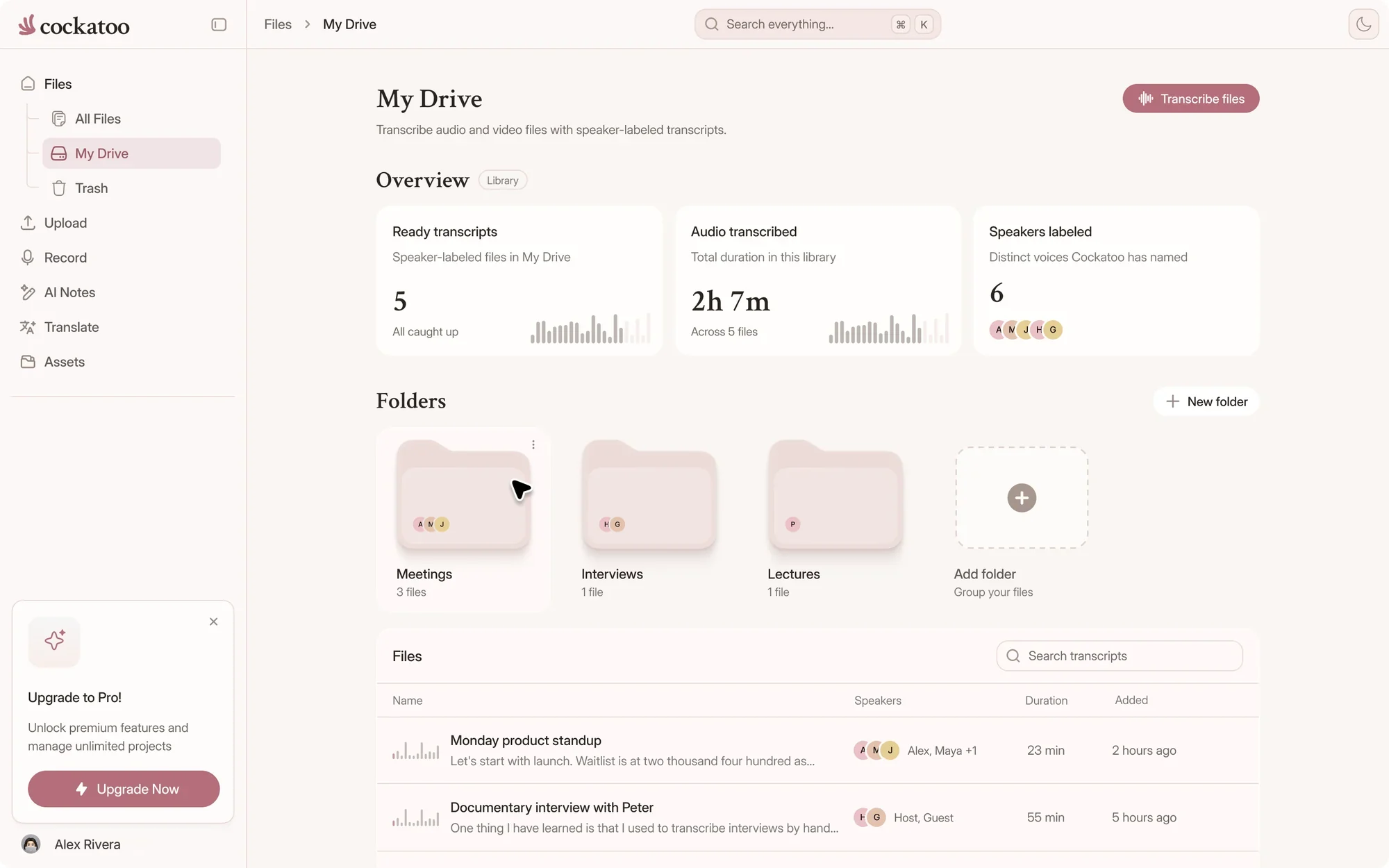
Cockatoo keeps your transcripts and source files in your account until you delete them, sorted into folders. Your interview recordings, transcripts, and working documents stay in one place.
Fix a name on your laptop and it's fixed on your phone. Every quote is one click from the audio.
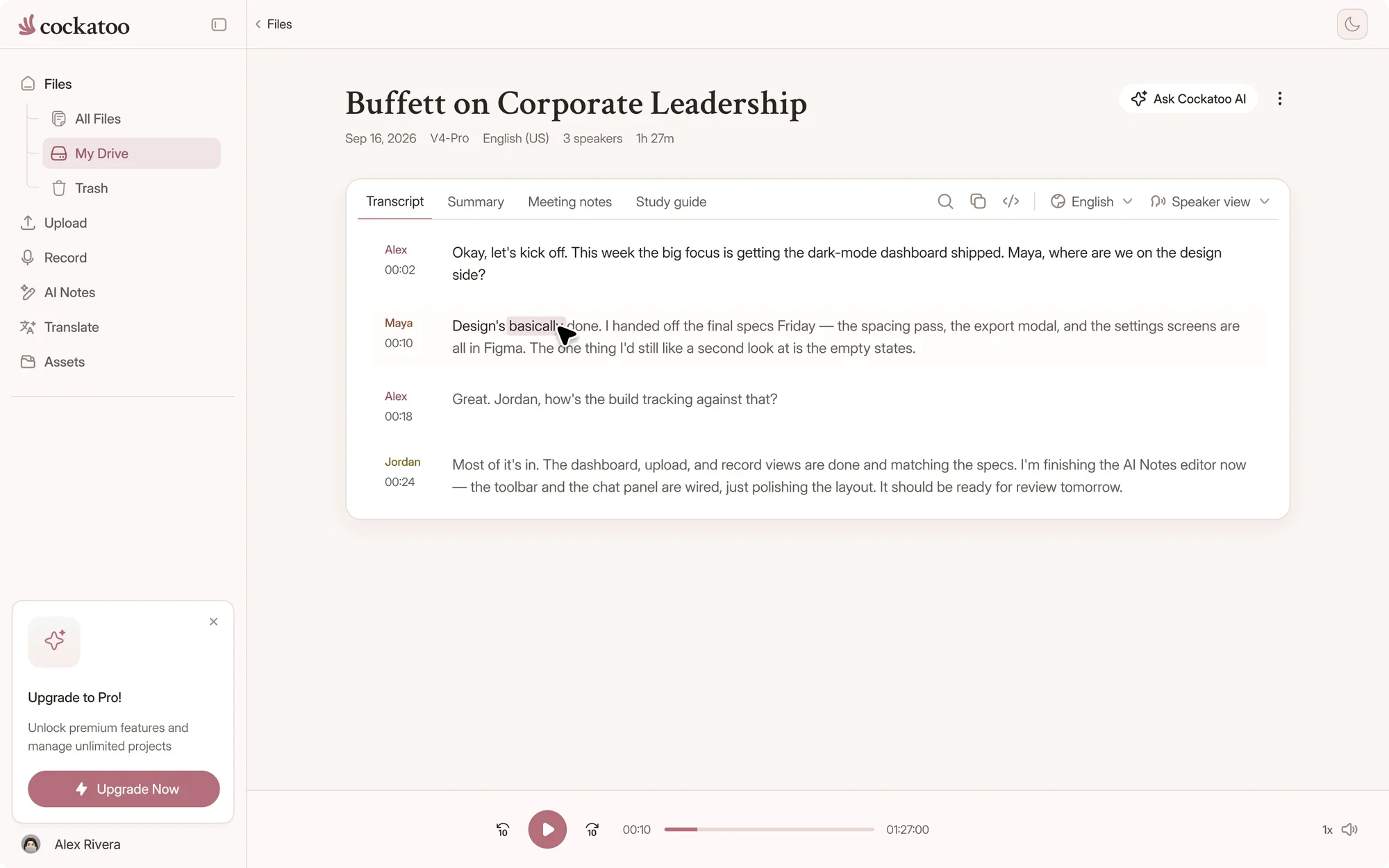
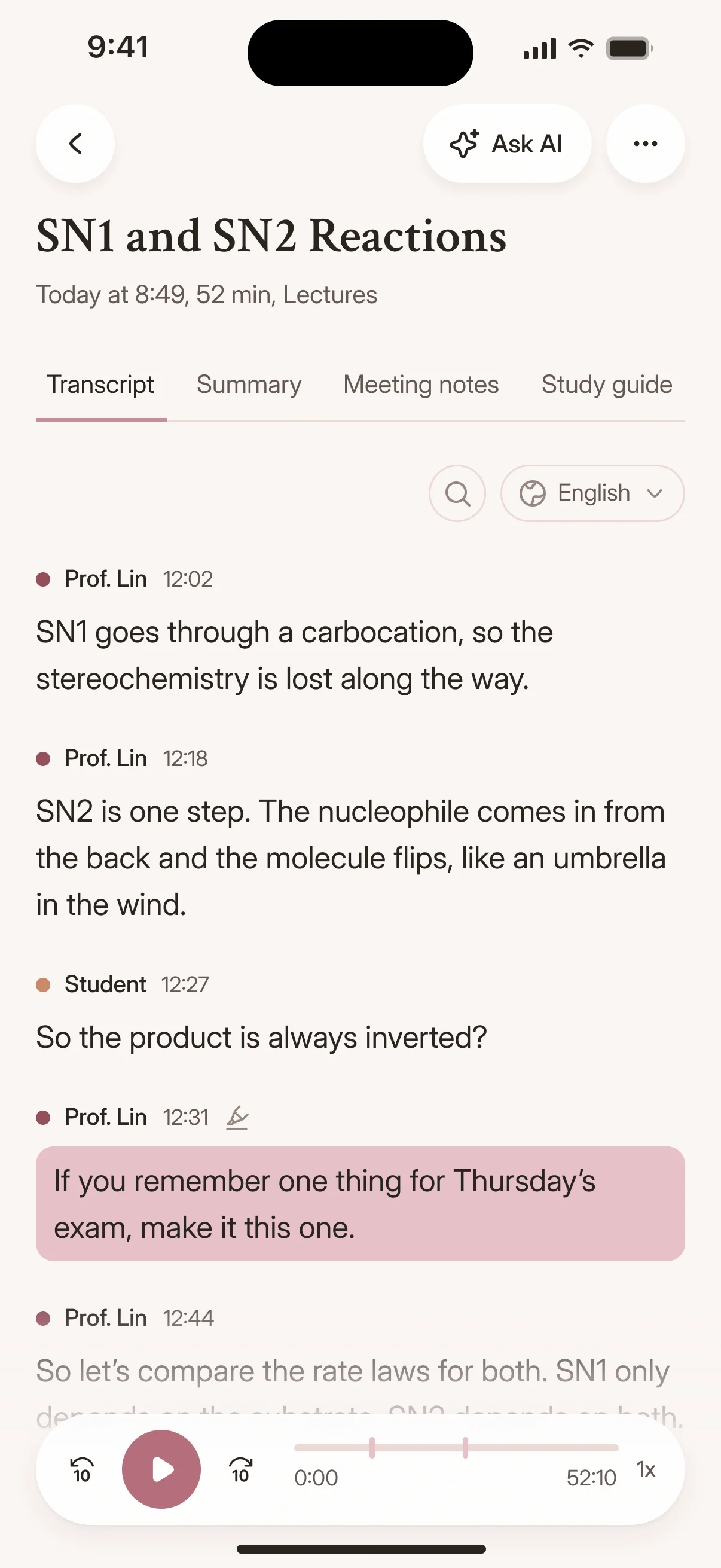
Upload your file, get a transcript in seconds, and export it wherever you need it. No onboarding call, no sales demo, no waiting.
Correct proper nouns, jargon, or technical terms in the editor. Use the AI summary feature in Canvas to condense a 60-minute interview into a few paragraphs you can scan for the key points.
Check every quote against the audio before you publish. Playback is synced to the text, so it takes a click.
Cockatoo is built on the latest in deep learning. The models are versioned like modern AI products, and each release targets accuracy, speed, or language coverage.
When a new engine version changes how certain words or phrases are transcribed, you can choose to keep using the previous mode until you're ready to switch. Your workflow stays consistent across updates.
Transcription mode
Cockatoo is built by machine learning engineers and doesn't run on advertising revenue. Support is fully human, Monday to Friday during US business hours.
Our users are professionals who need accurate transcripts and check the output before publishing.
Where your files are stored and processed
Cockatoo stores and processes data in the US and the EU (Finland). Files and transcripts are encrypted in transit and at rest, and stay private to your account unless you share them.
Delete any file whenever you want. Close your account and Cockatoo deletes your personal information within 30 days.
Support engineers can access your files only with your explicit permission.
“It saves me a lot of time for transcribing interviews I'm realizing over the phone”
“Cockatoo separated speakers and sentences, with timestamps, making it way easier to read.”
“The app has simplified my dissertation work by trascribing the interviews I am working with currently.”
Answers about sources, speed and support.
Your recordings are encrypted in transit and at rest, and remain private to your account unless you share them. If your interviews have specific confidentiality or compliance requirements, contact us to discuss them before uploading, and follow your newsroom's own policy for sensitive sources.
No. Your data is never sold or shared with advertisers, and support opens a file only with your permission. The security center has the details.
Yes, with V4-Pro, on paid plans and in the weekly previews on Free. Renaming a speaker in the editor updates every line.
Yes. Upload the call recording, or record the interview live in the web app or on the iOS app.
State-of-the-art deep learning models for speech recognition, built by machine learning engineers and improved with each release. V4-Flash runs at up to 120x real time, and V4-Pro is the most accurate mode. Support is fully human, not automated.
Support is fully human and available Monday through Friday during US business hours, with a typical response time of half a business day. Email hello@cockatoo.com or support@cockatoo.com. Both route to the same inbox.

Get your full transcript free, with no daily limit and no credit card. Check every quote against the audio in one click, and try V4-Pro on your toughest call.
Start Transcribing Free