Team plan

Cockatoo for Teams and Small Businesses: Fast, Accurate Transcription with Shared Workspaces

Put your whole team on one shared workspace with Pro features for every member and one bill. Record live in the browser or on iPhone, upload a file or paste a link, and every transcript lands in the library your team shares, back in seconds.

Blazing Speed. Incredible Accuracy.

AI transcription and document translation built for teams who need both.

  • Shared workspace from 3 users
  • Pro features for every member
  • Central billing
  • Web and iOS apps
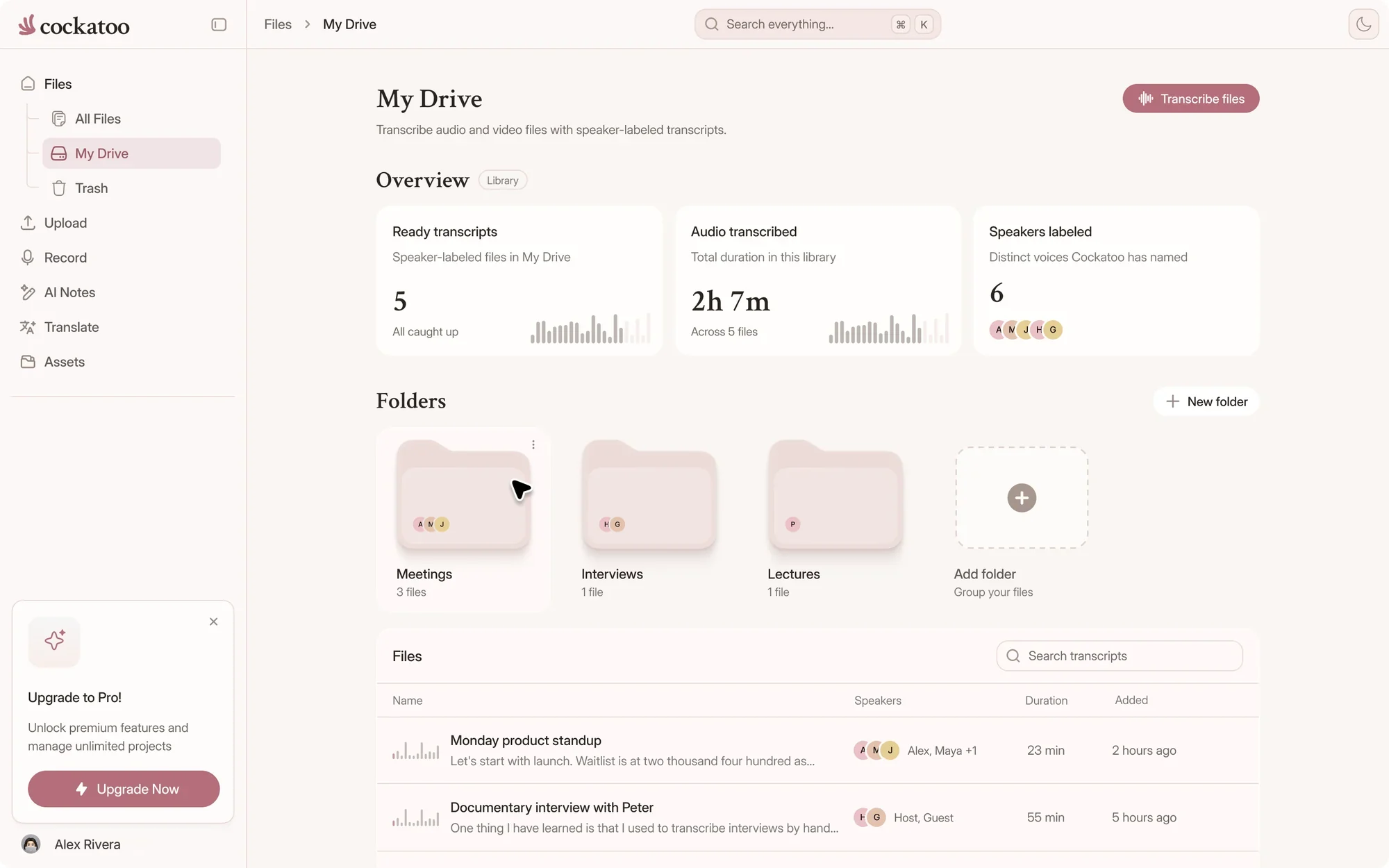
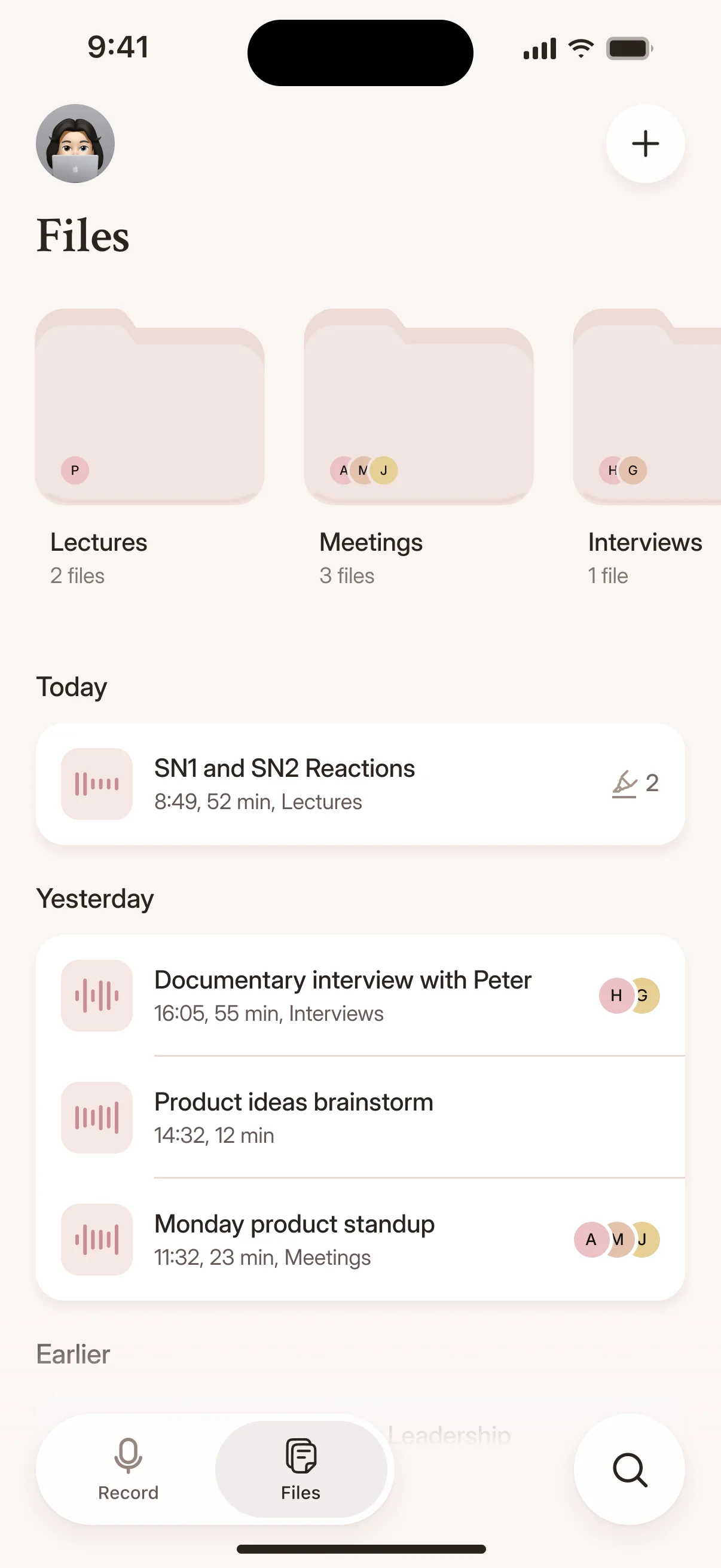
Cockatoo file library with every transcript in one place
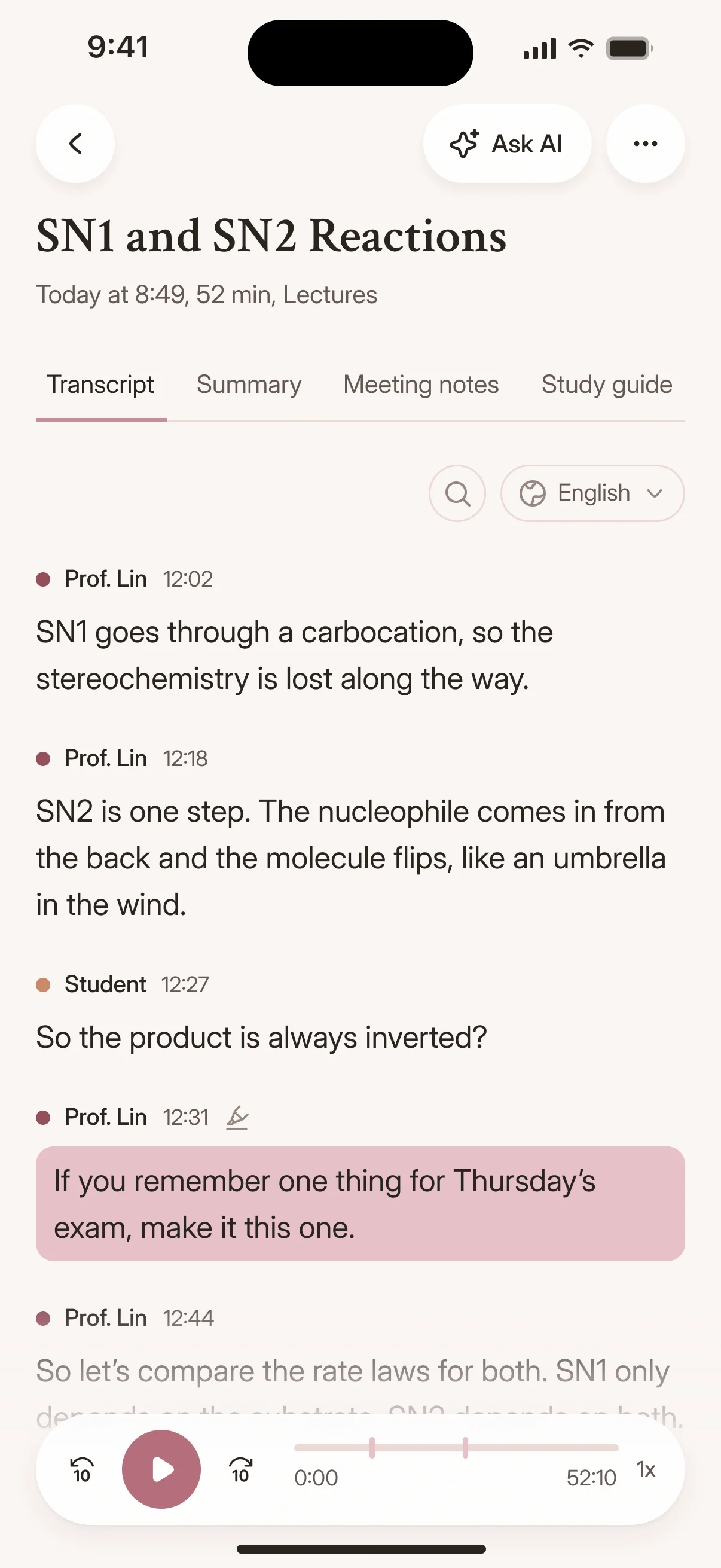
Recordings and transcripts in the Cockatoo iPhone app
Drag and drop
MP3MP4M4AMOVAACWAVOGGOPUSMPEGWMV
OR
Included

What Does the Team Plan Include?

Every member gets Pro features, including industry-leading accuracy with V4-Pro, inside one workspace your team shares and one bill an admin manages.

3+users, the minimum for a Team workspace
1shared workspace with central billing and admin controls
120xreal-time speed in V4-Flash, at most
interview-03.m4a Renamed everywhere
04:02
Dr. Okafor

Let's start with the sampling. Why twelve schools?

04:09
Maya

We wanted rural and urban sites in every region.

04:17
Dr. Okafor

And the consent forms went out before the first visit?

Upload Audio or Video, Get Editable Transcript with Speakers and Timestamps

Upload a recording and Cockatoo returns a transcript with speaker labels and timestamps already applied.

Edit in the browser, export to your workflow, or share with your team.
interview-03.m4a Saved
00:12
Interviewer

So how did Bourdieu shape the way you read the fieldwork?

00:19
Participant

His idea of habitus gave me a vocabulary for what I was seeing in the classroom.

Built-In Browser Editor for Correcting Transcript, One-Click AI Summaries

The built-in browser editor lets you fix names and adjust punctuation, and Canvas generates summaries, without leaving the page.

No copying and pasting into another tool.

.docx.pdf.txt.srt.vtt.csv.json

Free exports on every plan

Transcript Storage and Exports Bundled into Subscription

Everything you need is included.

Transcripts and source files stay in your account until you delete them, and every plan exports DOCX, PDF, TXT, SRT, VTT, CSV and JSON.

United States European Union (Finland)

Where your files are stored and processed

Processing in US and EU Finland, Support Accesses Files Only with Explicit Permission

Files are stored and processed in the US and EU (Finland). Team has zero data retention for model training by default.

Support engineers can access your files only if you explicitly grant permission. No automatic access. Read the privacy policy.

Compare

Why Small Teams Choose Cockatoo

Unlimited V4-Flash for every member, published per-language accuracy and an iOS app. Here's how Cockatoo Team stacks up against other team plans, as of November 2026.

Team transcription plans compared, as of November 2026
FeatureCockatoo TeamRevTrintSonix
Price per userPer user, monthly or yearly. See current prices.Essentials $29.99 a seat a month, Pro $59.99Starter from about $52 a seat a month, billed yearlyCore from $25 a month with one seat, extra seats $25 a month
UsageV4-Flash unlimited for every member, plus V4-Pro5,000 AI minutes per user a month on EssentialsStarter: 7 files a month5, 20 or 40 hours a month, then $10 an hour
Languages36 transcription languagesEnglish and Spanish on Essentials, 37+ on Pro50+54+
Accuracy evidencePer-language results and method on the benchmarks pageHeadline accuracy claimsNo per-language results publishedHeadline accuracy claim
Where it's strongerUnlimited V4-Flash, per-language accuracy results, iOS appHuman and legal transcripts, meeting notetaker, APIShared editing, Story Builder, live transcription, APIZoom, Zapier and Premiere integrations, API

Competitor details come from each company's own pages, as of November 2026. Plans and prices change, so check before you buy.

Not the Cheapest, the Best: Published Tests vs. Competitors' Unsupported Claims

Cockatoo publishes accuracy tests for 36 languages using the standard public benchmark researchers use, plus real-world audio.

You can audit the claims yourself. Accuracy varies by language and recording quality.

Simple Subscription Pricing

Manual transcription burns hours per recording, and human services charge for every audio minute.

Benchmark-backed accuracy at a price small teams can pay. See current Team prices.

Self-Serve from the First Minute: Upload, Get Transcript in Seconds, Export

No sales call, no onboarding meeting, no approval process.

Start transcribing the moment you sign up.

Fully Human Support, Monday Through Friday, Typical Response Half a Business Day

Every support ticket is answered by a person, not a bot.

Monday through Friday, during US business hours, you'll typically hear back within half a business day.

ā€œCockatoo separated speakers and sentences, with timestamps, making it way easier to read.ā€
Heidi C.CanadaRead review
ā€œI use it all the time to get my recordings scripted and then turned into minutes. Love it!ā€
Josh D.Saint LuciaRead review
ā€œThe combination of speed, simplicity, and clear language options makes Cockatoo a practical and reliable solution for transcription.ā€
Dimitri F.Caribbean NetherlandsRead review
Shared transcripts

How Teams Work Faster with Shared Transcripts

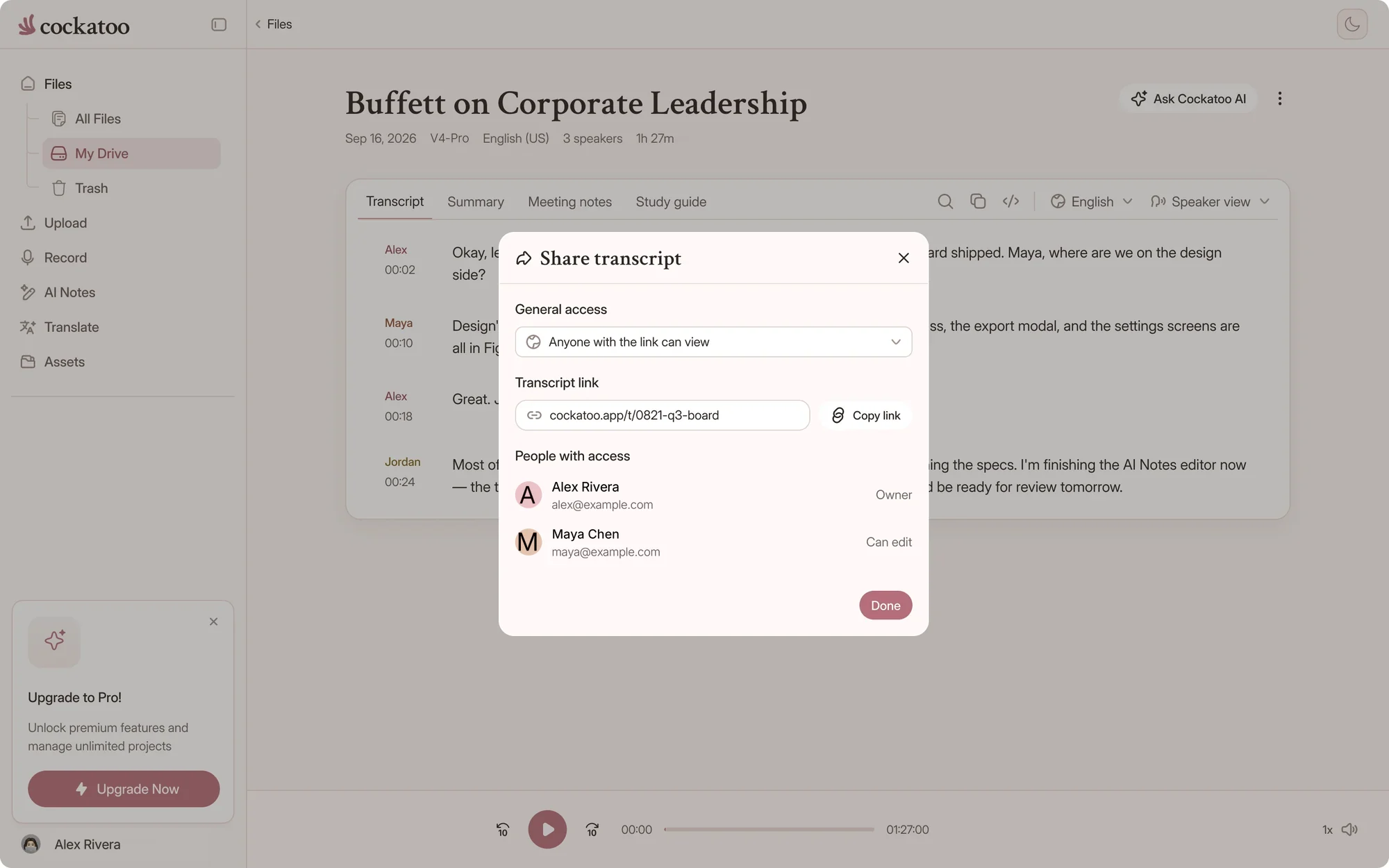
Share a transcript with a link and your team reads, searches and quotes the same text, on the web or on iPhone.

Sharing a Cockatoo transcript with a link
A transcript with timestamps in the Cockatoo iPhone app

Interview Recording Becomes Quotable Transcript, Podcast Episode Becomes Searchable Notes

Search for a keyword, jump to the timestamp, and pull the exact quote without scrubbing through the audio.

Researchers, journalists, and content teams save hours per project.

Add Subtitles to Marketing Video, Make Training Content Accessible and Searchable

Export your transcript as an SRT subtitle file and drop it into your video editor.

Training videos become accessible to deaf and hard-of-hearing team members, and searchable for everyone else.

For everyone

What Every Team Member Gets

Add a teammate and they get the full toolkit from their first upload.

youtube.com/watch?v=seminar-week-4Import
  • Your device
  • YouTube
  • Google Drive
  • Dropbox
  • iCloud
  • Public file link

Import from YouTube, Dropbox, Google Drive, Auto-Detect Language or Override per File

Paste a YouTube link, paste a Dropbox or Google Drive link, or upload from your device.

Cockatoo detects the spoken language automatically, or you can set it manually for each file.

Translates PDF, DOCX, PPTX, XLSX, TXT Between Languages While Keeping Document Usable

Upload a slide deck in English, get it back in Spanish with formatting intact.

No rebuilding spreadsheets or presentations from scratch.

Translates Spoken Audio Between Languages, Not Just Written Documents

Transcribe a recording in one language, then translate the transcript into another.

One tool for both: get the words out of the audio, then get them into another language.

How it works

Jobs Teams Use Cockatoo to Complete

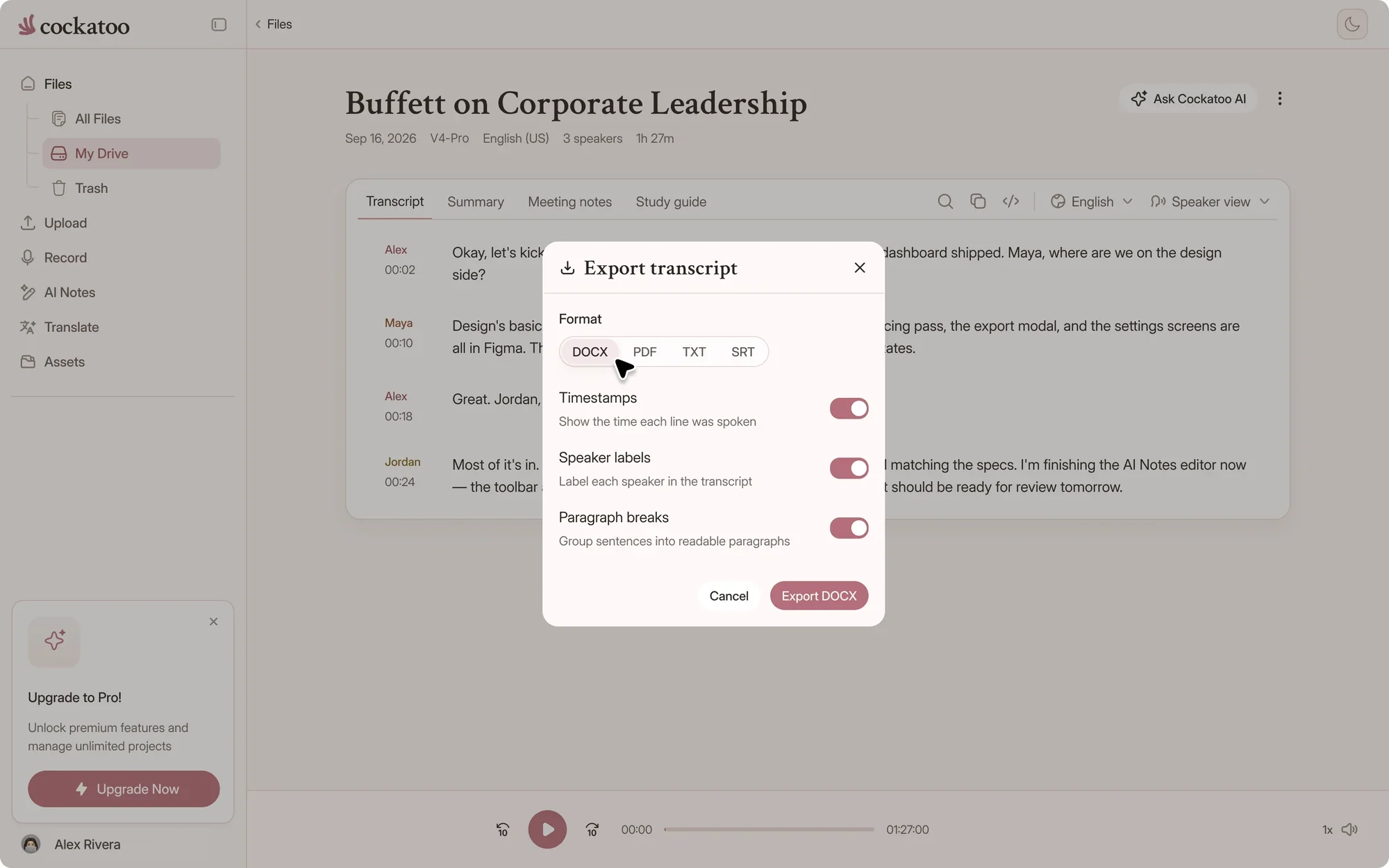
  1. Cockatoo export menu with DOCX, PDF, TXT, SRT and more

    Video Audio Extracted Automatically, Export Transcript as SRT Subtitle File

    Upload a video file and Cockatoo extracts the audio, transcribes it, and formats the output as an SRT file ready for your video editor.

    No separate audio extraction step, no manual timestamp alignment.

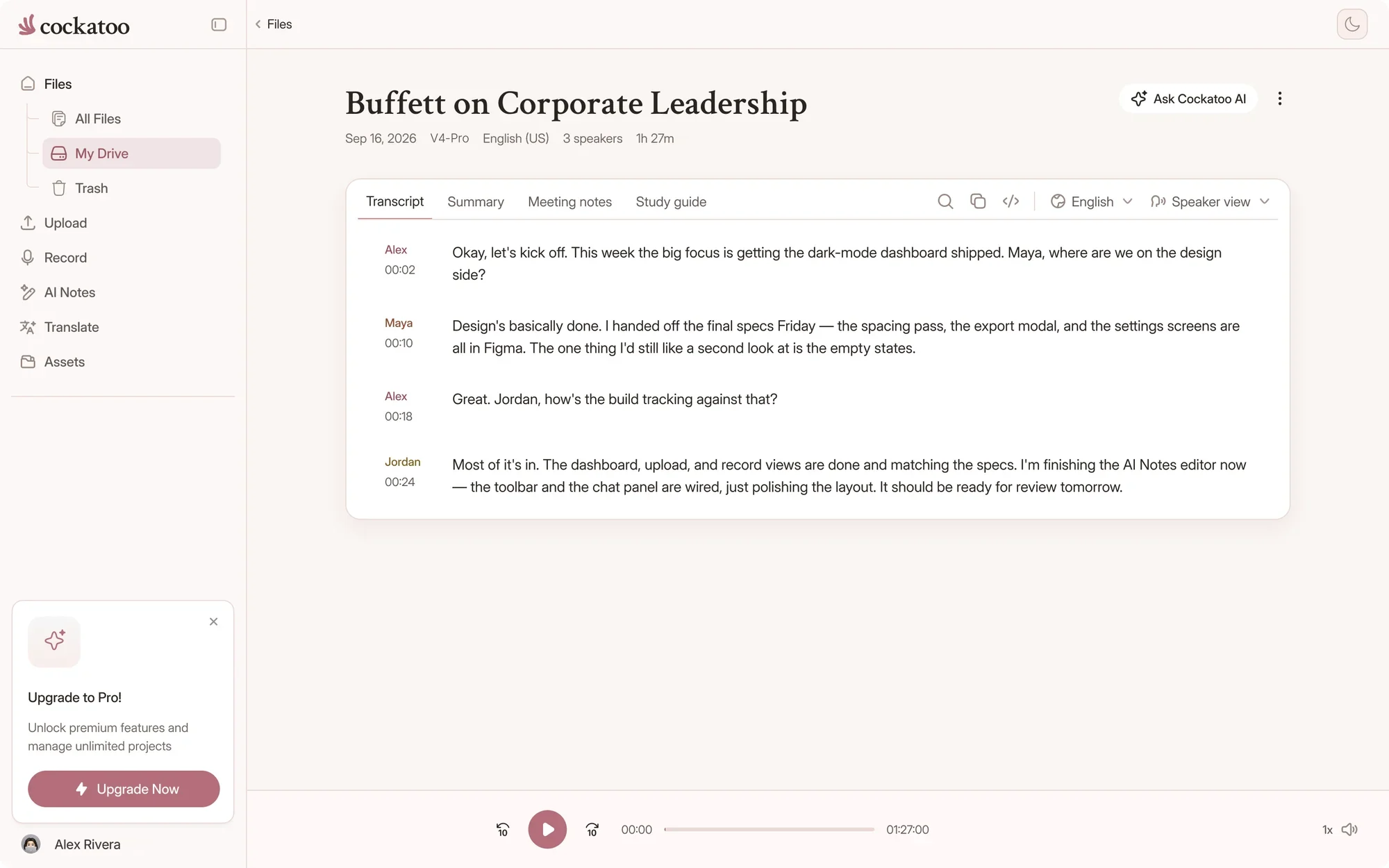
  2. Cockatoo transcript editor with speaker labels and timestamps

    Speaker Recognition, Punctuation, Capitalization Applied Automatically

    Cockatoo's speech recognition models label speakers, add punctuation, and capitalize proper nouns without manual tagging.

Proof

Benchmark-Backed Performance You Can Verify

V4-Pro had the lowest error rate of the tested providers in 25 of 36 languages, and V4-Flash returns a one-hour file in about 30 seconds. Accuracy varies by language and recording quality.

Accuracy You Can Audit: Published Per-Language Tests on Standard Benchmark, 36 Languages

Cockatoo publishes accuracy tests for 36 languages using the standard public benchmark researchers use, the same test set used to compare transcription engines.

Real-world audio examples are included alongside the benchmark results so you can see how the engine performs on actual recordings, not just lab data. Accuracy varies by language and recording quality.

Cockatoo V4-Pro on FLEURSError rate Ā· lower is better
  • English3.9% WER
  • Spanish1.0% WER
  • German2.4% WER
  • French7.8% WER
  • Japanese6.5% CER

Accuracy varies by language and recording quality. Updated October 27, 2026. Full results and method

Blazing Speed Alongside Accuracy

Upload a file and get your transcript in seconds.

Speed is a recurring theme in customer reviews, and the models are engineered for both accuracy and raw processing performance.

Transcribes Up to 120x Real-Time in Fastest Mode, One-Hour File in 30 Seconds

Highest-accuracy modes run at around 20x real-time, still faster than any manual process.

~30 sfor a one-hour recording in V4-Flash
ā€œThis transcriber is incredibly accurate, and not bothered by all the different accents i present it with. Highly recommended.ā€
Ian A.AustraliaRead review
ā€œThe transcription accuracy is impressive, and the export options make it simple to work with transcripts in various formats.ā€
Bill N.United StatesRead review
ā€œIt works fast and the quality and accuracy are spot on. Love the service!ā€
AlUnited StatesRead review
FAQ

Common Questions About the Team Plan

Short answers about seats, billing, limits and your data.

Visit the help center

V4-Flash has no hour limit, on every seat. V4-Pro, the most accurate mode, has usage limits that depend on your plan.

Set up your team's shared workspace

Get your full transcript free, with no daily limit. Bring your team in when you're ready for industry-leading accuracy with V4-Pro.

Start Transcribing Free