Save the voice note from WhatsApp
Open the chat, press and hold the voice message, and use the share or forward option to save it to your files or send it to your computer.
Exporting a chat with media also gives you its voice notes as audio files.
WhatsApp voice notes to text
Save the voice note from WhatsApp, drop the OPUS or OGG file here, and read the transcript in seconds. Search it, quote it, export it, or translate it for a reader who speaks another language. Full-length transcripts are free, with no daily limit and no credit card.
Turn WhatsApp voice notes into text and translate them into another language. One tool for both jobs.
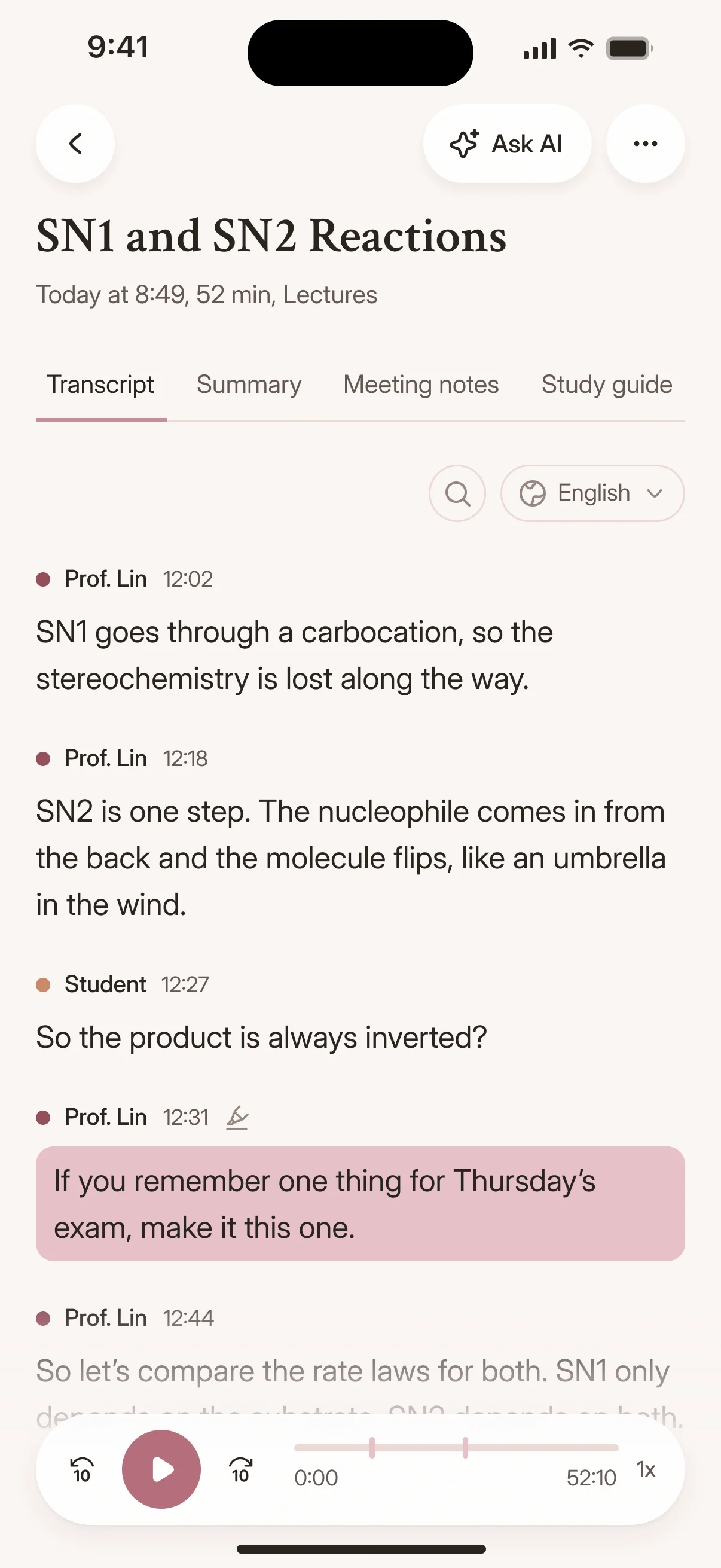
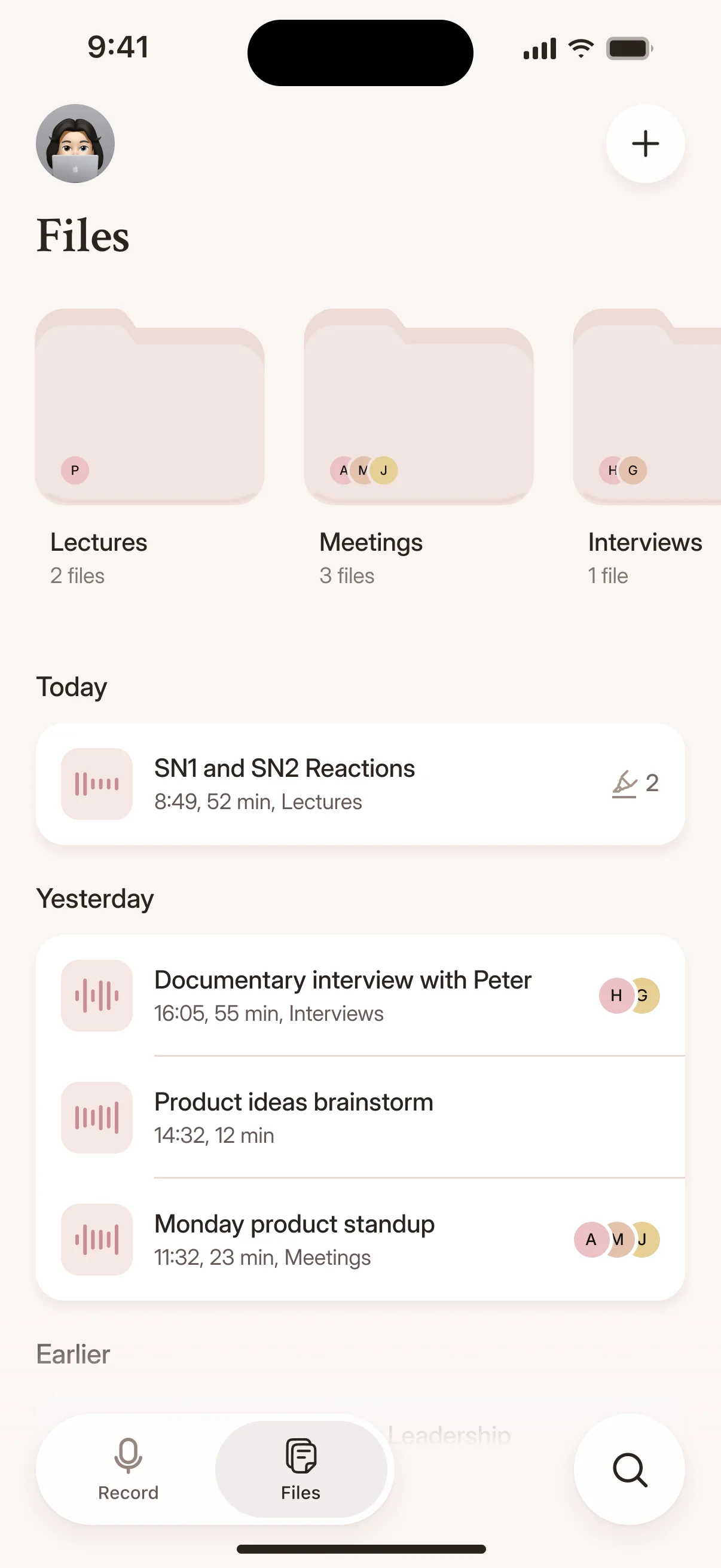
Three steps, and the text is ready before you could replay the message.
Open the chat, press and hold the voice message, and use the share or forward option to save it to your files or send it to your computer.
Exporting a chat with media also gives you its voice notes as audio files.
Drag and drop OPUS or OGG files exported from WhatsApp, paste a YouTube link, or paste a public link to an audio file.
So how did Bourdieu shape the way you read the fieldwork?
His idea of habitus gave me a vocabulary for what I was seeing in the classroom.
Every transcript opens in the browser editor, where you can correct names, add punctuation, or fix formatting errors without leaving the browser.
Generate a one-click AI summary in Canvas to pull out key points, or export the edited transcript to your preferred format.
Drop in the file WhatsApp gave you. Cockatoo handles the rest.
00:14 مرحبًا بكم في المحاضرة الرابعة
Cockatoo identifies the spoken language automatically. No need to tag a file before uploading.
If the speaker switches between languages mid-message, the transcript captures both. Right-to-left scripts like Arabic and Hebrew render correctly in the editor and in exported files.
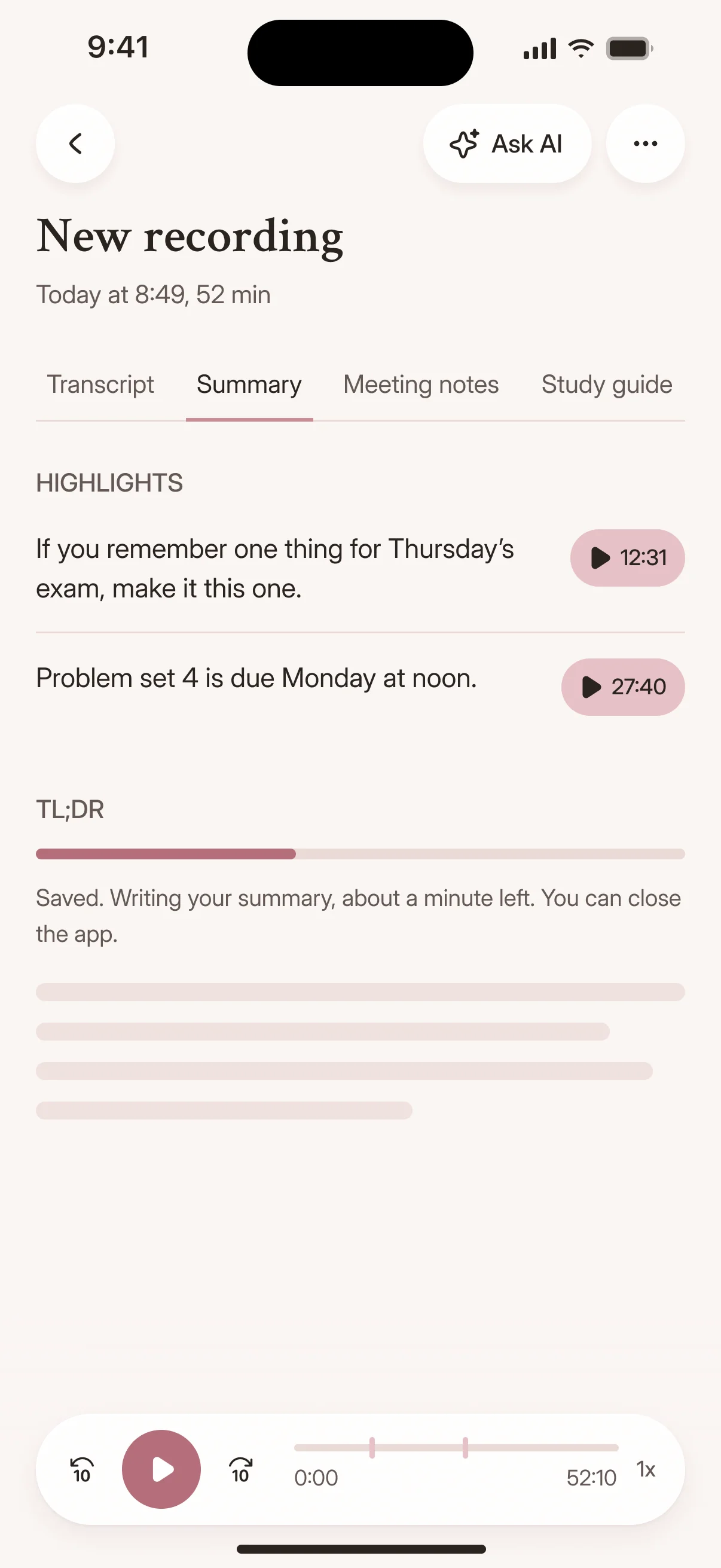
WhatsApp voice notes arrive as OPUS or OGG files. Cockatoo reads them directly, with no conversion step on your side.
Upload the file WhatsApp gave you and transcription starts immediately.
OPUS and OGG are the formats WhatsApp uses for voice messages. Cockatoo also accepts M4A, MP3, WAV and the other common audio and video formats, so a voice memo from any app works too.
Where your files are stored and processed
Your voice notes, transcripts and translations stay in your account until you delete a file or close your account.
Files are stored and processed in the US and the EU (Finland), and support engineers can open your files only with your explicit permission.
Your voice notes, transcripts and translations, on the web and on your iPhone.
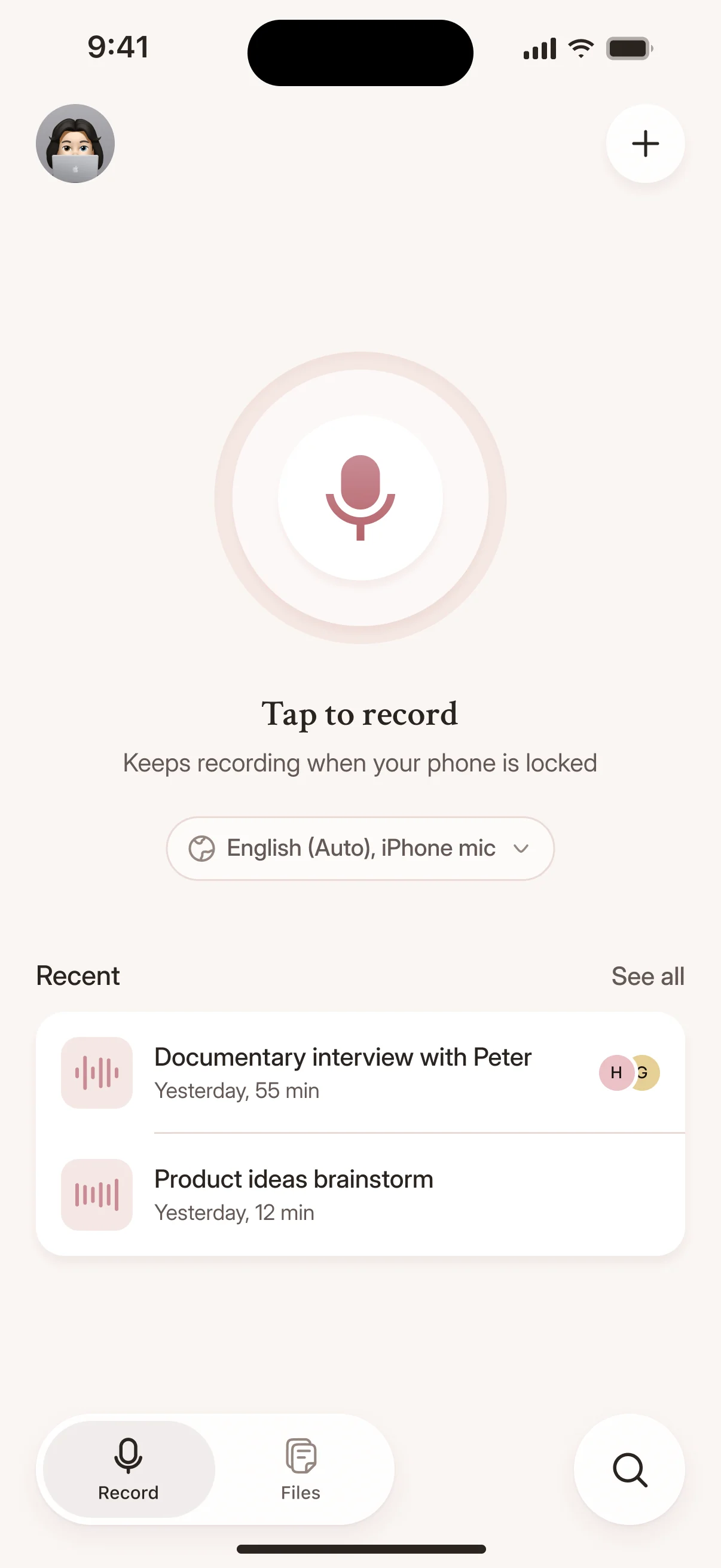
A WhatsApp voice message becomes a text file you can search, quote in an email, or paste into a report.
No more scrubbing through audio to find the one sentence you need.
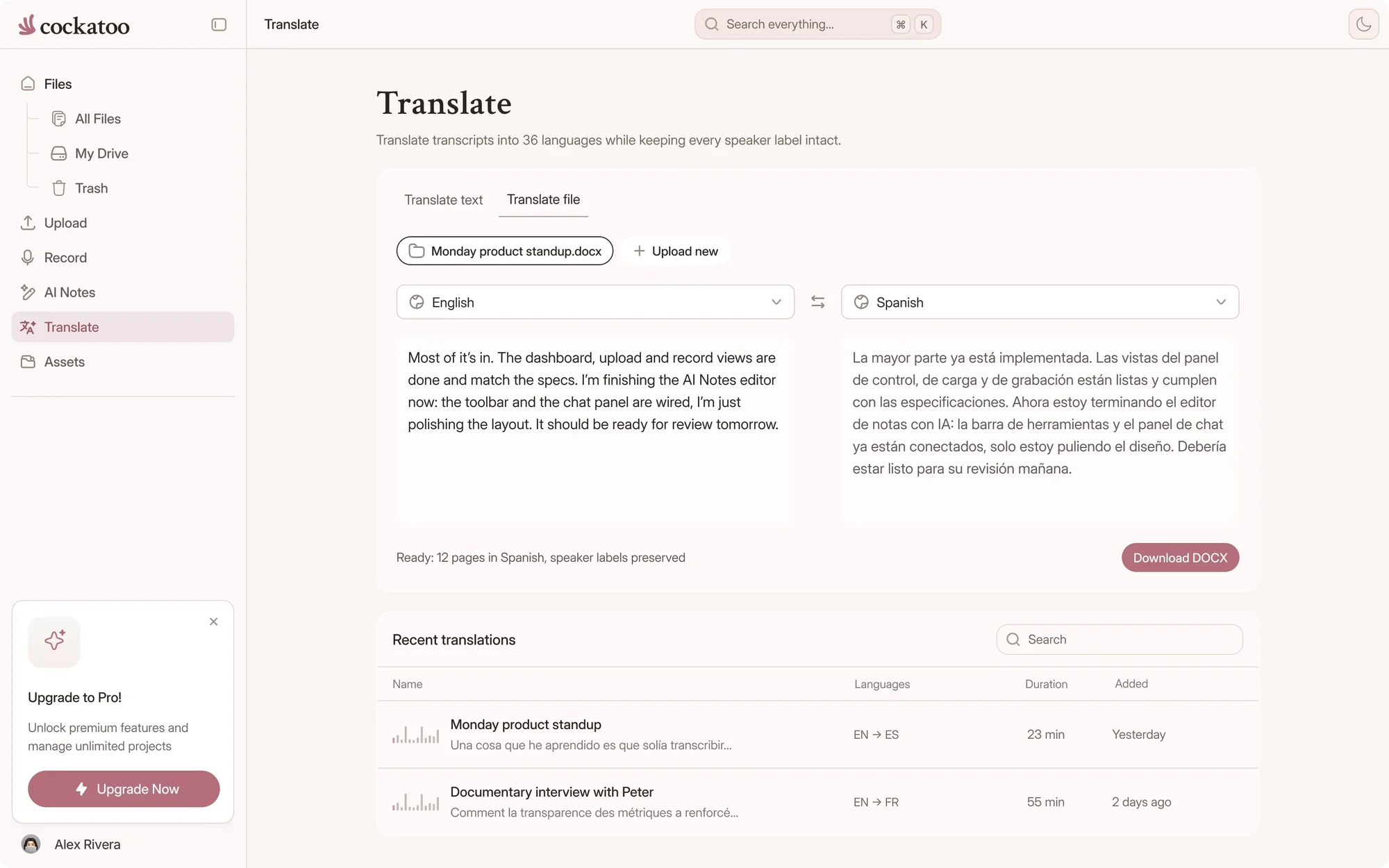
Transcribe the voice note first, then translate the transcript into any supported language without leaving the editor.
One tool for both halves of the job, with nothing to copy into a second app.
Export the translated transcript as plain text, SRT subtitles, or a formatted document and send it to colleagues who speak a different language.
The original voice note stays intact. The recipient gets readable text in their own language.
WhatsApp's own transcript lets you read a message inside the chat. Cockatoo turns it into text you can edit, translate, export and keep.
WhatsApp's built-in transcription gives you text in the original language, but if you need that text in English or another language, you may have to copy it into a separate translation tool.
Every extra step costs time and creates formatting errors.
Native transcription features give you read-only text with no way to fix mistakes or pull out key points.
Cockatoo opens every transcript in the browser editor, where you can edit inline and fix names, then generate an AI summary with one click in Canvas.
Timestamps, speaker labels, and paragraph breaks carry over into the translated version.
Transcription covers 36 languages. Free accounts get translation previews, and Pro translates whole transcripts.
Download the transcript as an SRT subtitle file with timestamps, ready to attach to a video or import into an editor.
Plain text, Word, and PDF exports are also available from the same transcript.
Free exports on every plan
Cockatoo gives you two modes. V4-Flash, the fastest, runs at up to 120x real time and is unlimited on every plan. V4-Pro, the most accurate, runs at around 20x real time and delivers industry-leading accuracy on difficult audio.
Both are built on the latest in deep learning, and each new version ships with targeted improvements.
Transcription mode
A 60-minute voice message returns a full transcript in roughly 30 seconds when you use the fastest mode.
Switch to V4-Pro for the highest accuracy, and the transcript still comes back in seconds.
Our users appreciate accuracy on difficult accents and dialects, raw speed, and ease of use.
Cockatoo's models are trained for real-world audio like voice notes recorded on the street or in a car. V4-Pro had the lowest error rate of the tested providers in 25 of 36 languages; accuracy varies by language and recording quality, so check the published benchmarks.
Accuracy varies by language and recording quality. Updated October 27, 2026. Full results and method
“Simple to use, very accurate - can identify between speakers and quicker than most in identifying franco arabic conversation.”
“This transcriber is incredibly accurate, and not bothered by all the different accents i present it with. Highly recommended.”
“Absolutely the best transcription app. Insanely good transcriptions, and supports my native language which is amazing.”
Use WhatsApp's transcript to read a message quickly. Use Cockatoo when you need to edit, translate, export or keep the text.
| Feature | Cockatoo | WhatsApp's built-in transcripts |
|---|---|---|
| Built for | Voice notes, uploads, links and live recordings | Reading one voice message inside the chat |
| Languages | 36 transcription languages, detected for you | A smaller set, depending on your phone and app version |
| Editing | Browser editor with synced playback | Read-only text under the message |
| Translation | Translate the transcript, keeping timestamps and speakers | Limited, depending on language and app version |
| Exports | DOCX, PDF, TXT, SRT, VTT, CSV and JSON | Copy the text by hand |
| Free plan | Unlimited full-length transcripts in V4-Flash | Included in WhatsApp |
WhatsApp details as of November 2026, from its own help pages. Features vary by phone, app version and language, so check WhatsApp's site for current details.
Cockatoo transcribes WhatsApp voice notes, YouTube links and recordings from your phone or computer, and records live in the browser or on the iOS app. When someone sends you a voice message, upload it and read it in seconds.
Upload a WhatsApp voice note from your browser and get a transcript in seconds. There's nothing to install or configure. Self-serve from the first minute.
V4-Flash has no monthly hour cap on any plan, including Free. V4-Pro, the most accurate mode, has a usage allowance shown on the limits page.
Unlimited full-length transcripts in V4-Flash, free, with no credit card.
No sales call, no demo request, and no setup wizard. Upload a WhatsApp voice note, get a transcript, and export it as text, SRT, or a document.
Free accounts transcribe full-length voice notes in V4-Flash with no daily limit, no monthly cap and no surprise overage fees. Pro adds whole recordings in V4-Pro and full transcript translation; see current prices on the pricing page.
Short answers about files, translation, accuracy and support.
Cockatoo publishes per-language accuracy results for 36 languages, tested on the same public benchmark researchers use to compare transcription engines, plus real-world audio samples. See them on the benchmarks page.
Every support request goes to a human, not a chatbot. The team responds Monday through Friday during US business hours, with a typical response time of half a business day.
Cockatoo publishes the numbers, the test methodology and the audio samples, and V4-Pro had the lowest error rate of the tested providers in 25 of 36 languages. Accuracy varies by language and recording quality, so compare your language on the benchmarks page.
Yes. Upload the OPUS or OGG file exactly as WhatsApp saved it, with no conversion first. M4A, MP3, WAV and other common formats work too.
Yes. Transcribe the voice note, then translate the transcript in the editor, with timestamps and speaker labels kept. Free accounts get translation previews, and Pro translates whole transcripts.
Yes. Free accounts get unlimited full-length transcripts in V4-Flash, with no daily limit and no credit card, plus weekly V4-Pro previews.
Get your full transcript free, with no daily limit. Read, search and translate every voice note in seconds.
Upload Your First Voice Note