Long recordings, one upload

Transcribe Long Audio Files (3, 5 and 10+ Hours)

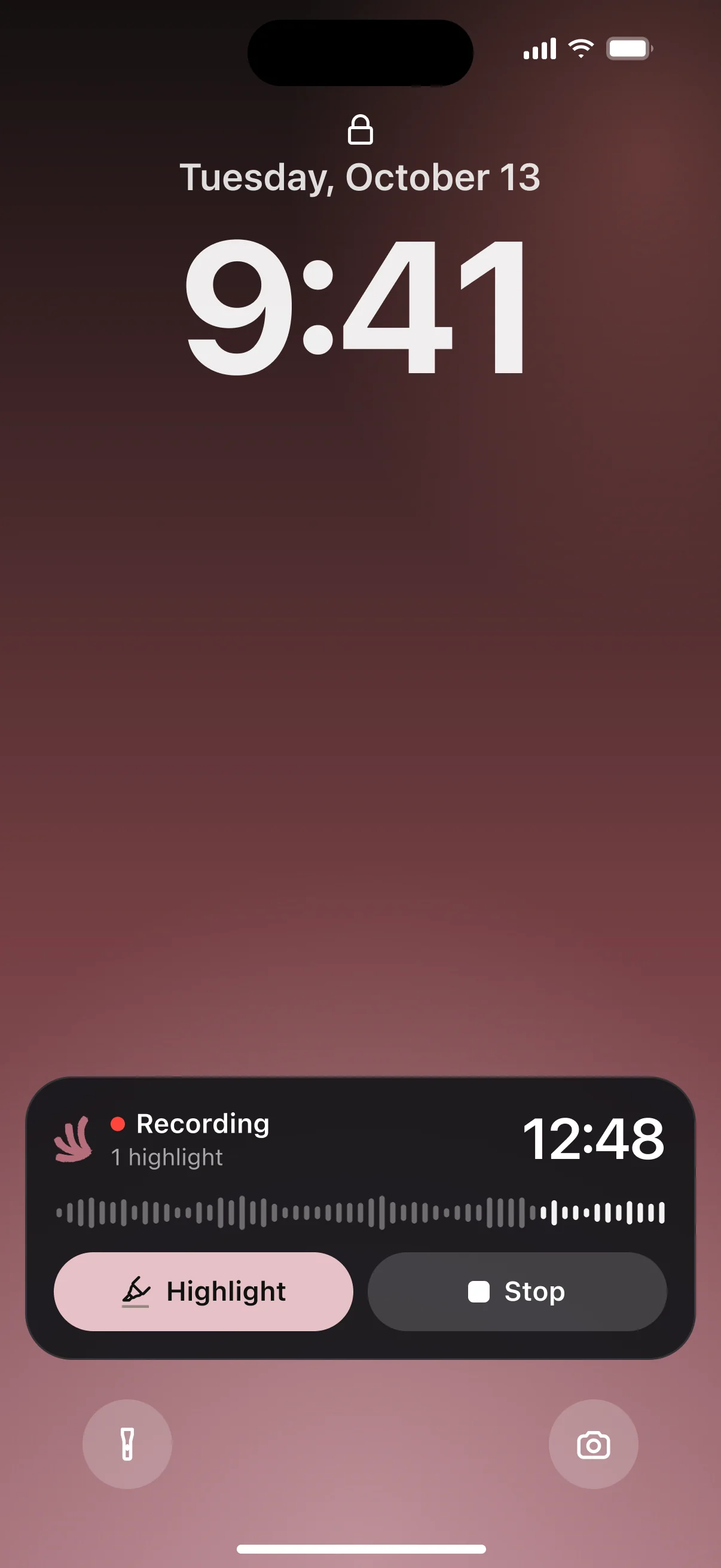
Three-hour interviews, five-hour workshops, ten-hour lecture series: upload the whole thing and get the full transcript in seconds. Full-length transcripts are free in V4-Flash, with no daily limit and no credit card, and you can record for hours on iPhone, right from the lock screen. Pro adds whole recordings in V4-Pro and unlimited file length.

Blazing Speed. Incredible Accuracy.

Upload your file, get accurate text with speaker labels and timestamps, and export when you're ready.

  • Full-length transcripts free
  • Unlimited file length on Pro
  • No credit card
  • Record for hours on iPhone
Cockatoo recording shown on the iPhone lock screen
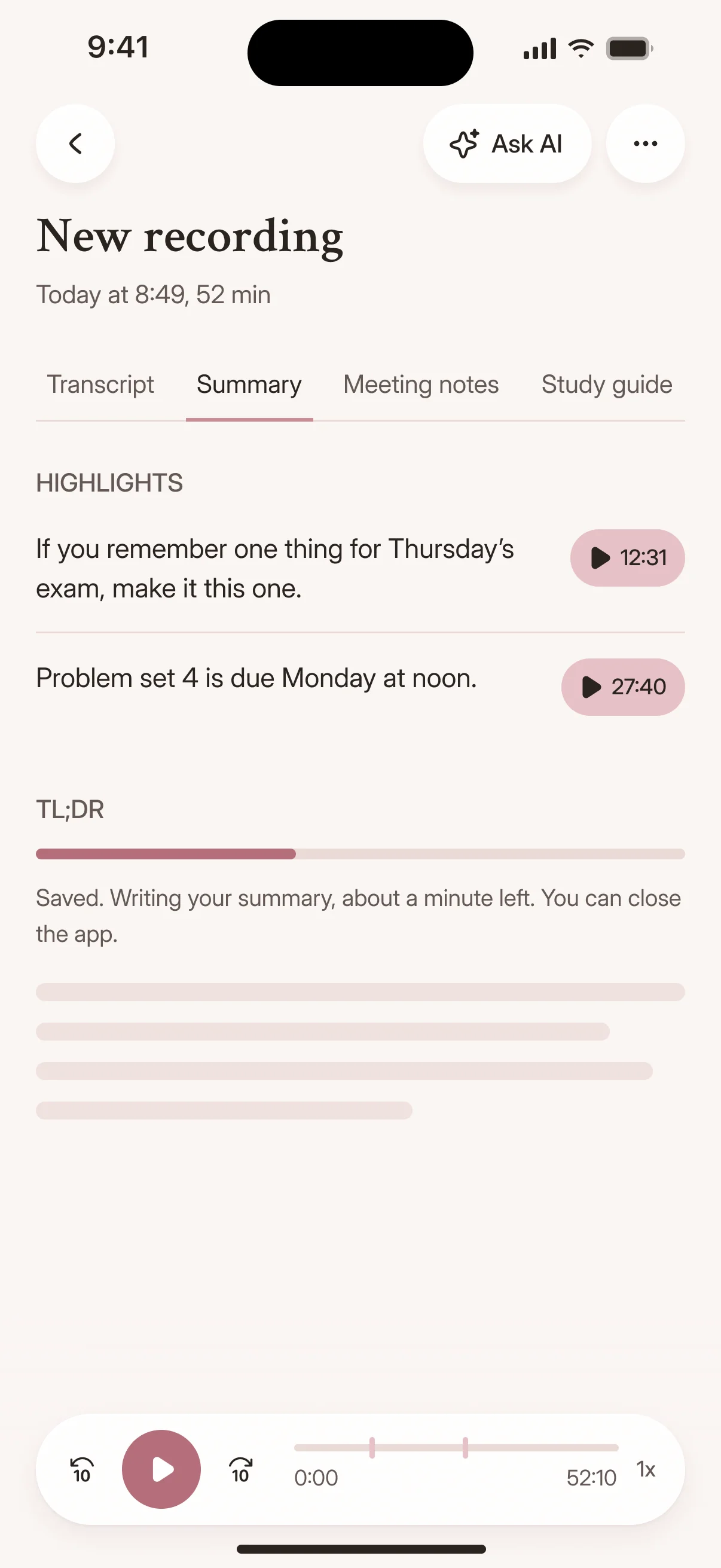
Cockatoo iPhone app transcribing a recording
Drag and drop
MP3MP4M4AMOVAACWAVOGGOPUSMPEGWMV
OR
Why long files aren't capped

How Long-File Transcription Works at Cockatoo

Engineered for Long Recordings

Cockatoo's speech recognition models are engineered to be fast and efficient on long files.

That means unlimited V4-Flash, whether the recording runs one hour or ten.

Per-hour transcription services

Billed by the audio hour Hour caps on most plansMonthly hour limit

Cockatoo V4-Flash

Engineered for speed and efficiency Included on every plan, even Free Unlimited V4-Flash

Unlimited V4-Flash, Plus a V4-Pro Allowance for the Highest-Accuracy Tier

The usage model mirrors ChatGPT, Claude, and Gemini paid plans: V4-Flash is unlimited, and V4-Pro, the highest-accuracy mode, has a usage allowance shown in your Settings.

When you reach the allowance, V4-Flash remains available, so you can keep transcribing without interruption.

FreeUnlimited full-length transcripts in V4-Flash$0
ProWhole recordings in V4-Pro, priority processing, unlimited file length
Max5x or 10x the Pro V4-Pro allowance, for backlogsFrom $100/mo
TeamA shared workspace for 3 or more people
See current prices

Choose Your Mode and Keep the Output Style You Prefer

Cockatoo's models are versioned like modern AI products, and you select which mode to use.

When a new release ships, you can keep the mode whose output style you rely on, so your workflow stays consistent across updates.

Transcription mode

V4-FlashUp to 120x real timeFree, unlimited
V4-ProIndustry-leading accuracyAbout 20x real time
focus-group-2.mp3Transcribe
How it works

From Upload to Finished Transcript in Three Steps

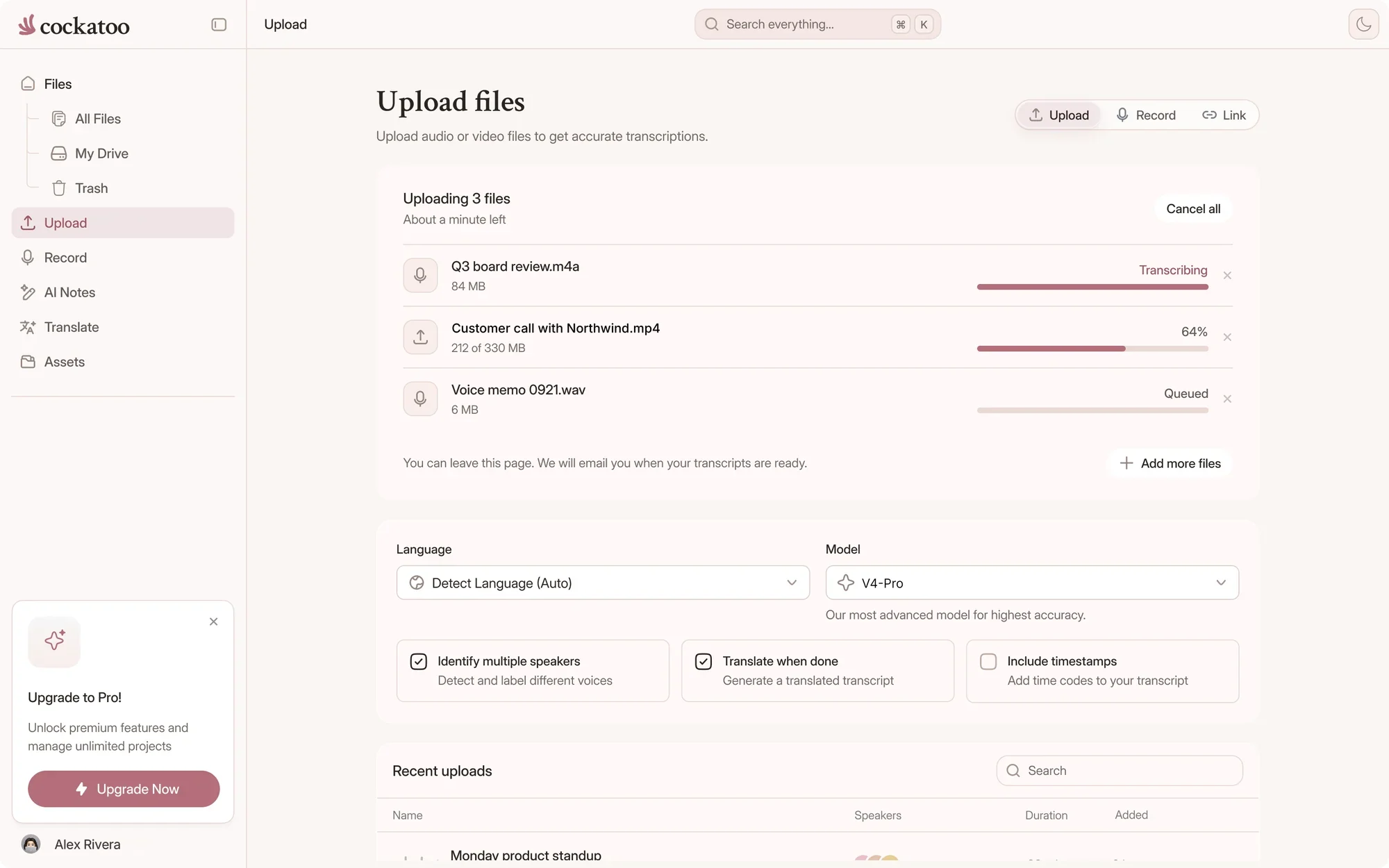
  1. Cockatoo uploading and transcribing a file

    Upload Audio or Video and Get an Editable Transcript

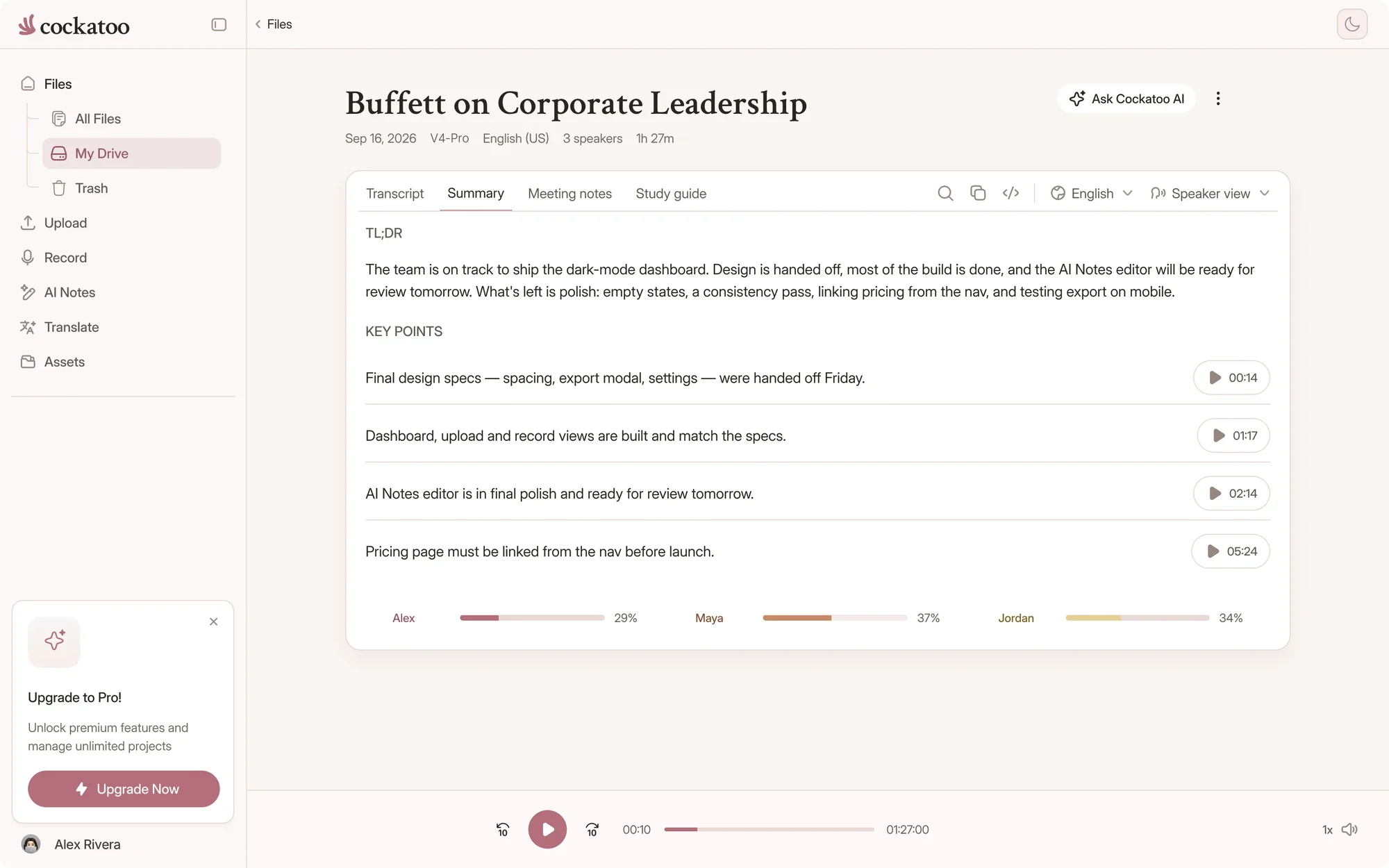
    Drop your file into Cockatoo and get back a transcript with speaker recognition and timestamps.

    Every transcript opens in the browser editor, so you can correct names, fix punctuation, and export to the format you need.

  2. Self-Serve from the First Minute

    Upload a file, get a transcript in seconds, and export to docx, pdf, txt or srt.

    No credit card required.

Use cases

When You Need Multi-Hour Transcripts

Interview Quotes, Podcast Transcripts, and Lecture Notes from One Upload

Upload a three-hour interview and search the transcript for the exact quote you need.

Turn a ten-hour lecture series into searchable notes without replaying the recording.

Marketing Videos, Training Content, and Accessibility All from One Upload

Transcribe a five-hour training session and export the transcript as subtitles for accessibility.

Turn marketing video audio into blog posts, social captions, and email copy without retyping.

Fix Names and Terms, Then Turn the Long Recording into a Short Summary

Correct technical terms and proper nouns in the browser editor, then generate a one-page summary with one click.

Canvas, the AI notes editor included on Pro, turns hours of transcript into the format you actually need: meeting notes, blog drafts, or formatted documents.

Proof

Fast Enough to Keep Up, Accurate Enough to Trust

120xreal-time speed in V4-Flash, at most
~20xreal-time speed in V4-Pro, the most accurate mode
25 of 36languages where V4-Pro had the lowest error rate of the tested providers on FLEURS
Cockatoo V4-Pro on FLEURSError rate · lower is better
  • English3.9% WER
  • Spanish1.0% WER
  • German2.4% WER
  • French7.8% WER
  • Japanese6.5% CER

Accuracy varies by language and recording quality. Updated October 27, 2026. Full results and method

Published Accuracy Tests Across 36 Languages

Cockatoo publishes per-language accuracy tests using the standard public benchmark researchers use to compare transcription engines, plus real-world audio with background noise.

The benchmarks page includes audio samples so you can hear the source and check the output yourself.

Transcripts Finish in Seconds, Even on Long Files

Upload a file and the transcript appears in seconds, not minutes.

The engine is fast enough that you can upload, review, and export without waiting.

“I have tested several transcription services. This is by far the most accurate, especially taking the speed and price into consideration”
Frik V.South AfricaRead review
“The combination of speed, simplicity, and clear language options makes Cockatoo a practical and reliable solution for transcription.”
Dimitri F.Caribbean NetherlandsRead review
“Cockatoo separated speakers and sentences, with timestamps, making it way easier to read.”
Heidi C.CanadaRead review
Import

Upload Any Audio or Video Format

Import from YouTube, Dropbox, or Google Drive

Paste a YouTube link, paste a Dropbox or Google Drive link, or upload a file directly from your computer.

Cockatoo detects the language automatically, or you can override it per file if you know the source. V4-Pro asks you to choose it.

Large files upload in parts. When it saves time, your browser turns a big video into a compact audio file before uploading it.

youtube.com/watch?v=seminar-week-4Import
  • Your device
  • YouTube
  • Google Drive
  • Dropbox
  • iCloud
  • Public file link

Video Audio Extracted Automatically, Export as SRT Subtitles

Upload a video file and Cockatoo extracts the audio, transcribes it, and returns an editable transcript.

Export the transcript as an SRT subtitle file and drop it into your video editor.

.docx.pdf.txt.srt.vtt.csv.json

Free exports on every plan

Edit and export

Export to the Formats You Already Use

Every transcript exports in DOCX, PDF, TXT, SRT, VTT, CSV or JSON, free on every plan.

Cockatoo transcript with a one-click AI summary beside it

Browser Editor for Corrections, One-Click AI Summaries, Canvas on Pro

Pro subscribers get Canvas, the AI notes editor that turns transcripts into meeting notes, blog drafts, and formatted documents. Free accounts can try it.

Detected languageالعربية
  • English
  • Español
  • العربية
  • 日本語
  • עברית
  • Deutsch
  • فارسی
  • Français
  • اردو

00:14 مرحبًا بكم في المحاضرة الرابعة

One Tool for Both Halves of the Job: Transcription and Translation

Get the words out of the audio, then get them into another language.

Cockatoo covers both transcription and document translation, so you do not need to pay for two separate tools.

Support and privacy

Trusted by Professionals Who Check Every Transcript

Real people answer your email, and your files stay yours.

  • What Our Users Appreciate

    Our users include professionals who check every transcript and need accuracy they can rely on.

  • Fully Human Support Monday Through Friday, Typical Response Half a Business Day

    Every support request goes to a human, not a bot.

    The team responds Monday through Friday during US business hours, and the typical response time is half a business day.

  • State-of-the-Art Deep Learning, Real Human Support

    Cockatoo is built on the latest speech recognition models, with no advertising revenue model.

    Your files are stored and processed in the US and the EU (Finland). Support engineers can access your files only with your explicit permission.

FAQ

Common Questions About Long-File Transcription

Answers about file length, uploads and plans.

Visit the help center

Cockatoo processes the entire file and returns a complete transcript with timestamps, so you can verify every section against the source audio.

Upload your longest recording

Get your full transcript free, with no daily limit and no credit card. Move up to Pro for whole recordings in V4-Pro and unlimited file length.

Start Transcribing Free