Background noise, echo and crosstalk

Transcribe Noisy and Poor-Quality Audio with Cockatoo

Cafe interviews, echoey halls, calls with crosstalk: upload the recording as it is and get the full transcript in seconds. It's free in V4-Flash, with no daily limit and no credit card, and V4-Pro, the most accurate mode on our published benchmarks, takes on the hardest files.

Blazing Speed. Incredible Accuracy.

Upload your recording and get an editable transcript in seconds.

  • Unlimited free transcripts
  • No credit card
  • Transcripts in seconds
  • 36 languages
Drag and drop
MP3MP4M4AMOVAACWAVOGGOPUSMPEGWMV
OR
How it works

How Cockatoo Handles Hard-to-Hear Recordings

120xreal-time speed in V4-Flash, at most
~20xreal-time speed in V4-Pro, the most accurate mode
36languages tested on real-world recordings
interview-03.m4a Renamed everywhere
04:02
Dr. Okafor

Let's start with the sampling. Why twelve schools?

04:09
Maya

We wanted rural and urban sites in every region.

04:17
Dr. Okafor

And the consent forms went out before the first visit?

Automatic Speaker Recognition, Word-Level Timestamps, and Punctuation

Cockatoo labels speakers, timestamps every word, and adds punctuation automatically. You get a structured transcript ready to edit, not a wall of text.

Rename a speaker once and every line of the transcript updates.
Transcription mode

V4-FlashUp to 120x real timeFree, unlimited
V4-ProIndustry-leading accuracyAbout 20x real time
focus-group-2.mp3Transcribe

Highest-Accuracy Modes Run at 20x Real-Time

The highest-accuracy modes transcribe at roughly 20 times real-time speed.

Pick V4-Pro when a recording has heavy background noise, echo or people talking over each other.

Per-hour transcription services

Billed by the audio hour Hour caps on most plansMonthly hour limit

Cockatoo V4-Flash

Engineered for speed and efficiency Included on every plan, even Free Unlimited V4-Flash

Unlimited Transcription, Engineered for Efficiency

Cockatoo's deep learning models are engineered to be fast and efficient, so V4-Flash is unlimited on every plan. Run the noisy takes again as often as you like.

FreeUnlimited full-length transcripts in V4-Flash$0
ProWhole recordings in V4-Pro, priority processing, unlimited file length
Max5x or 10x the Pro V4-Pro allowance, for backlogsFrom $100/mo
TeamA shared workspace for 3 or more people
See current prices

Unlimited V4-Flash Plus a V4-Pro Allowance for Highest Accuracy

The usage model mirrors ChatGPT, Claude, and Gemini paid plans: V4-Flash has no hour cap on any plan, and V4-Pro, the highest-accuracy mode, has a usage allowance shown in Settings. When the allowance runs out, V4-Flash stays available.

Everything included

What You Get with Cockatoo

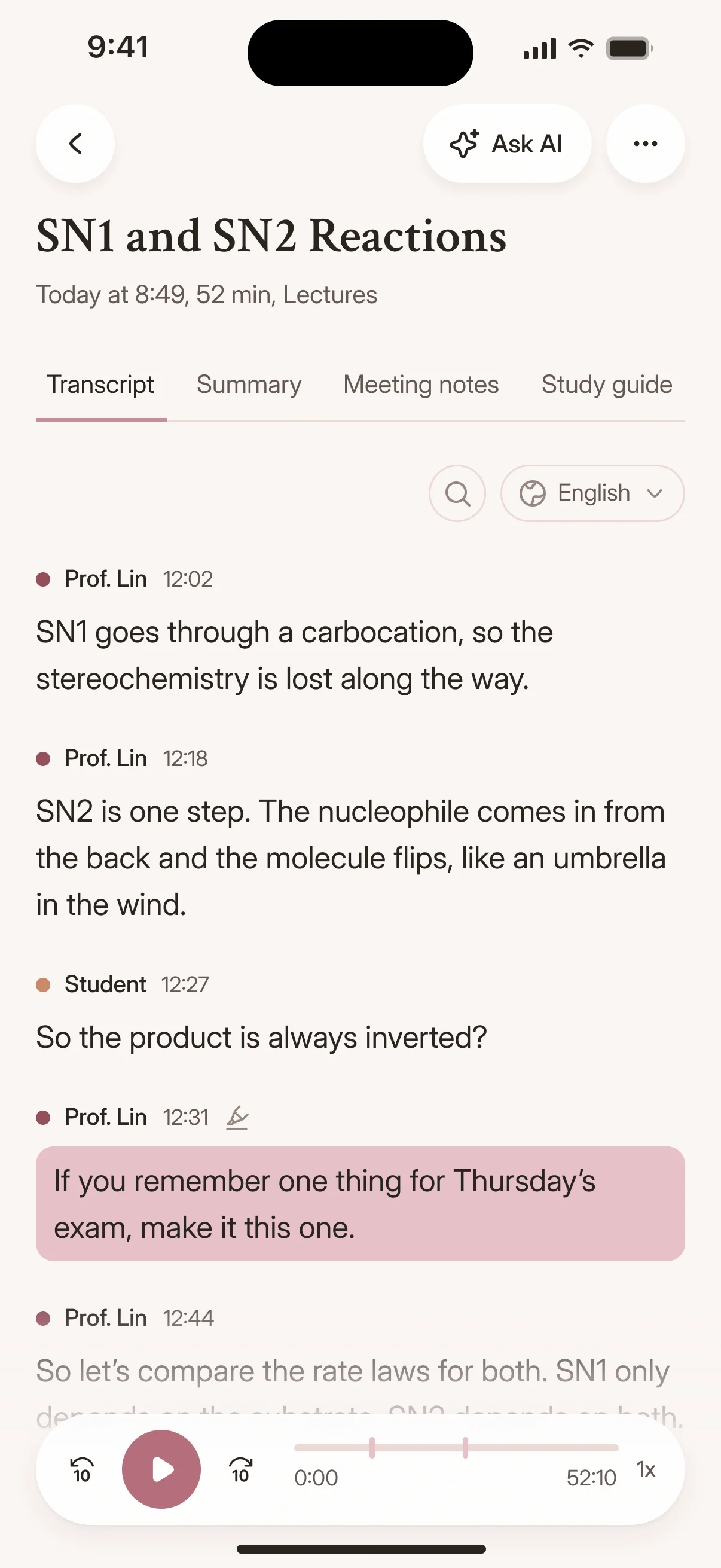
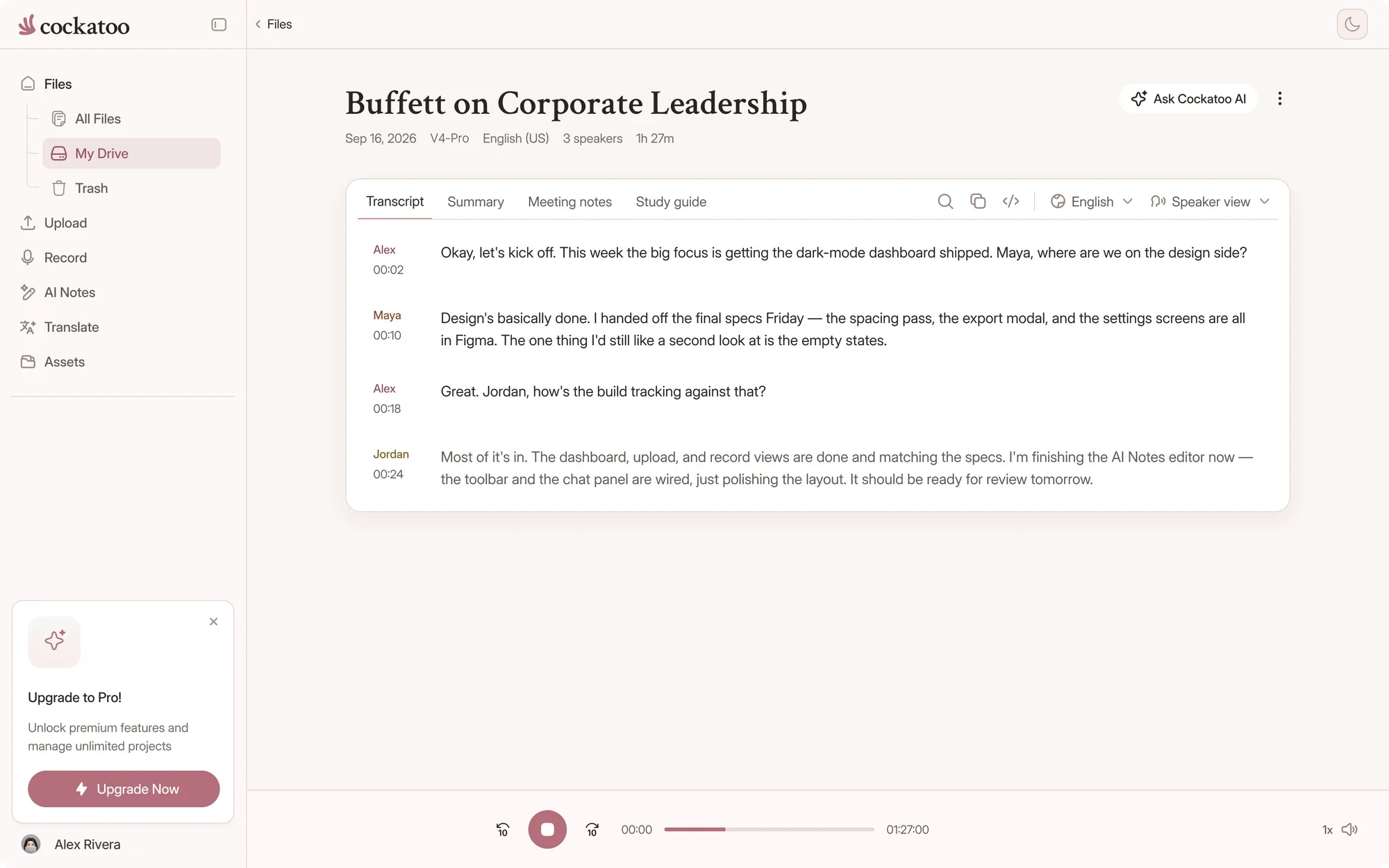
The same transcript on the web and on iPhone, with playback that follows every word.

Cockatoo transcript following along as the recording plays
A transcript with timestamps in the Cockatoo iPhone app

Import from YouTube, Dropbox, Google Drive

Paste a YouTube link, pull files from Dropbox or Google Drive, or upload from your device. All common audio and video formats work.

Export Transcript as SRT Subtitle File Alongside DOCX, PDF, TXT

Download your transcript as an SRT subtitle file for video editing, or export as DOCX, PDF, or plain text for documentation and sharing. VTT, CSV and JSON are there too, free on every plan.

Browser Editor for Correcting Transcript, One-Click AI Summaries

Fix names, correct terms, and adjust punctuation in the browser editor. Generate a summary of the entire recording with one click in Canvas.

Playback is synced to the text, so you can replay a noisy passage and correct it on the spot.

The problem

Common Transcription Problems Cockatoo Solves

Turn Interview Recordings into Quotable Transcripts Without Manual Typing

You recorded the interview, but now you need to pull quotes, verify statements, and write the article. Typing it out yourself takes hours per recording, and the free auto-captions are so rough that cleanup takes just as long.

Mixed-Language Files and Code-Switching Handled Without Manual Splitting

Your recording switches between languages mid-sentence, or the speaker uses technical terms in English while speaking another language. Most tools force you to split the file manually or pick one language and lose the rest.

Record Live or Upload the File

Record live in the web app's Record tab or on the iOS app, or upload a file from your device. Either way, the transcript comes back in seconds.

Just Want Transcript in Browser in Seconds, No Install or Config

You do not want to install software, configure settings, or wait for approval. You want to upload the file, see the transcript in your browser, and export it where you need it.

After the upload

What You Can Do with a Clean Transcript

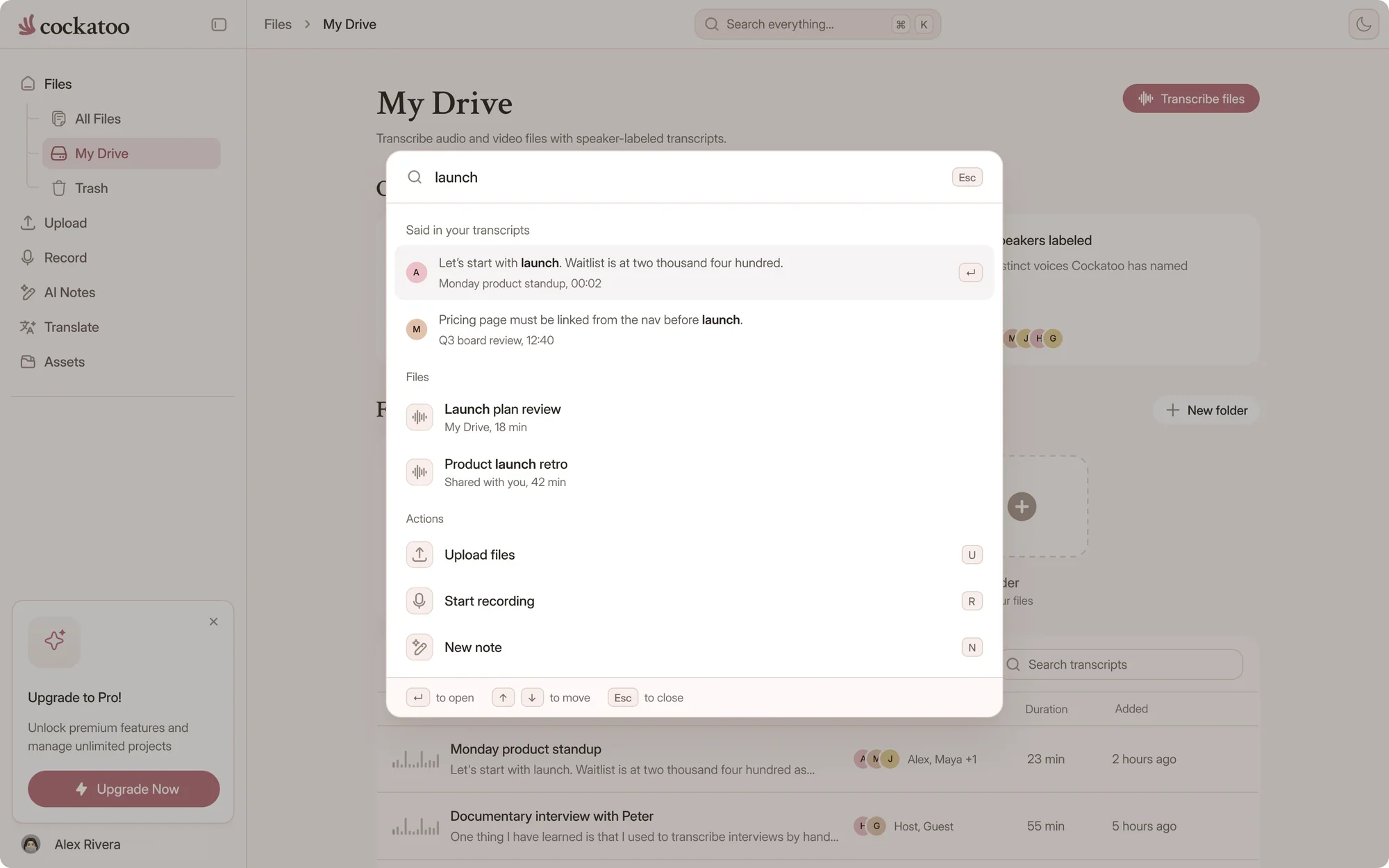
Podcast Episodes, Lectures, Calls Become Searchable, Editable Text

Your podcast episode is now a searchable document. Find the exact timestamp where a topic was mentioned, pull quotes for social media, and publish a written version for readers who prefer text.

Searching across every Cockatoo transcript

Add Subtitles to Marketing Videos, Make Content Accessible and Searchable

Export the transcript as an SRT subtitle file and add it to your marketing video. Your content is now accessible to viewers who are deaf or hard of hearing, and search engines can index the spoken words.

Start free

From Raw Recording to Finished Transcript in Three Steps

No Setup, No Configuration, No Approval Needed

Sign up, upload your file, and get your transcript. No software to install, no settings to configure, and no budget approval to wait for.

One Tool for Transcription and Document Translation

Get the words out of the audio, then get them into another language. Cockatoo handles both halves of the job without switching tools.

Practical tips

How to Get a Better Transcript From Noisy Audio

The biggest gains come from the file you upload and the mode you pick.

  1. Upload the original recording

    Use the file straight from the recorder or phone, not a copy that has been exported and compressed again. If you have a separate track for each microphone, upload the cleanest one.

  2. Go easy on noise reduction

    A light pass in your audio editor can help with steady hum or hiss. Heavy noise reduction can distort voices and make words harder to recognize, so compare before and after.

  3. Choose the language and V4-Pro

    Auto-detect works well on clear speech, but choosing the language removes one guess on a noisy file. V4-Pro, the most accurate mode, is the one to use on difficult audio.

  4. Check the hard parts against the audio

    Replay any passage buried in noise in the editor, where playback follows the text, and fix it before you quote or publish.

Proof

Trusted by People Who Check Every Transcript

What Our Users Appreciate: Accuracy on Difficult Accents, Dialects, Raw Speed, Ease of Use

Cockatoo handles difficult accents and dialects, transcribes faster than you expect, and requires no learning curve.

Cockatoo supportA person reads every message
  • Monday to Friday
  • US business hours
  • Typical reply in half a business day
Contact support

Support Is Fully Human, Monday to Friday, Typical Response Half a Business Day

Email hello@cockatoo.com or support@cockatoo.com and reach a human, not a bot. The inbox is answered Monday through Friday during US business hours, and the typical response time is half a business day.

“This transcriber is incredibly accurate, and not bothered by all the different accents i present it with. Highly recommended.”
Ian A.AustraliaRead review
“It works fast and the quality and accuracy are spot on. Love the service!”
AlUnited StatesRead review
“I have tested several transcription services. This is by far the most accurate, especially taking the speed and price into consideration”
Frik V.South AfricaRead review
Benchmarks

Published Accuracy Tests You Can Audit

Published Accuracy Tests: 36 Languages, FLEURS Benchmark, Real-World Noisy Audio

Cockatoo publishes accuracy tests for 36 languages using the standard public benchmark researchers use to compare transcription engines, plus real-world recordings with background noise, crosstalk and accents.

The real-world set is the one that looks like your recordings. Check your language on the benchmarks page; accuracy varies by language and recording quality.

Cockatoo V4-Pro on FLEURSError rate · lower is better
  • English3.9% WER
  • Spanish1.0% WER
  • German2.4% WER
  • French7.8% WER
  • Japanese6.5% CER

Accuracy varies by language and recording quality. Updated October 27, 2026. Full results and method

Transcription Engine and Mode Versioning

Cockatoo maintains multiple transcription modes and versions so you can choose the balance of speed and accuracy that fits your file. The engine is versioned and improved over time without breaking your workflow.

25 of 36languages where V4-Pro had the lowest error rate of the tested providers on FLEURSSee the benchmarks
FAQ

Frequently Asked Questions

Answers about difficult audio, free transcripts and plans.

Visit the help center

No. Upload the original recording as it is. For the hardest files, use V4-Pro, the most accurate mode.

Upload the recording you've been putting off

Get your full transcript free, with no daily limit and no credit card. Put V4-Pro on your noisiest file in the weekly previews.

Start Free