For qualitative research

Export Transcripts to NVivo, MAXQDA & ATLAS.ti

Transcribe interviews and focus groups in seconds, rename speakers to participant codes, and export DOCX, TXT or CSV files that go straight into NVivo, MAXQDA and ATLAS.ti. Full-length transcripts are free in V4-Flash, with no daily limit.

Blazing Speed. Incredible Accuracy.

Transcribe your interview and focus group recordings at up to 120x real-time, then export clean text files ready for qualitative analysis.

  • Ready for NVivo, MAXQDA, ATLAS.ti
  • Timestamps and speaker labels
  • 36 languages
  • Free full-length transcripts
Drag and drop
MP3MP4M4AMOVAACWAVOGGOPUSMPEGWMV
OR
How it works

From Upload to Export in Three Steps

Upload the recording, check it in the editor, export a file your QDA software opens like any other document.

120xreal-time speed in V4-Flash, at most
36transcription languages
7export formats, free on every plan
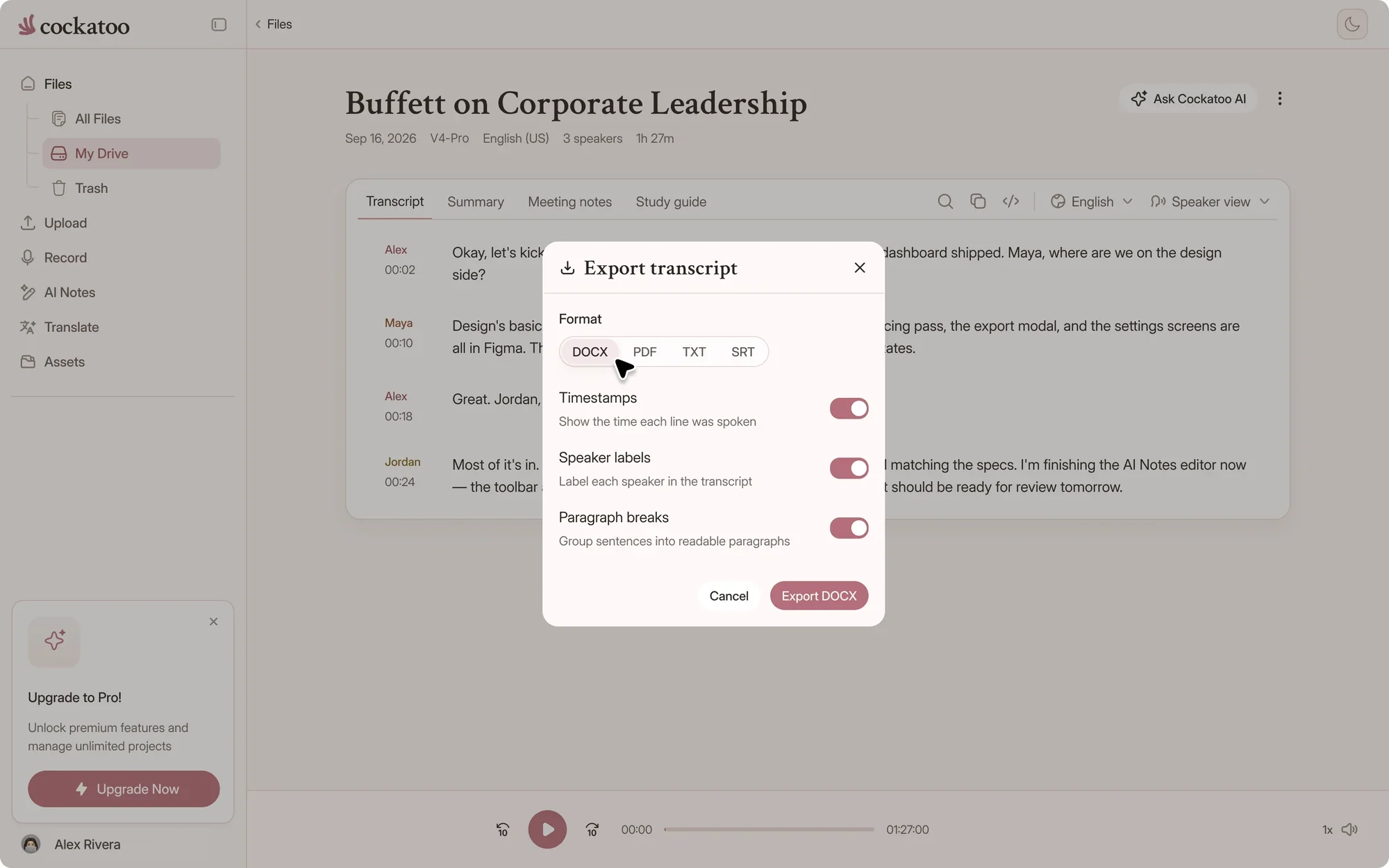
Cockatoo export menu with DOCX, PDF, TXT, SRT and more
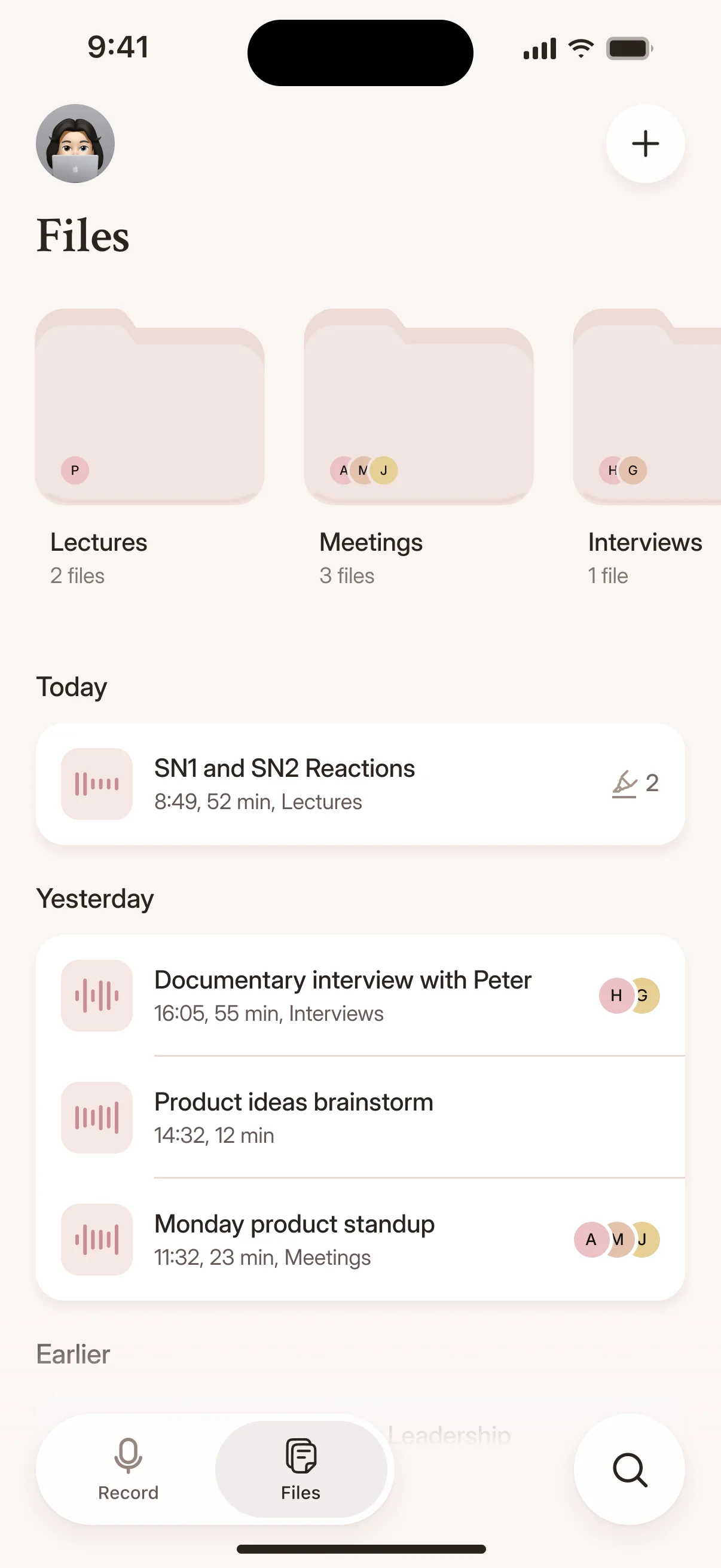
Recordings and transcripts in the Cockatoo iPhone app

Upload Audio or Video, Get Editable Transcript with Speakers and Timestamps

Cockatoo identifies speakers automatically and adds timestamps to every line. Speaker labels come with V4-Pro, on paid plans and in the weekly previews on Free.

Export as plain text, Word or SRT with all speaker labels and time codes intact, ready to import into your qualitative analysis software.

YouTube, Dropbox, and Drive Links Plus All Audio and Video Formats

Paste a YouTube link, import from Dropbox or Google Drive, or upload files directly in any common audio or video format.

Cockatoo handles code-switching when participants move between languages mid-conversation, and displays right-to-left scripts correctly for Arabic, Hebrew and other RTL languages.

One Tool for Both Halves of the Job: Words Out of Audio, Into Another Language

Transcribe your interview in the original language, then translate the transcript into English or another language for your analysis team.

In-Browser Editor, One-Click AI Summaries, and Canvas on Pro

Correct participant names, fix technical terms and adjust speaker labels directly in the browser before you export.

Pro subscribers get Canvas (AI notes editor), with one-click summaries to prepare your transcript for coding.

File-based export

Which Export to Use for Your Analysis Software

Download a file from Cockatoo and import it into NVivo, MAXQDA or ATLAS.ti, the same way you'd bring in any interview document.

Suggested Cockatoo exports for qualitative analysis software
FeatureExport from CockatooWhat you get
NVivoDOCX or TXTA document to code, with speaker names and passage timestamps as text
MAXQDADOCX or TXTA document to code, with speaker names and passage timestamps as text
ATLAS.tiDOCX or TXTA document to code, with speaker names and passage timestamps as text
Spreadsheets, R or PythonCSV or JSONOne row or entry per segment, with start, end, speaker and text

Import options differ between versions of each program, so check its documentation. NVivo, MAXQDA and ATLAS.ti are trademarks of their owners.

Keep speaker names consistent

Rename Speaker 1 and Speaker 2 to participant codes before you export. Renaming once updates every line, so your codes match across the whole file.

Choose what goes into the file

Turn timestamps, speaker labels and paragraph breaks on or off, and group the text by paragraph, sentence or speaker turn.

Export a whole study at once

Select every interview in your library and download them together as a ZIP. Paid plans can bulk export DOCX and the other formats, and free accounts bulk export TXT.

Privacy and support

Research Interviews, Handled With Care

Where your interview recordings are stored

Your files are stored and processed in the US and the EU (Finland).

Support engineers can view your files only if you grant permission during a support request.

United States European Union (Finland)

Where your files are stored and processed

Discounts for students, academics and non-profits

Full-length V4-Flash transcripts are free. For V4-Pro on a paid plan, students, academics and non-profits can request a discount on the education page.

30% off

For students, academics and non-profits, on paid plans

Request the discount
“The app has simplified my dissertation work by trascribing the interviews I am working with currently.”
Guillermo B.TaiwanRead review
“It saves me a lot of time for transcribing interviews I'm realizing over the phone”
André B.CanadaRead review
“Need to do very little editing to make transcripts perfect”
Mick S.AustraliaRead review
FAQ

Common Questions About Exporting Transcripts for QDA Software

Short answers about formats, imports, accuracy and support.

Visit the help center

Cockatoo's unlimited is not capped on V4-Flash, including on the free plan. Transcribe every interview in your study, whatever the total hours.

Get your interviews ready for coding

Get your full transcript free, with no daily limit. Try industry-leading accuracy with V4-Pro.

Start Your Free Transcript