Add Subtitles to Marketing or Training Video in Seconds
Export as SRT and drop it into your video editor.
Every caption appears when the speaker says it. No manual syncing.
Word-level timestamps
Click any word to hear it, pull a quote to the exact second, and export captions that land right on cue. Full-length timestamped transcripts are free in V4-Flash, with no daily limit and no credit card.
Cockatoo marks the start and end time of every word automatically, at speeds up to 120x real-time.
Upload your file and get a timestamped transcript in seconds. Export it wherever you need it.
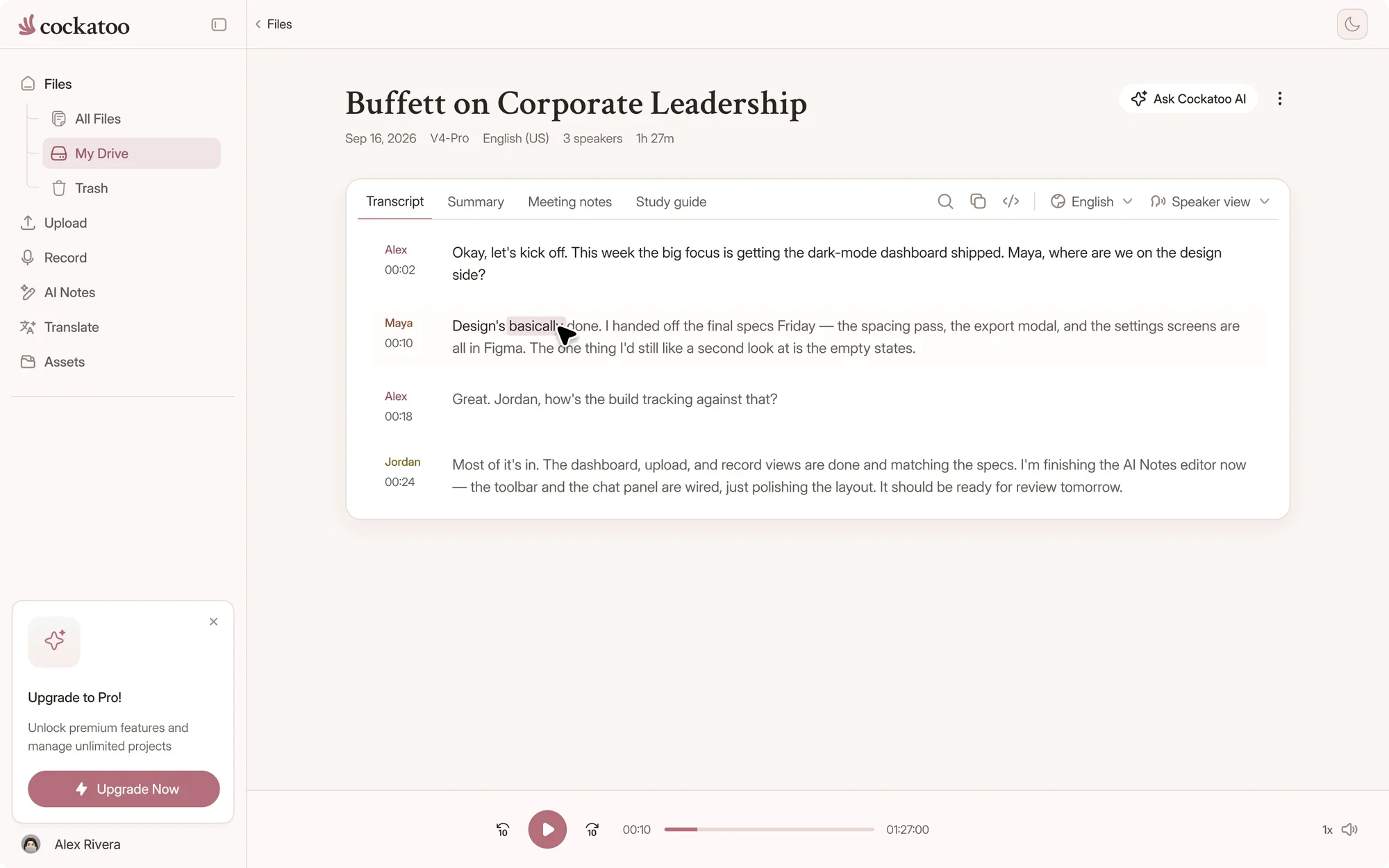
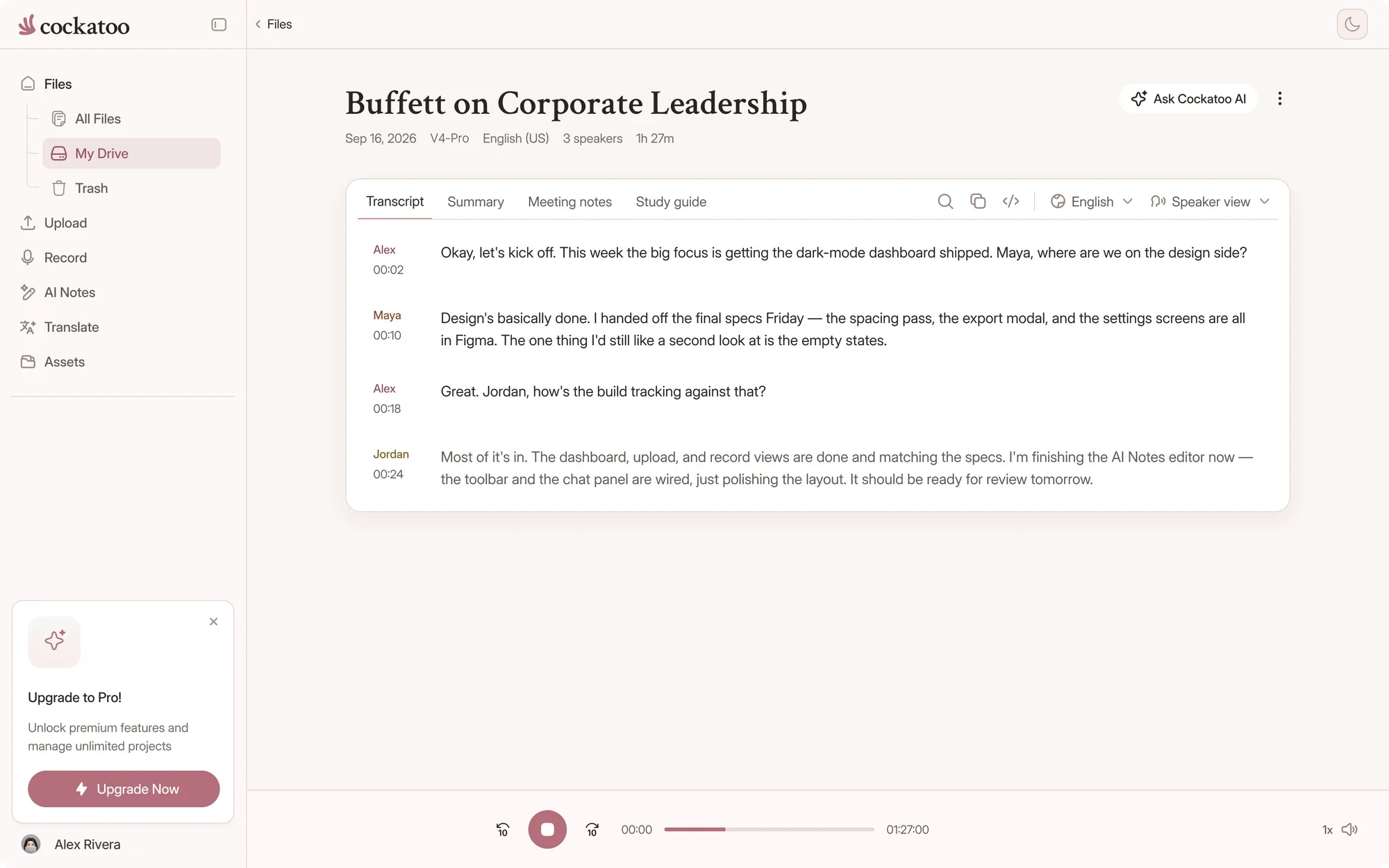
Every word carries its own start and end time, so the recording becomes something you can search, quote and caption.
Export as SRT and drop it into your video editor.
Every caption appears when the speaker says it. No manual syncing.
Jump to the timestamp where a name or term appears, correct it in place, and move on. Words you don't change keep their original timings.
Pull key moments from a two-hour interview and build a summary with exact references, without scrubbing through the audio.
So how did Bourdieu shape the way you read the fieldwork?
His idea of habitus gave me a vocabulary for what I was seeing in the classroom.
Click a word in your transcript and land on that exact second in the recording. During playback, the current word is highlighted as it's spoken.
Pull quotes knowing the timestamp is accurate to the word. Generate subtitle files that stay in sync with your video.
We publish accuracy tests for 36 languages: the standard public benchmark researchers use, plus real-world audio with noise and accents.
Cockatoo shows you the numbers, the test sets, and the public examples so you can verify it yourself.
Accuracy varies by language and recording quality. Updated October 27, 2026. Full results and method
Every transcript exports as SRT for video editors, DOCX for editing, PDF for sharing, TXT for scripts and automation. VTT, CSV and JSON are included too.
Each SRT caption gets its own start and end time. Drop it into Premiere, Final Cut, or any editor that reads standard subtitle files.
Free exports on every plan
Word-level timing lives in the editor. Exports carry the timing each format is built for.
| Feature | Timing detail | Good for |
|---|---|---|
| Transcript editor | Every word, with start and end times | Clicking a word to play it, checking quotes, fixing errors |
| SRT and VTT | Start and end time per caption | Video editors, players and captions |
| CSV and JSON | Start and end time per segment | Spreadsheets, scripts and other tools |
| DOCX, PDF and TXT | A timestamp at the start of each passage | Reading, quoting and sharing |
| Adobe Premiere markers | One marker per passage, paid plans | Premiere Pro timelines |
Timestamps in DOCX, PDF and TXT can be turned off in the export dialog.
If a passage starts a beat early or late, change its timestamp from the passage menu, or split and merge passages to change where lines break.
For SRT and VTT, set the characters per caption, one or two lines, the minimum and maximum caption duration, and the pause that starts a new caption.
“Cockatoo separated speakers and sentences, with timestamps, making it way easier to read.”
“Need to do very little editing to make transcripts perfect”
“The transcription accuracy is impressive, and the export options make it simple to work with transcripts in various formats.”

Timestamped, full-length transcripts free in V4-Flash, and a real person on the other end when you write in.
The unlimited claim is not marketing language. The free plan gives you unlimited full-length transcripts in V4-Flash, with no daily limit and no credit card.
Cockatoo's speech recognition models are engineered to be fast and efficient, so there's no meter running on your recordings.
Every support request goes to a real person, not a bot.
The team responds Monday through Friday, during US business hours. The typical response time is half a business day.
Short answers about word timing, captions and exports.
It's the start and end time of a single word in the recording. Cockatoo uses it so you can click any word to hear it and follow along as the audio plays.
Yes. Timestamps are a toggle in the export dialog for DOCX, PDF and TXT, next to speaker labels and paragraph breaks.
Exports carry timing per line or caption: start and end times in SRT, VTT, CSV and JSON, and a timestamp per passage in DOCX, PDF and TXT. Word-level timing is in the transcript editor, where you can click any word to hear it.
Yes. Words you don't change keep their original timings, and edited words get timings from the words around them.
Yes, on paid plans. The Adobe Premiere markers export creates one marker per passage, named after the speaker. See the pricing page for plans.
Seconds. V4-Flash runs at up to 120x real time, so a one-hour recording takes about 30 seconds, and V4-Pro runs at about 20x real time.
Get your full transcript free, with no daily limit. Try industry-leading accuracy with V4-Pro.
Start Transcribing Free

 SRT