Verbatim keeps every hesitation
Verbatim keeps fillers, repetitions, and false starts. Choose it when how something was said matters as much as what was said.
Transcription styles
Keep every um and false start with verbatim, or get a clean read in the speaker's own words. Record on your iPhone or in the browser, upload a file or paste a link, and V4-Pro returns the style you picked in seconds, with speaker labels and timestamps.
Get the transcript style you need. Speed and accuracy, no trade-off required.
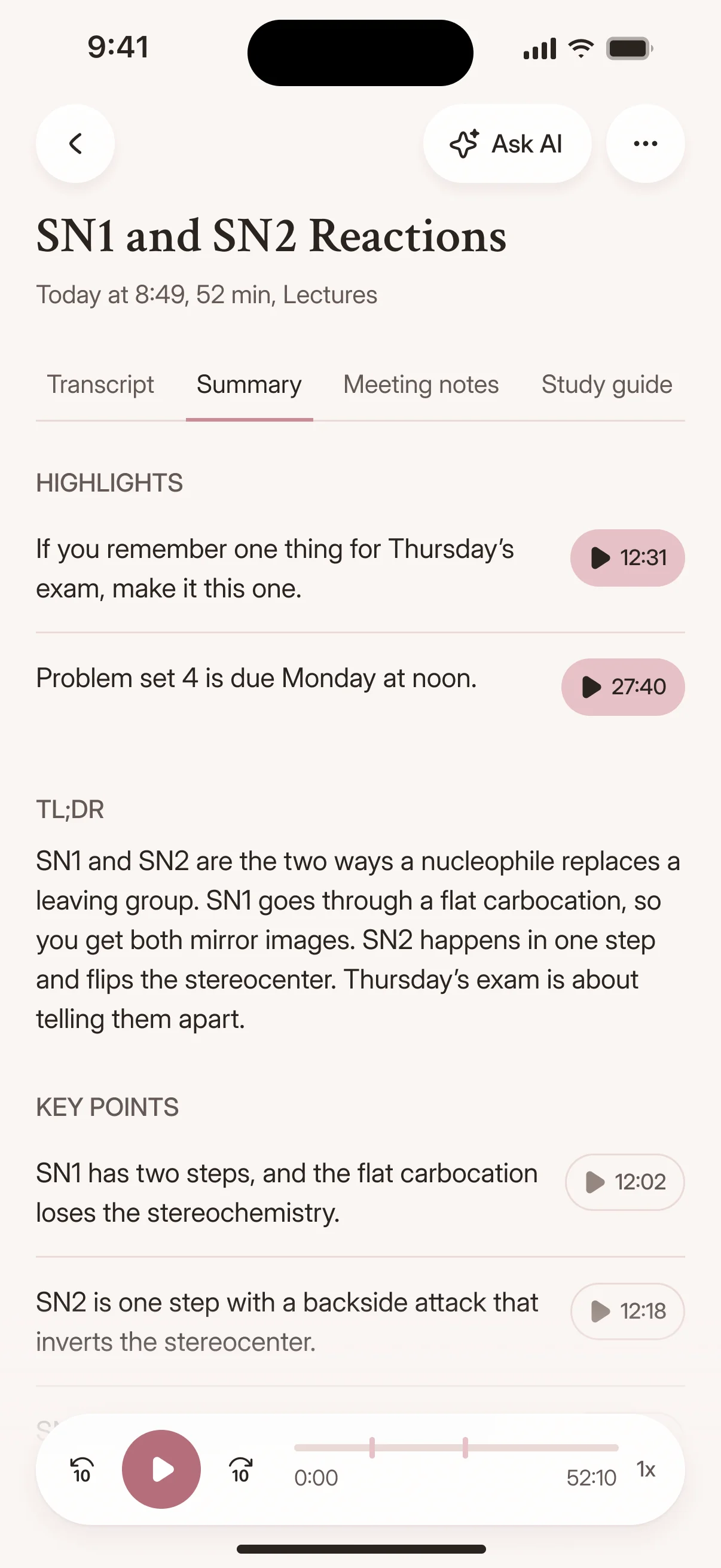
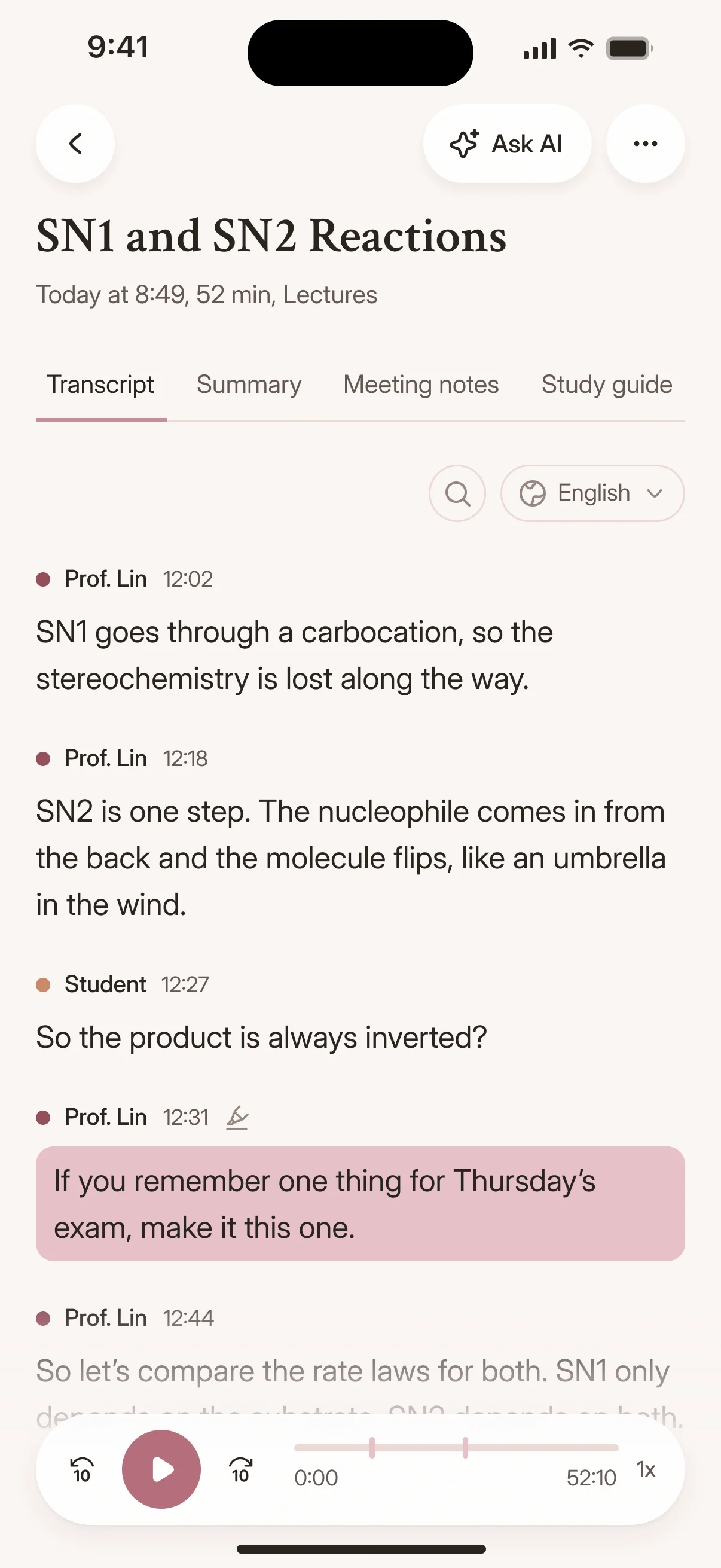
Both styles are transcripts of what was said, not summaries. The difference is how much of the hesitation stays in.
| Feature | Verbatim | Clean verbatim |
|---|---|---|
| Filler words (um, uh) | Kept | Reduced |
| Repetitions and stutters | Kept | Reduced |
| False starts | Kept | Reduced |
| Speaker's wording | As spoken | Preserved, not paraphrased |
| Speaker labels and timestamps | Included | Included |
| How to choose it | Default style for V4-Pro | Pick it when you upload, or in Settings |
| Good for | Research, records, checking exact wording | Quotes, articles, captions, notes |
The style setting applies to new V4-Pro transcripts, and you can edit any transcript in the browser.
Verbatim keeps fillers, repetitions, and false starts. Choose it when how something was said matters as much as what was said.
Clean verbatim reduces fillers and false starts while preserving your words. It doesn't paraphrase or rewrite what people said.
Neither style shortens the recording. For key points or action items, open the transcript in Canvas and generate a summary in one click.
Pick the style once, then fix, summarize and export without leaving the browser.
Edit the transcript directly in your browser to remove filler words, fix names, or adjust punctuation.
When you need a summary or action items instead of the full text, click once and let Canvas pull out what matters.
So how did Bourdieu shape the way you read the fieldwork?
His idea of habitus gave me a vocabulary for what I was seeing in the classroom.
Video files have their audio extracted automatically, with no transcoding step for you to manage, and the transcript can be exported as an SRT subtitle file alongside docx, pdf and txt.
One upload gives you every format you need, whether you are captioning a video or handing a clean read to a colleague.
Free exports on every plan
No onboarding call, no sales demo, no waiting.
Upload your file, get the transcript in seconds, export it in the format your workflow requires.
Drop your file into Cockatoo and get a transcript you can edit in the browser. Speaker labels and timestamps are already there.
Need verbatim filler words or a clean read? Choose the style when you upload in V4-Pro, then shape the output in the editor to match your workflow.
Let's start with the sampling. Why twelve schools?
We wanted rural and urban sites in every region.
And the consent forms went out before the first visit?
You pick the style with V4-Pro, and Cockatoo remembers your choice for your next transcripts.
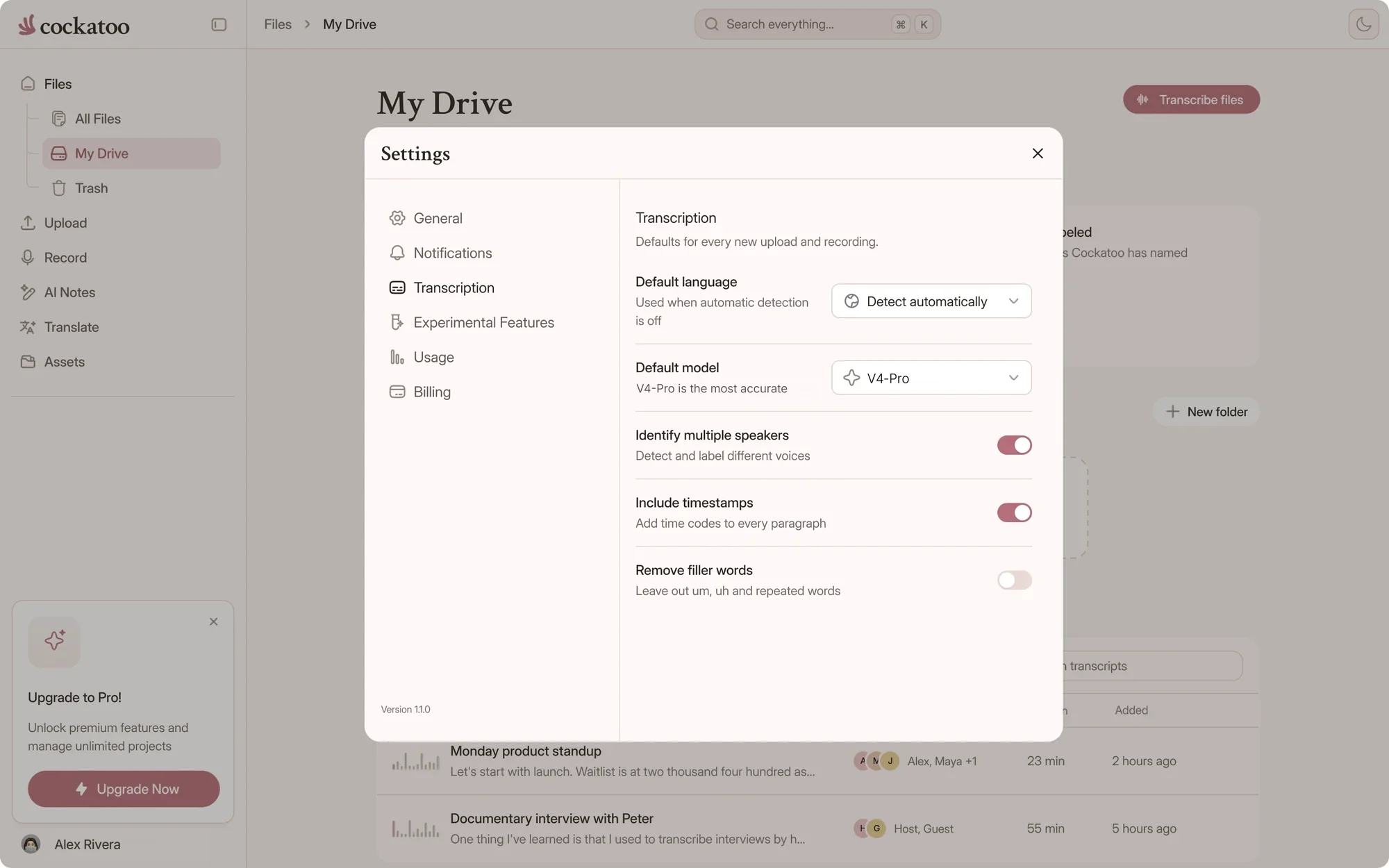
Choose V4-Pro, the most accurate mode, when you upload. V4-Pro is on paid plans, and free accounts get weekly V4-Pro previews.
Pick verbatim to keep every filler and false start, or clean verbatim for an easier read in the speaker's own words. Verbatim is the default, Cockatoo remembers your choice, and you can change it any time in Settings.
Pick the audio language, add your file or paste a link, and the transcript comes back in seconds with speaker labels and timestamps.

Match the style to the job, and get it right the first time.
Qualitative researchers, linguists and anyone preparing a record of what was said often need the pauses, restarts and fillers. Verbatim keeps them in the text.
When a hesitation or a repeated word could change how a statement reads, start from verbatim. You can always tidy a copy later in the editor.
Journalists, podcasters and marketers usually want a quote that reads well without changing what the speaker said. Clean verbatim gets you most of the way.
Fewer fillers mean shorter captions and easier meeting notes. Export the clean transcript as SRT, VTT, DOCX or PDF.
Cockatoo does not cap your monthly hours in V4-Flash.
Free accounts get unlimited full-length V4-Flash transcripts, with no daily limit and no credit card.
Per-hour transcription services
Billed by the audio hour Hour caps on most plansMonthly hour limitCockatoo V4-Flash
Engineered for speed and efficiency Included on every plan, even Free Unlimited V4-FlashV4-Flash is engineered to be fast and efficient, so it has no monthly hour cap on any plan, including Free.
Accuracy varies by language and recording quality. Updated October 27, 2026. Full results and method
Cockatoo publishes accuracy tests for 36 languages, run on the same public test set researchers use to compare transcription engines, plus real-world audio samples.
Instead of a bare percentage with no evidence, you get per-language results you can review before you commit. Accuracy varies by language and recording quality.
“Need to do very little editing to make transcripts perfect”
“Cockatoo separated speakers and sentences, with timestamps, making it way easier to read.”
“The transcription accuracy is impressive, and the export options make it simple to work with transcripts in various formats.”
Quick answers about transcription styles in Cockatoo.
Verbatim keeps fillers, repetitions and false starts. Clean verbatim reduces fillers and false starts while preserving the speaker's original wording.
No. Clean verbatim reduces fillers and stutters but keeps the original wording. It isn't a paraphrase or a summary.
When you upload with V4-Pro. You can also change it any time in Settings.
Verbatim. Once you pick a style, Cockatoo saves it and uses it for your next V4-Pro transcripts until you change it.
Yes, when you use one of your weekly V4-Pro previews. On any transcript, you can also tidy fillers in the editor.
The style applies to new V4-Pro transcripts. For an existing transcript, remove or restore wording in the browser editor before you export.
Yes. Both styles come from V4-Pro, which includes speaker labels and word-level timestamps.

Get your full transcript free, with no daily limit. Try V4-Pro to choose verbatim or clean verbatim.
Get Your Transcript